
Lesson 4 of 4 · 3:27
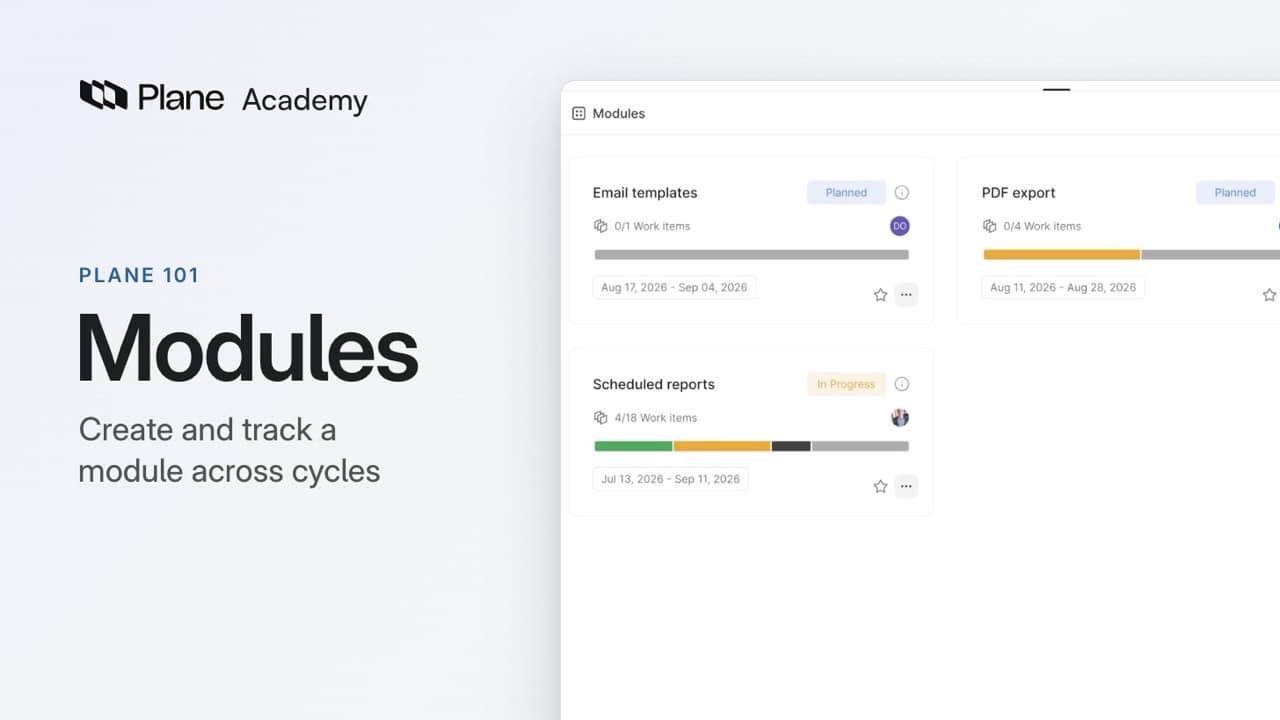
Create and track a module across cycles
How a module tracks one part of a project, from creating it to following it across cycles.
What you will learn
- A module is one part of a project, like a feature or a component, with its own work items, lead, members, and progress.
- Cycles split a project by time and modules split it by what you're building, so one module can run across many cycles.
- An admin turns modules on for each project, in Project settings, under Features, then Modules.
- Add Module creates one, and only the title is required. The team sets its status; dates never change it.
- Add existing work item lists everything not yet in the module. A work item sits in one cycle at a time but can belong to several modules, and work created inside a module joins it.
- Progress counts only completed work and leaves cancelled work out. A module's details hold its status, dates, lead, members, and links.
- Grouping a module's board by cycle shows one feature across its cycles.
What a module is
0:00A module is one part of a project, like a feature or a component. Its work items set the scope. Its lead and members are the people responsible for it. Its progress shows how much is done.
Cycles split a project by time. Modules split it by what you're building. One module can run across many cycles, and a work item can belong to more than one module.
Create a module
0:28An admin turns modules on for each project in Project settings, under Features, then Modules. Turn on Enable modules to give the project a Modules tab next to Cycles.
- In the Modules tab, click Add Module.
- Give the module a title.
- Add a description and dates if you have them, now or later.
- Choose a lead and add the people working on it as members.
- Click Create Module.
Only the title is required.
Set the module's status from its status menu: Backlog, Planned, In Progress, Paused, Completed, or Cancelled. Dates never change a module's status.
Contributors can create modules and add work to any of them. Only admins and the person who created a module can edit or delete it.
Add work to a module
1:22- Open the module from the Modules tab.
- Click Add existing work item.
- Select the work items to add, then click Add selected work items.
The picker lists everything that is not in this module yet, including work that already belongs to another module.
A work item sits in one cycle at a time, but it can belong to several modules.
You can also choose modules from a work item's Modules property. Any work item you create inside a module joins it.
Outside a module, you can filter or group the project's work items by module.
Track a module
2:08A module's status is set by the team, while its progress comes from the work. Only work in the Completed state group counts as done, and Plane leaves cancelled work out of the count.
Click the module's info icon to open its details, with its status, dates, lead, members, and links to specs and designs.
The Timeline layout lays modules out by date so you can see where they overlap.
When a module is finished, set its status to Completed.
Completed and cancelled modules can be archived and restored later from the project's Archives.
Follow a module across cycles
2:54- Open the module.
- Switch to the Board layout.
- Open Display, then under Group by, choose Cycle.
The board shows the same feature across its cycles.
Try it in your workspace
Create a module, add existing work items to it, then open its board and group by cycle in Display.
Transcript
Show the transcript
What a module is
0:02In Plane, a module is one part of a project, like a feature or a component. Its work items set the scope. Its lead and members are the people responsible for it. And its progress shows how much of it is done.
0:17Cycles split a project by time. Modules split it by what you're building. One module can run across many cycles, and a work item can sit in more than one module.
Create a module
0:28Let's take a closer look.
0:33An admin turns modules on for each project, in Project settings, under Features, then Modules. They get their own tab, next to Cycles.
0:43To create one, click Add Module. Only the title is required, and you can add a description and dates now or later.
0:53Choose a lead, and add the people working on it as members.
1:00A module's status is yours to set: Backlog, Planned, In Progress, Paused, Completed, or Cancelled. Unlike a cycle's status, it never changes with the dates.
1:13Contributors can create modules and add work to any of them. Only admins and the person who created a module can edit or delete it.
Add work to a module
1:25Open PDF export to add the work it covers. Add existing work item lists everything that isn't in this module yet, even work that already belongs to another module.
1:37A work item sits in one cycle at a time, but it can belong to several modules. CORE-30 is in the Reports launch cycle, and in two modules: Scheduled reports and PDF export.
1:51You can also pick modules from any work item, in its Modules property. And any work item you create inside a module joins it.
2:01Outside a module, you can also filter or group the project's work items by module.
Track a module
2:11A module's status is what the team says. Its progress is what the work says. Only work in the Completed state group counts as done, and Plane leaves cancelled work out of the count. Scheduled reports is 25 % done.
2:27Open a module's details to see its status, dates, lead, and members, with links to the specs and designs behind it.
2:37The Timeline layout lays your modules out by date, so you can see where they overlap.
2:43When a module is finished, set it to Completed. You can archive completed and cancelled modules, and restore them later from the project's Archives.
Follow a module across cycles
2:54To see a module across its cycles, open Scheduled reports, and in Display, group its board by cycle.
3:03The same feature, spread across four cycles: one finished, one running, and two still to come.
Recap
3:12A module's work items set the scope. Its lead and members are responsible for it. And its progress shows how much is done, however many cycles it takes.