
All videos
47 lessons · 3 h 33 min
 1:53
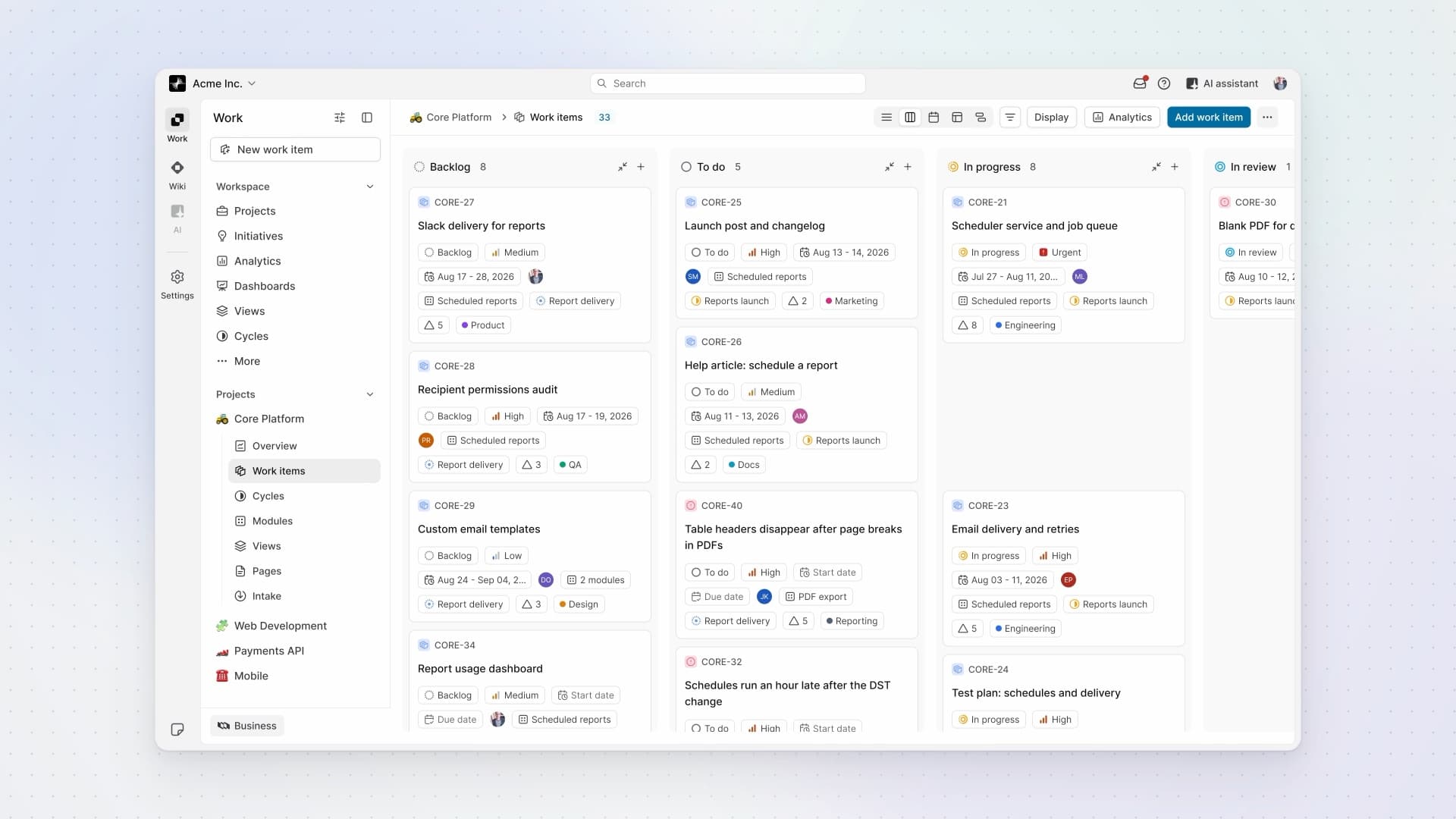
What is Plane?
See how Work, Wiki, and AI fit together in one workspace, with projects inside Work and people reviewing an agent's response.
- 4:20
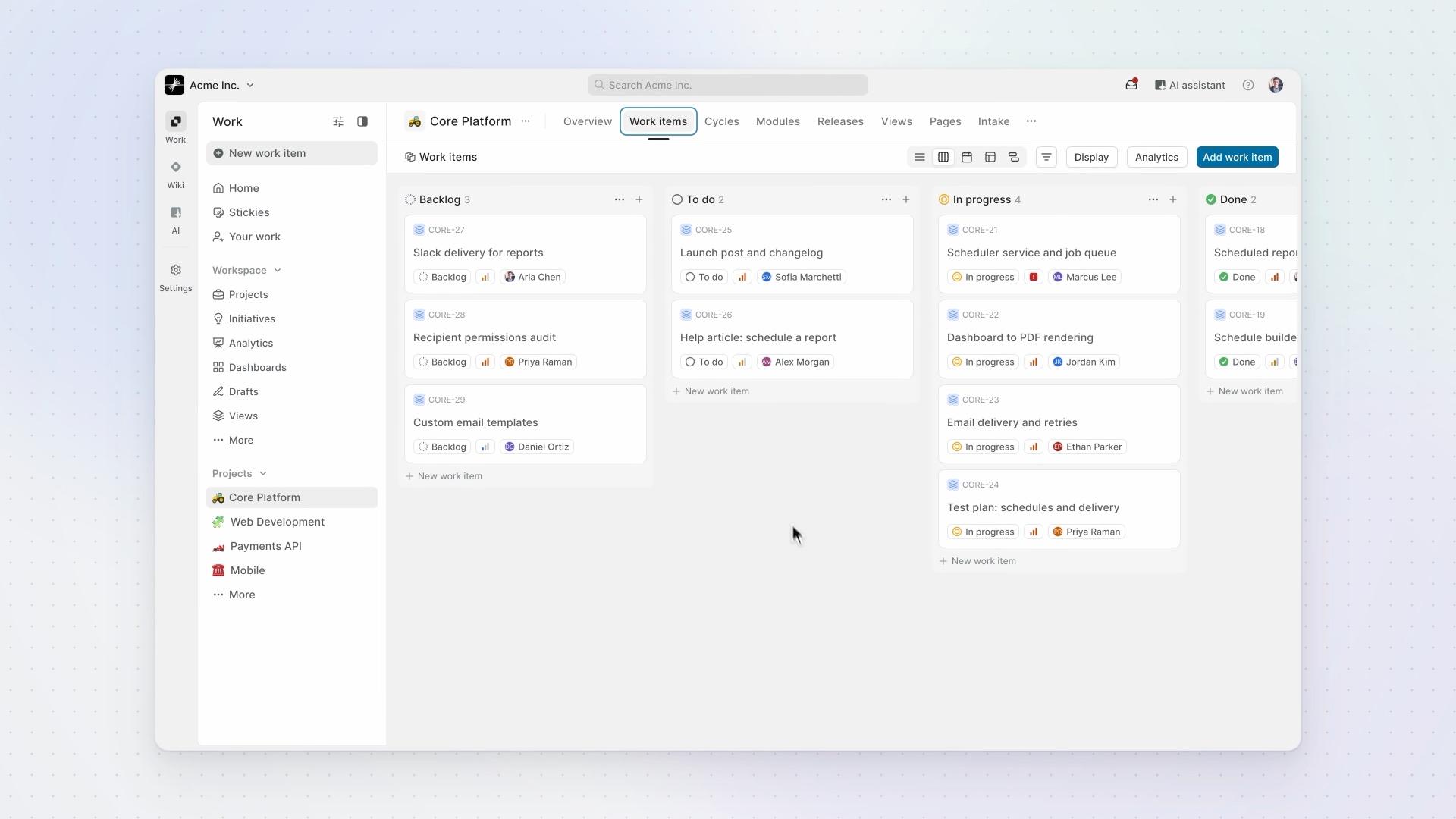
Work items
How work is structured in Plane: work items hold the work, states show where each one stands, and work item types define what each kind of work needs.
- 4:22
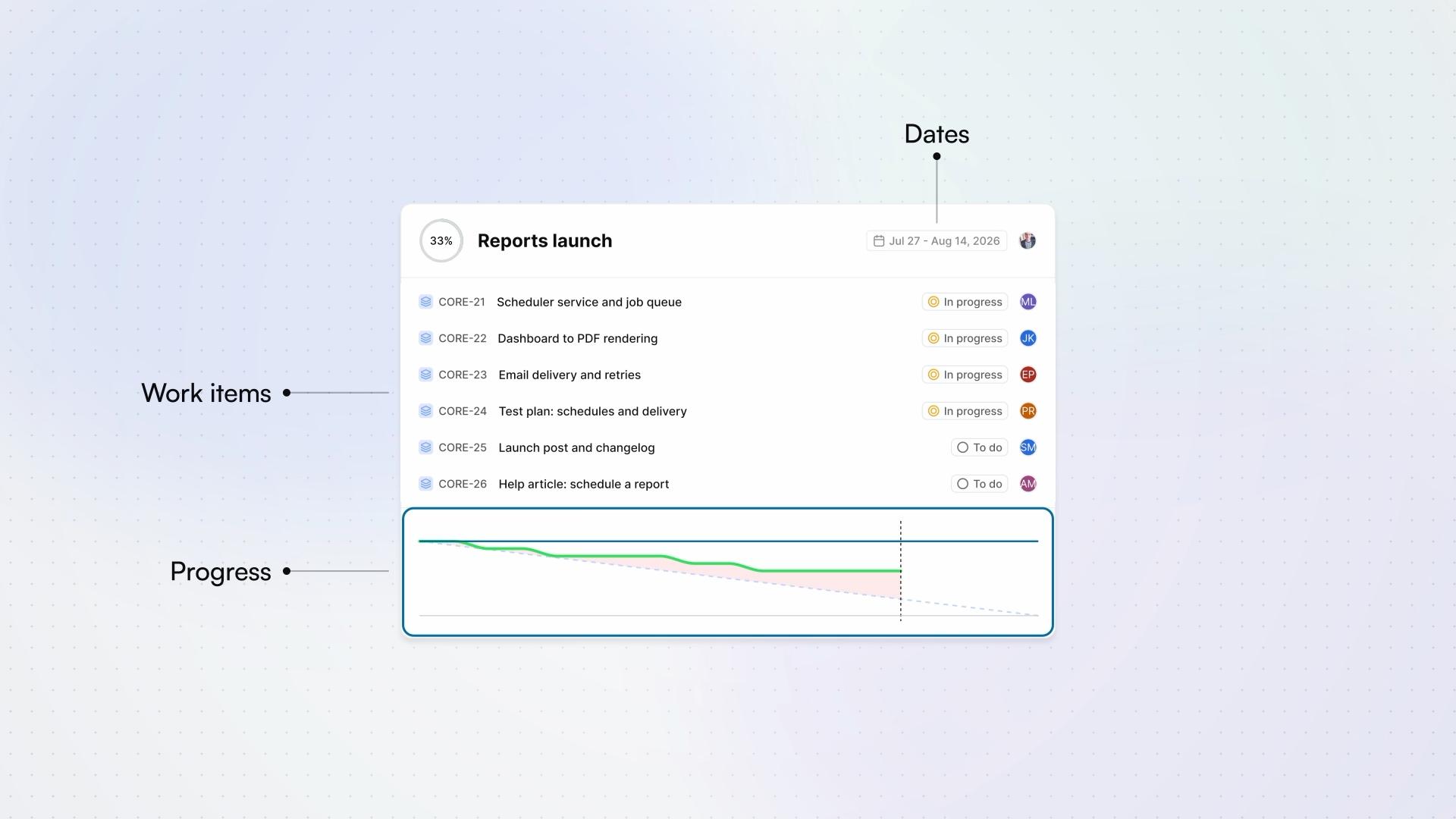
Cycles
How a cycle works in Plane, from planning it to letting Plane schedule the next ones.
ProBusinessEnterprise Grid - 3:34
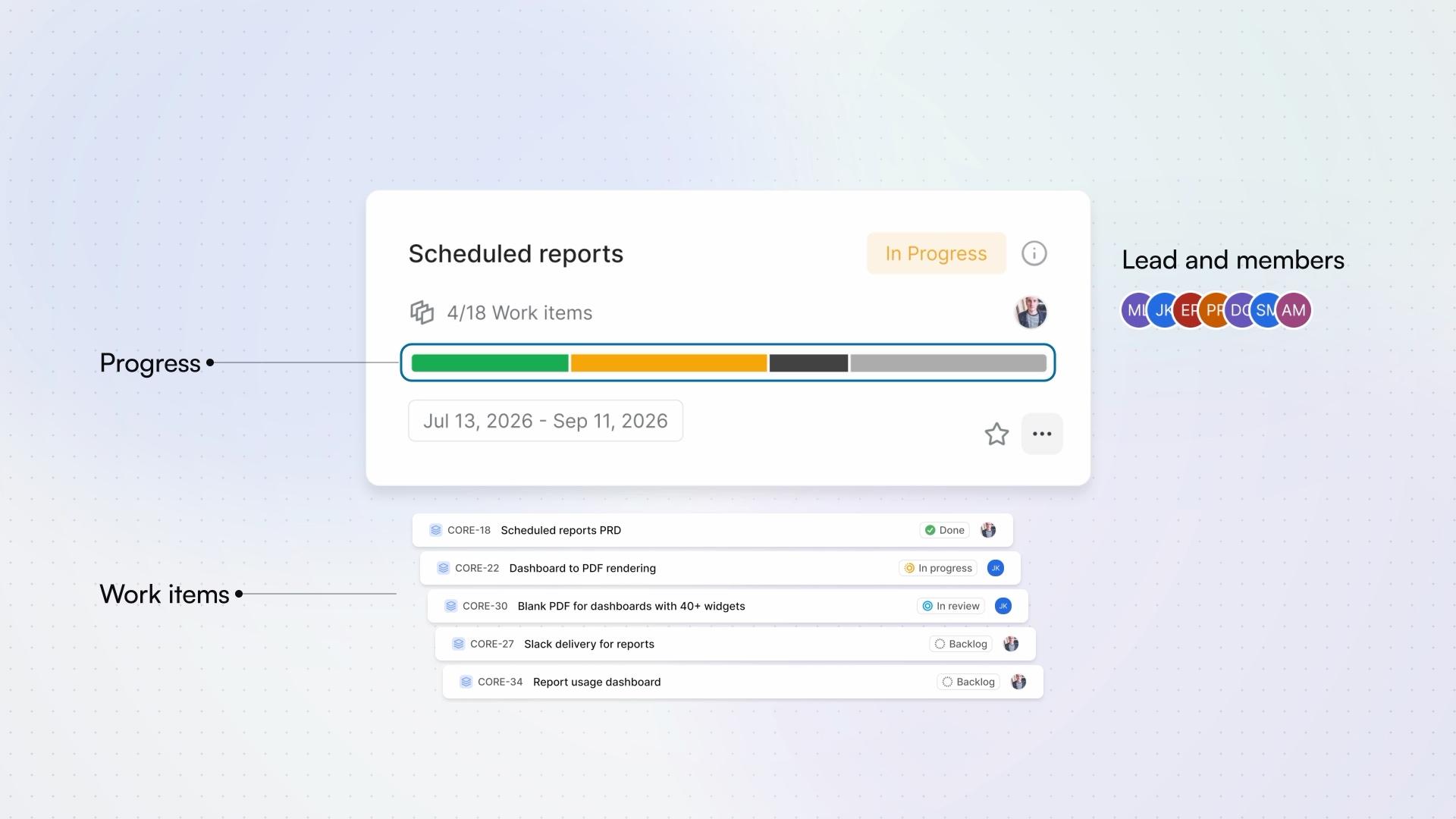
Modules
How a module tracks one part of a project, from creating it to following it across cycles.
- 5:06
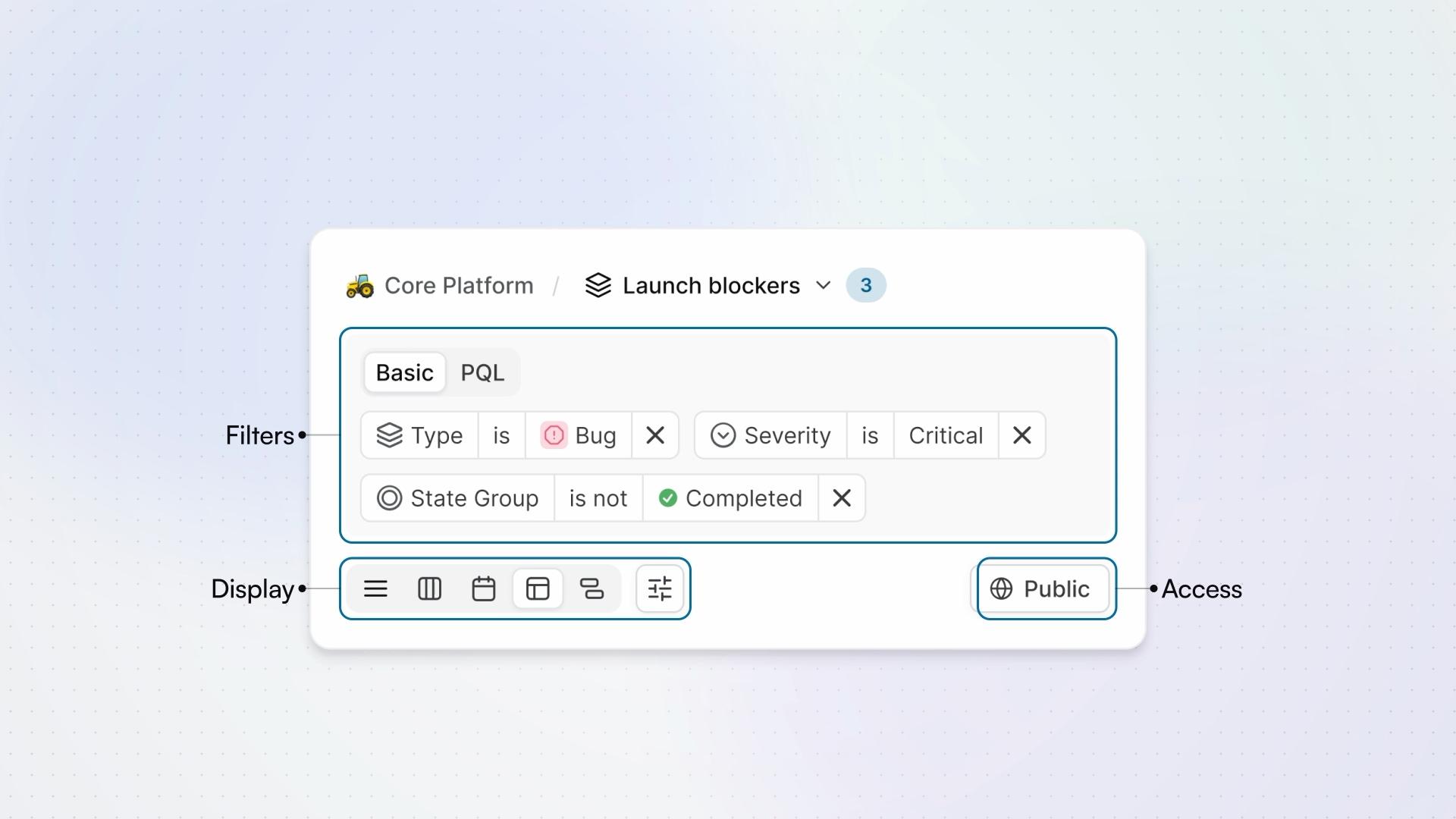
Views
How a view saves a question about your work items, from the filters that ask it to who can see the answer.
Pro - 4:19
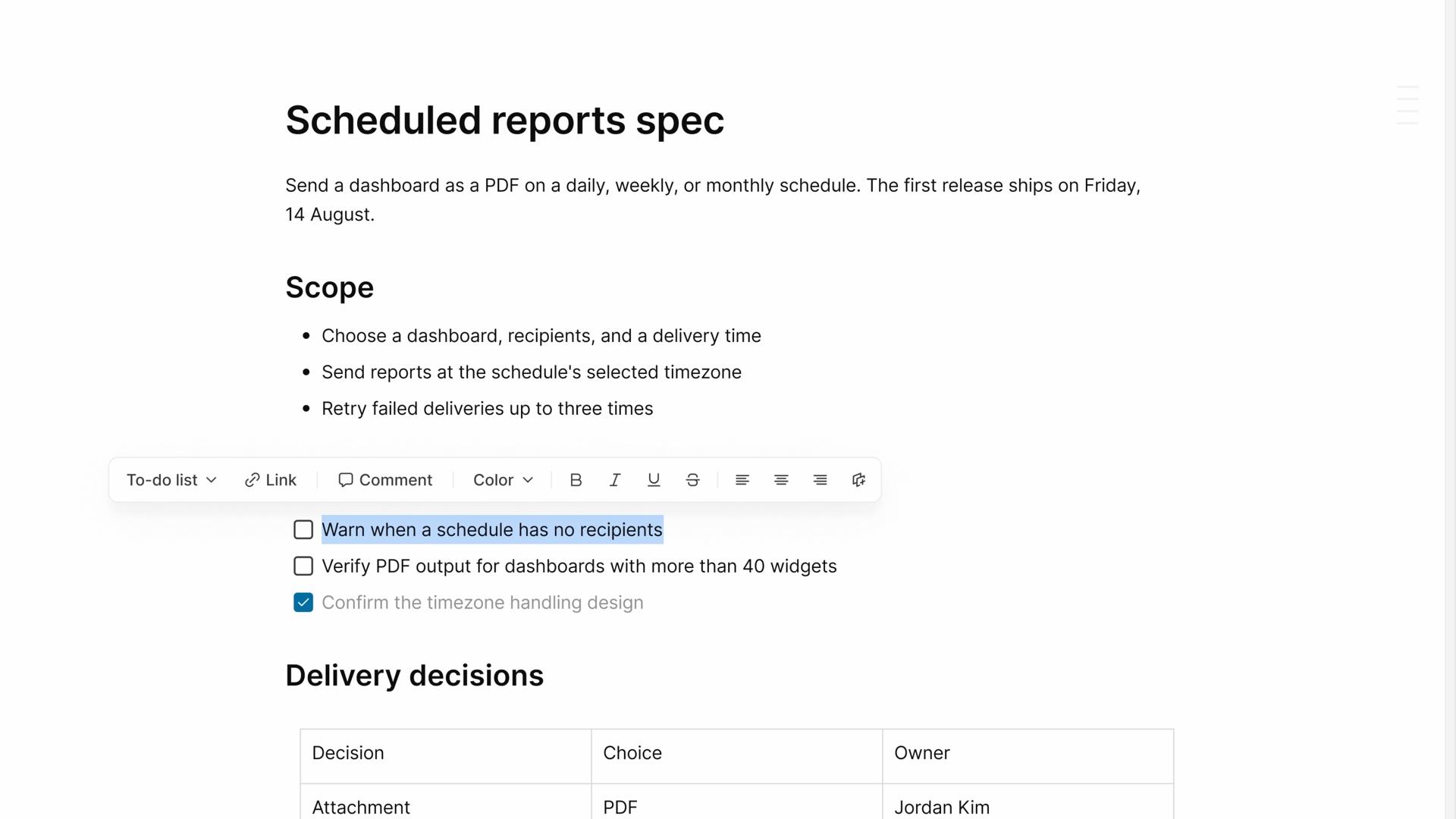
Pages
How a project page keeps the notes and decisions behind your work, from writing it to connecting work items, reviewing changes, and choosing who can read it.
FreeProBusiness - 5:20
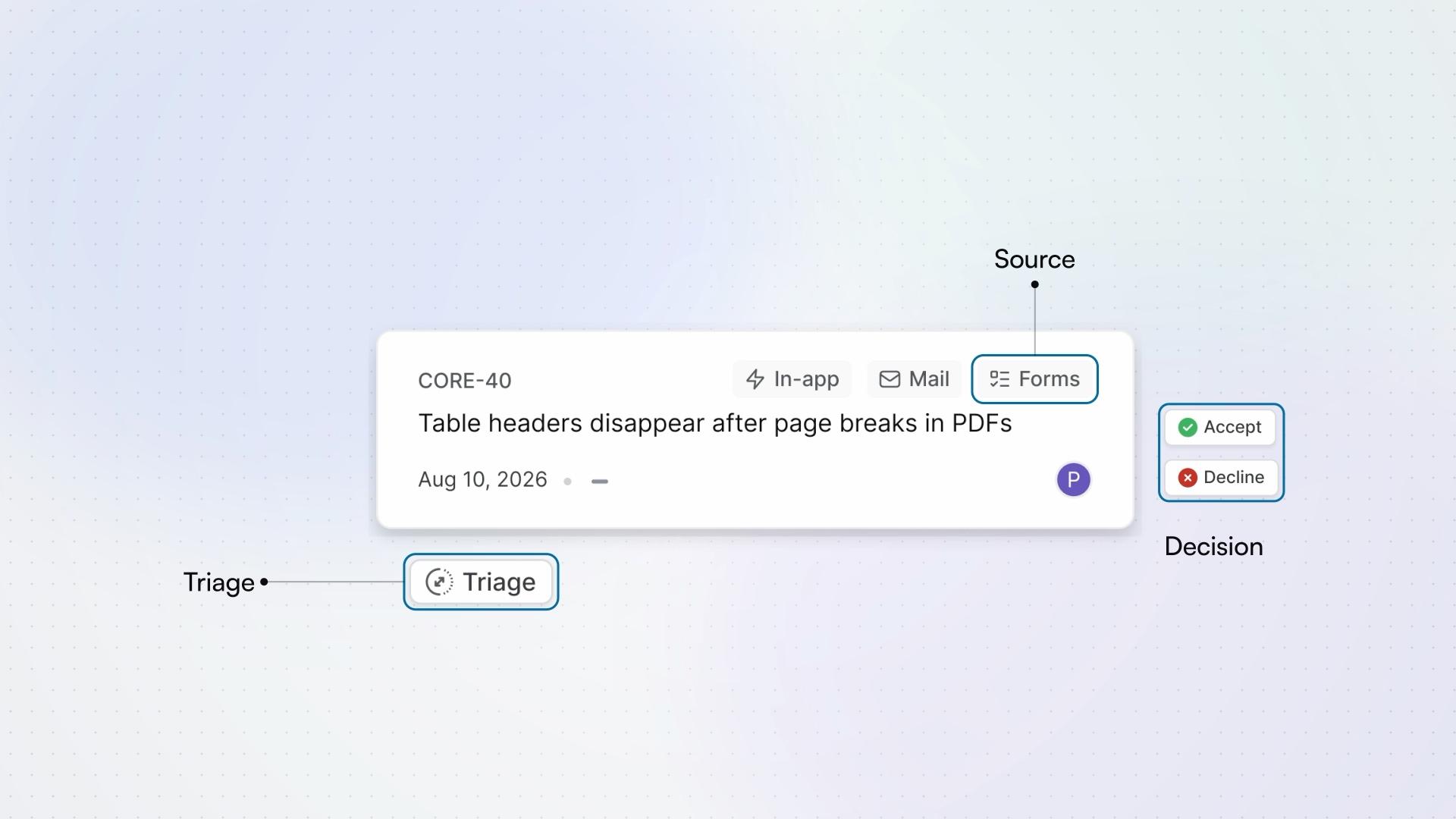
Intake
How Intake turns requests into work items, from the moment a request arrives, in the app, by email, or through a form, to the moment it joins the project.
Business - 3:10
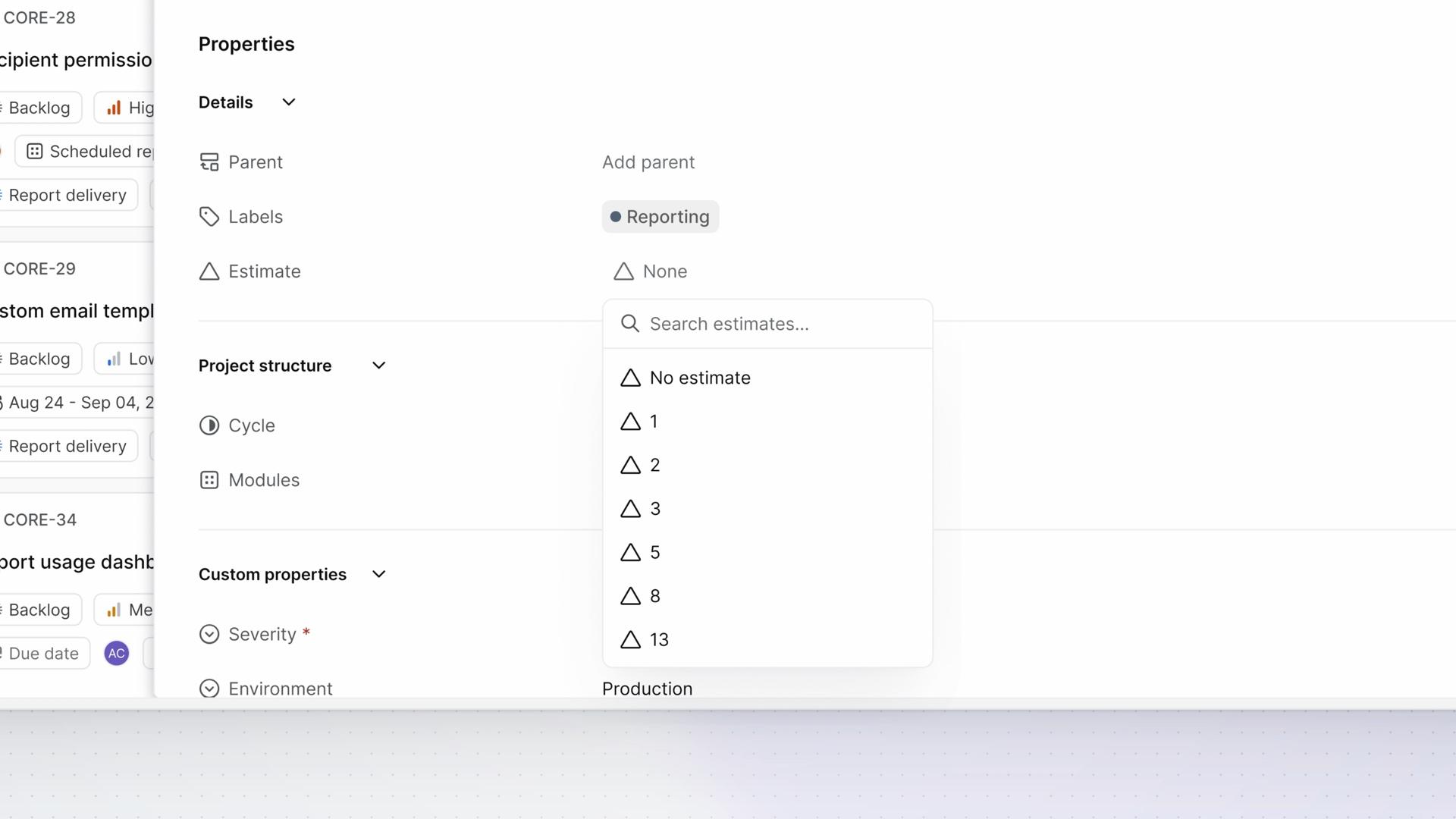
Estimates
How estimates describe the effort a work item needs, from choosing a project's estimate system to reading progress in points.
FreePro - 5:15
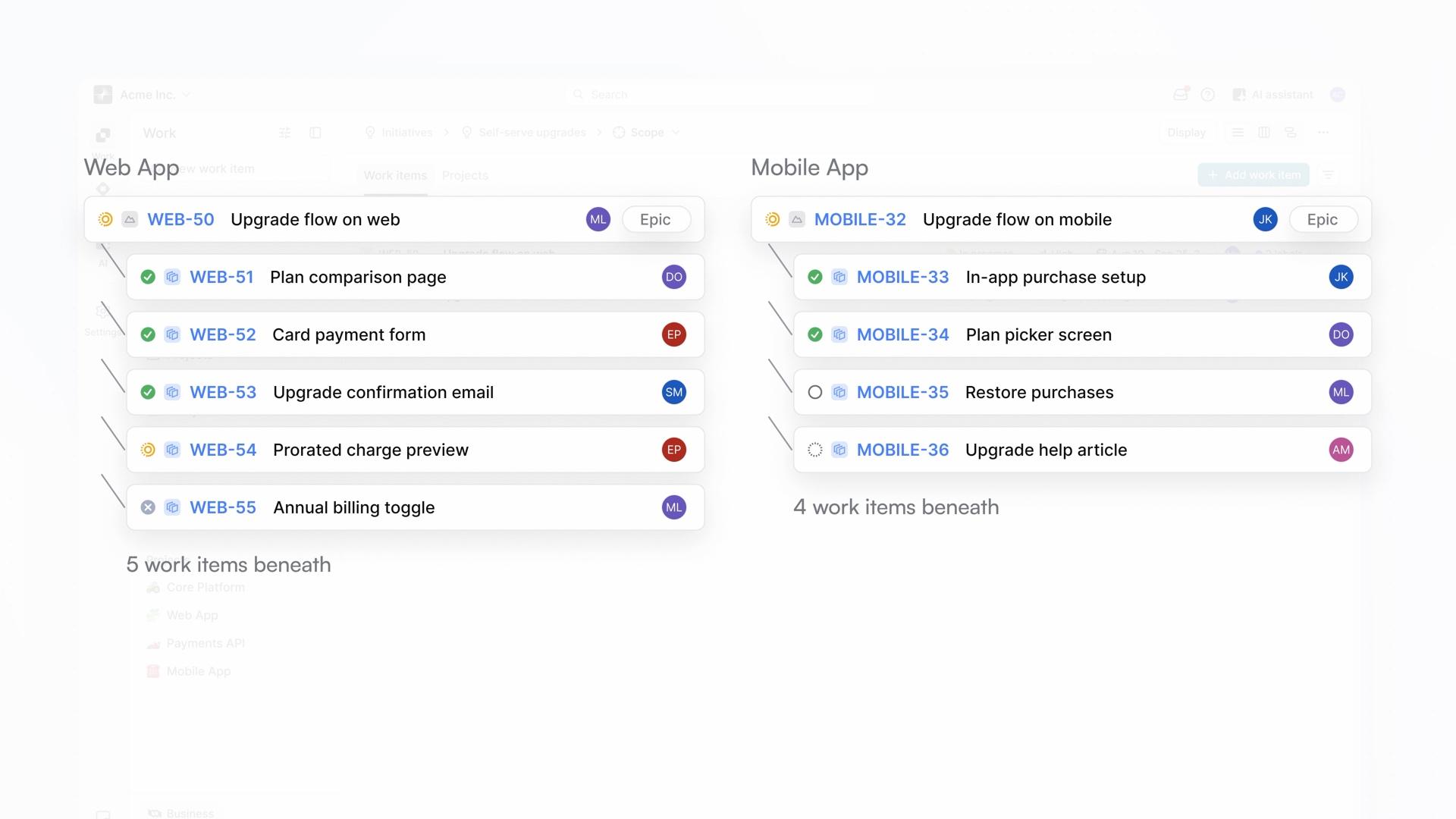
Initiatives
How an initiative connects work across projects to a shared goal, from creating it and choosing its scope to reading its progress and keeping the goal's context with the work.
Pro - 4:40
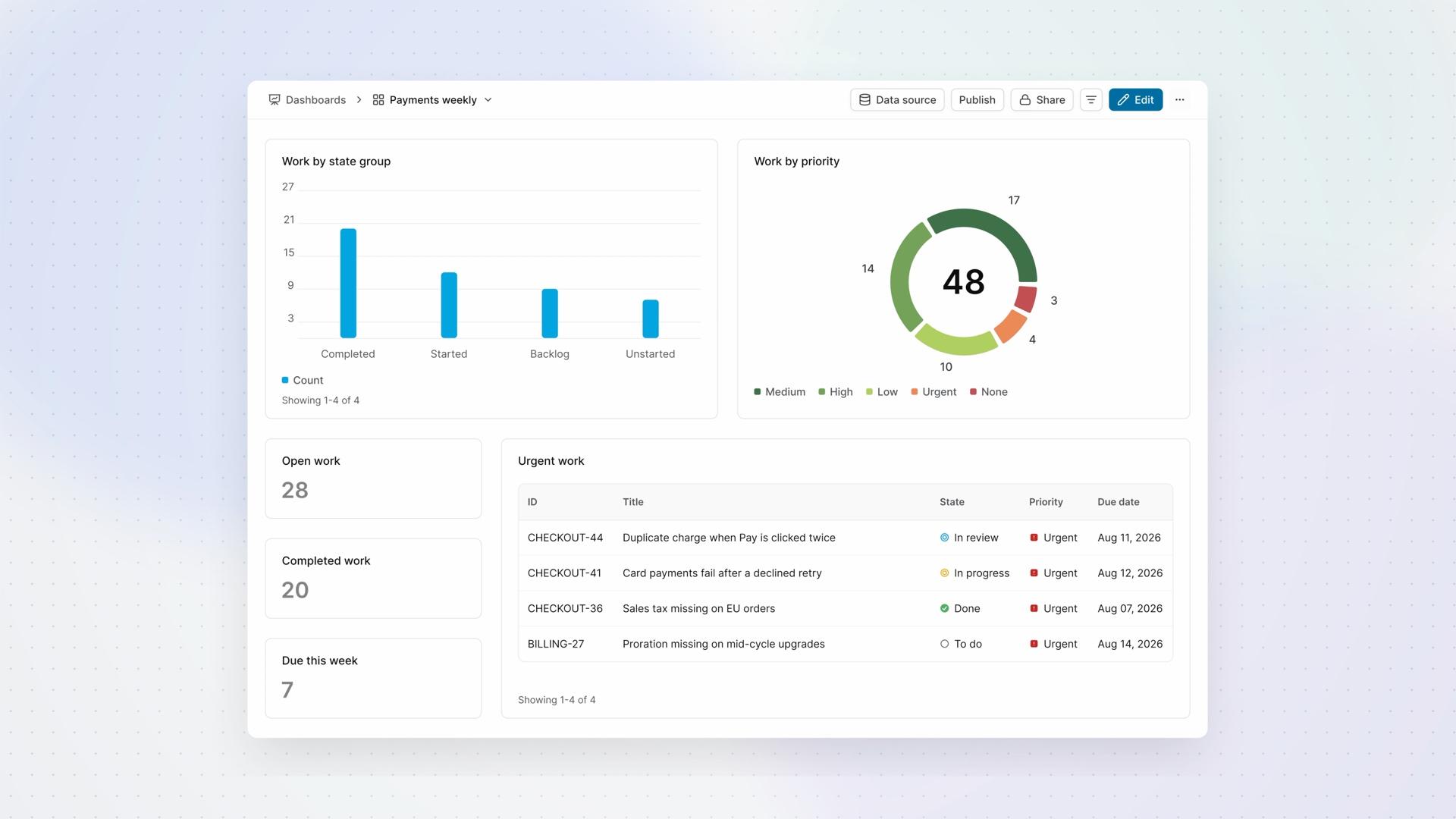
Dashboards
How a dashboard brings counts, charts, and tables together for regular review, from choosing its data and widgets to filtering what you see and deciding who can read it.
ProBusinessEnterprise Grid  1:54
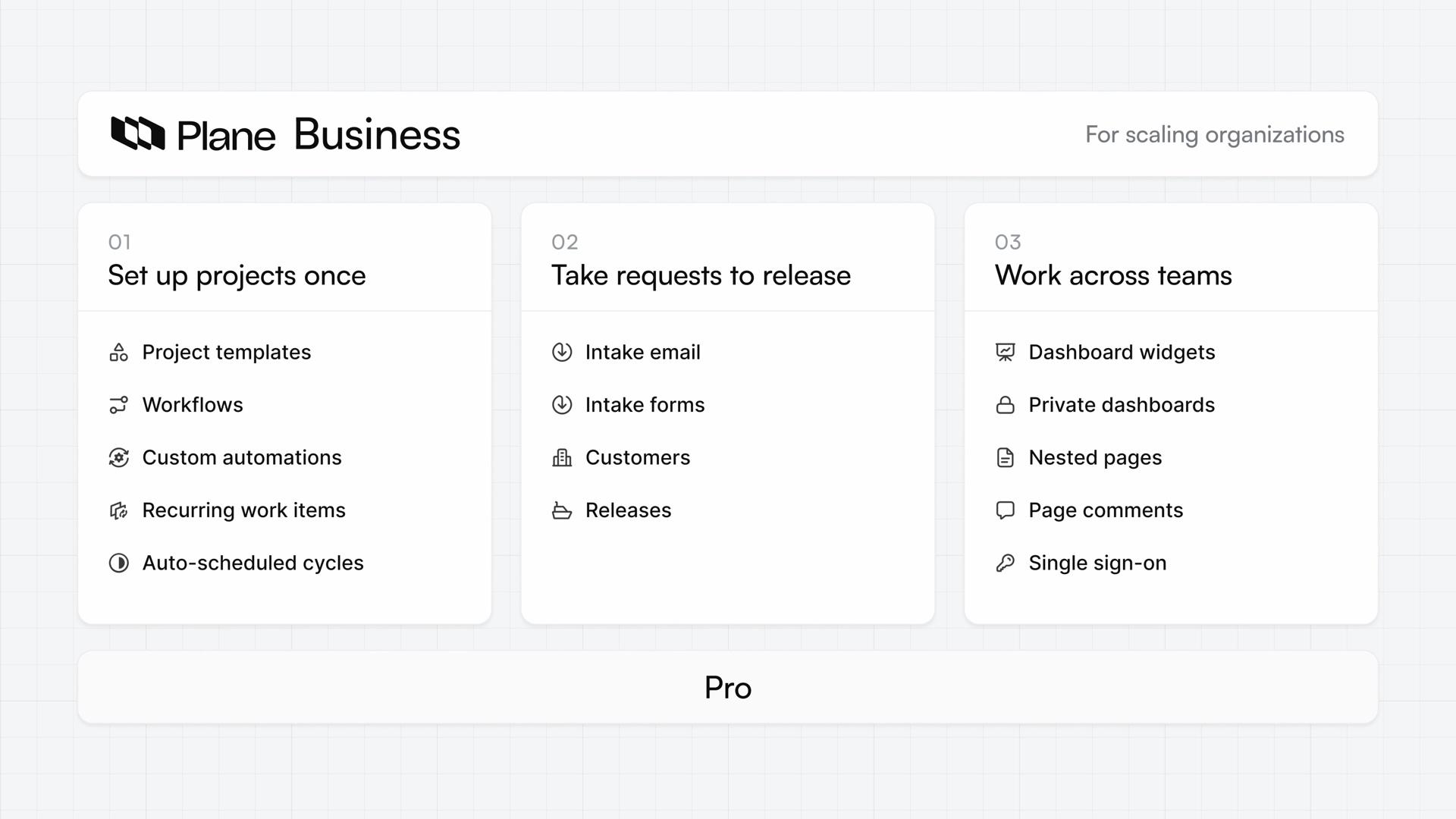
What is Plane Business?
See how Plane Business builds on Pro, with ways to set projects up once, take requests to release, and work across teams.
- 4:06
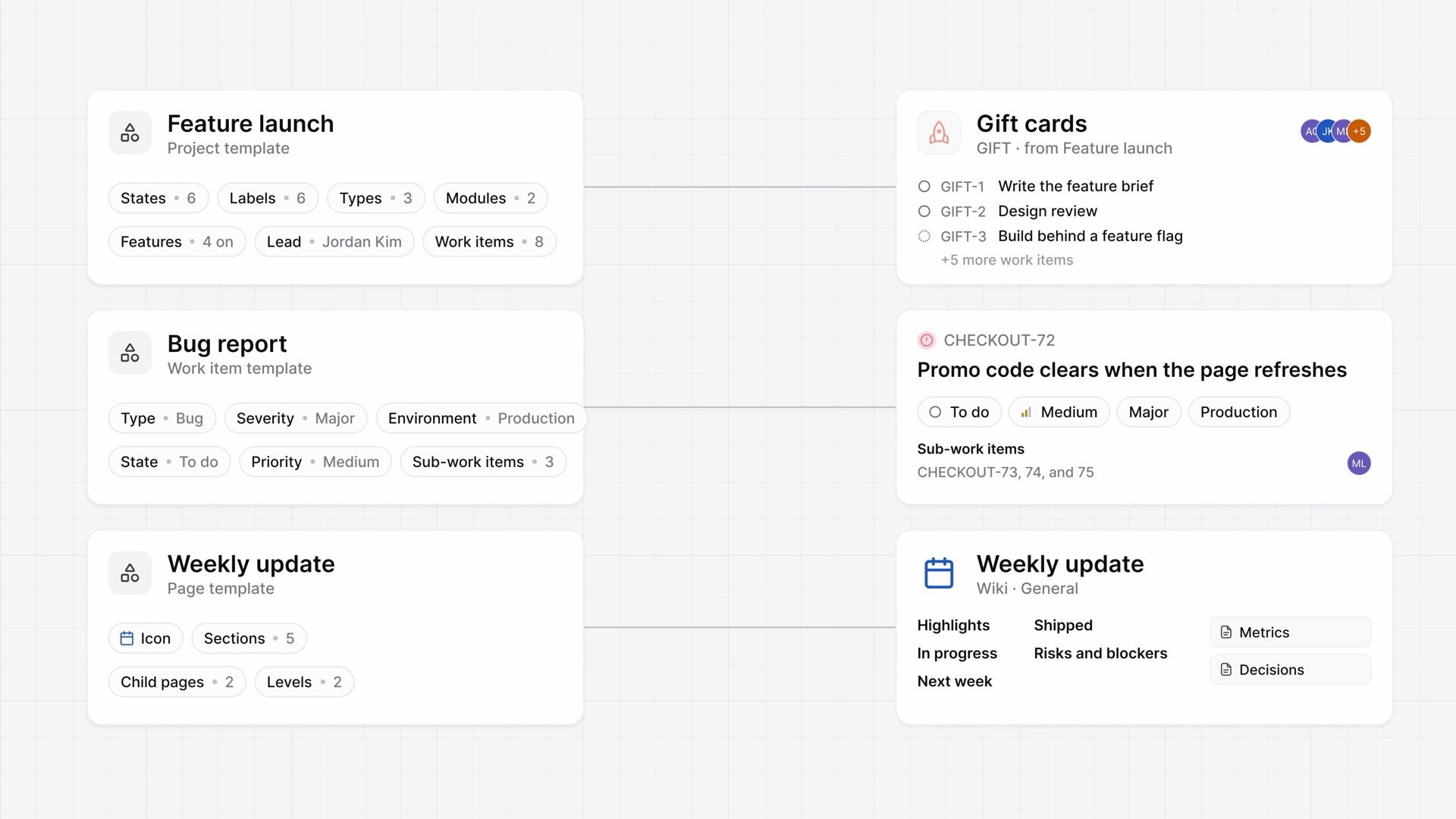
Templates
How templates give new projects, work items, and pages a saved starting point, from making each kind in Templates to starting something new from it.
ProBusiness - 4:14
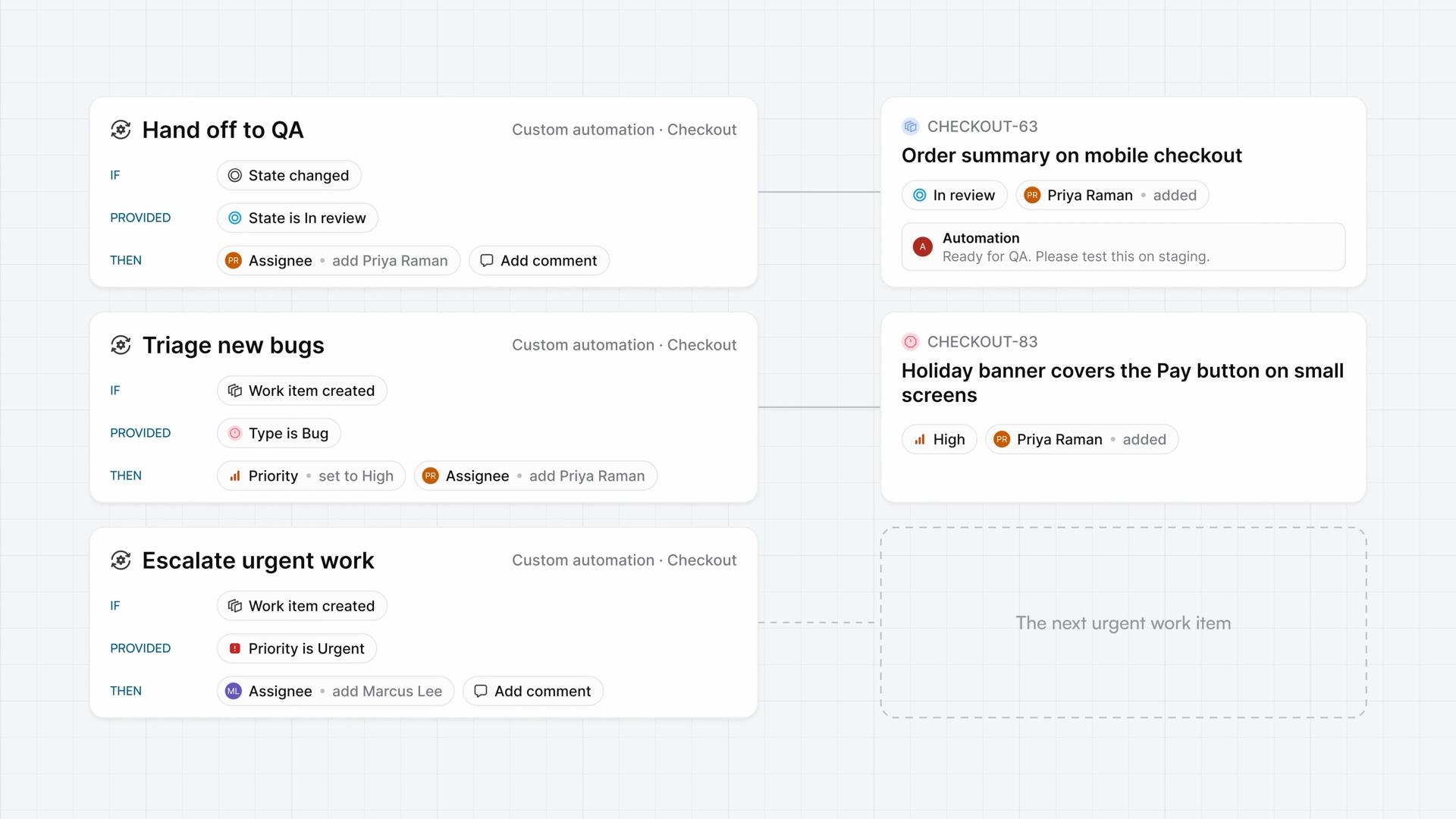
Custom automations
How a custom automation runs the actions you set in one project when its trigger fires and its conditions match, from building one to reading the record of each run.
Business - 3:51
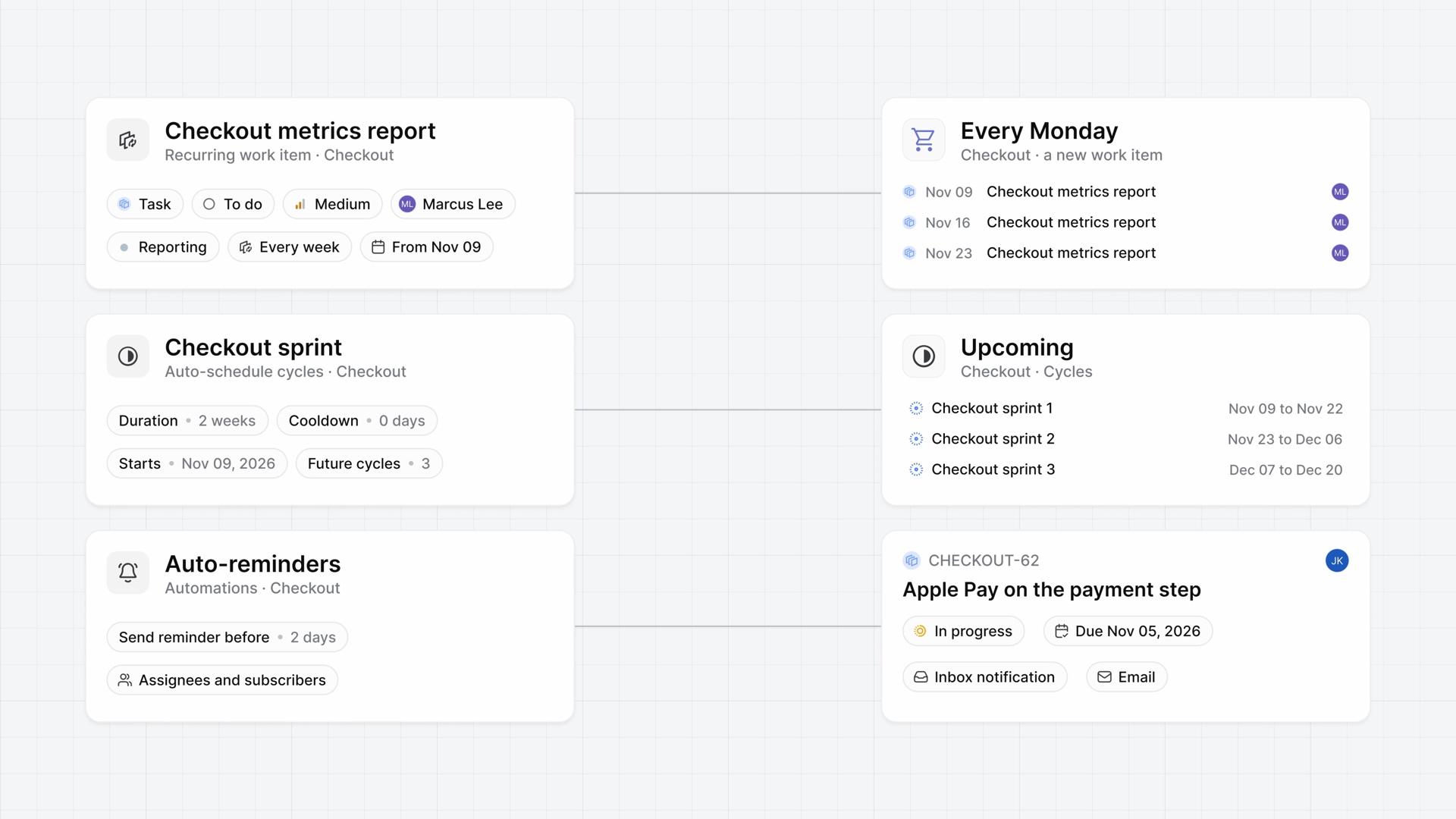
Routine work on a schedule
How a project creates its own routine work items, keeps its next cycles ready, and reminds people before work is due, each on a schedule you set.
Business - 4:13
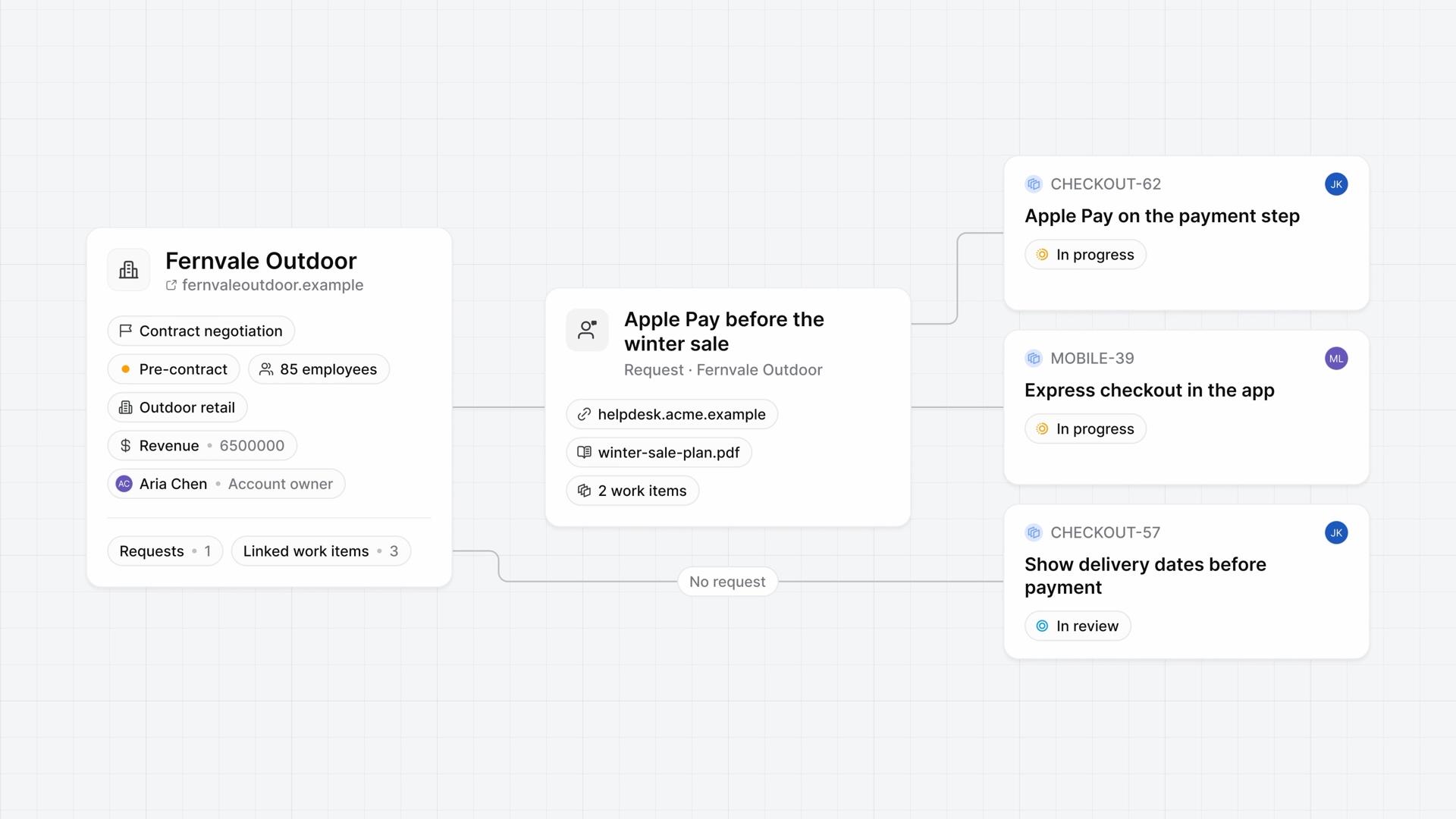
Customers
How customer records hold each company's details and requests, link those requests to work items, and show who's waiting on which work from both sides.
Business - 4:07
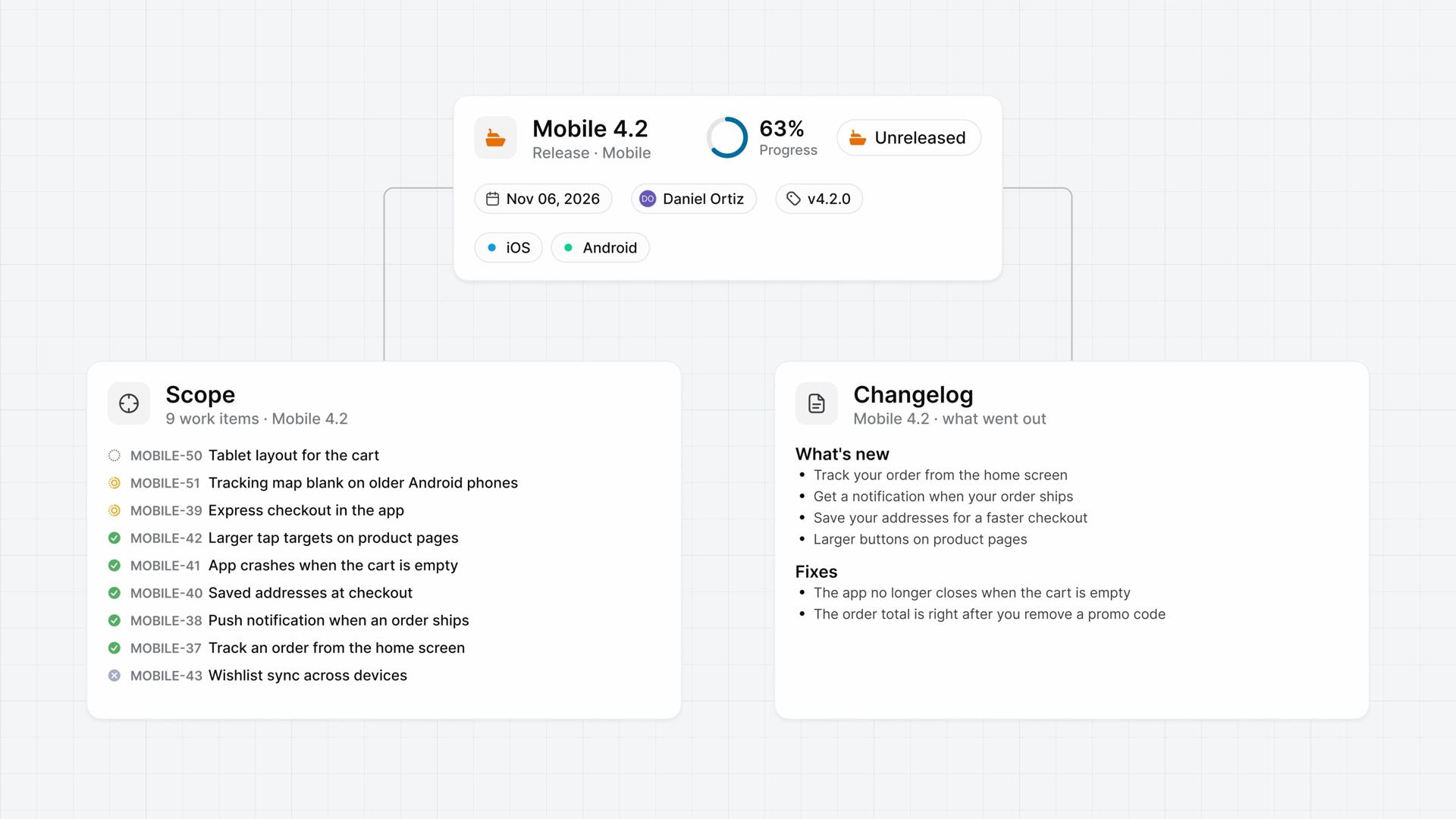
Releases
How a release groups the work items that ship together, from turning releases on and setting the scope to shipping it and writing its changelog.
Business - 4:02
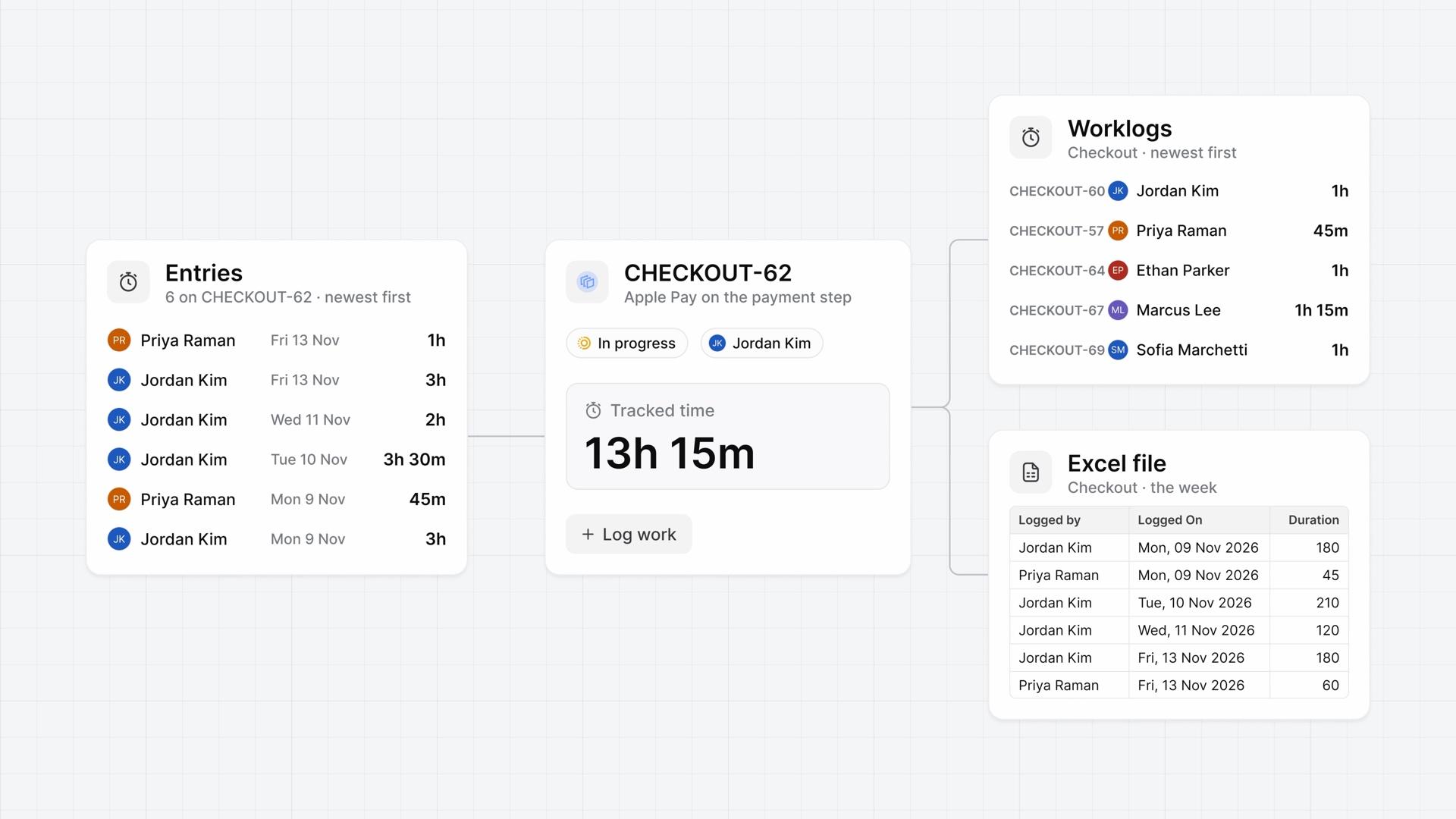
Time tracking
How time tracking logs time on each work item, from turning it on and logging hours to reading a project's worklogs and downloading them as a file.
Pro - 4:05
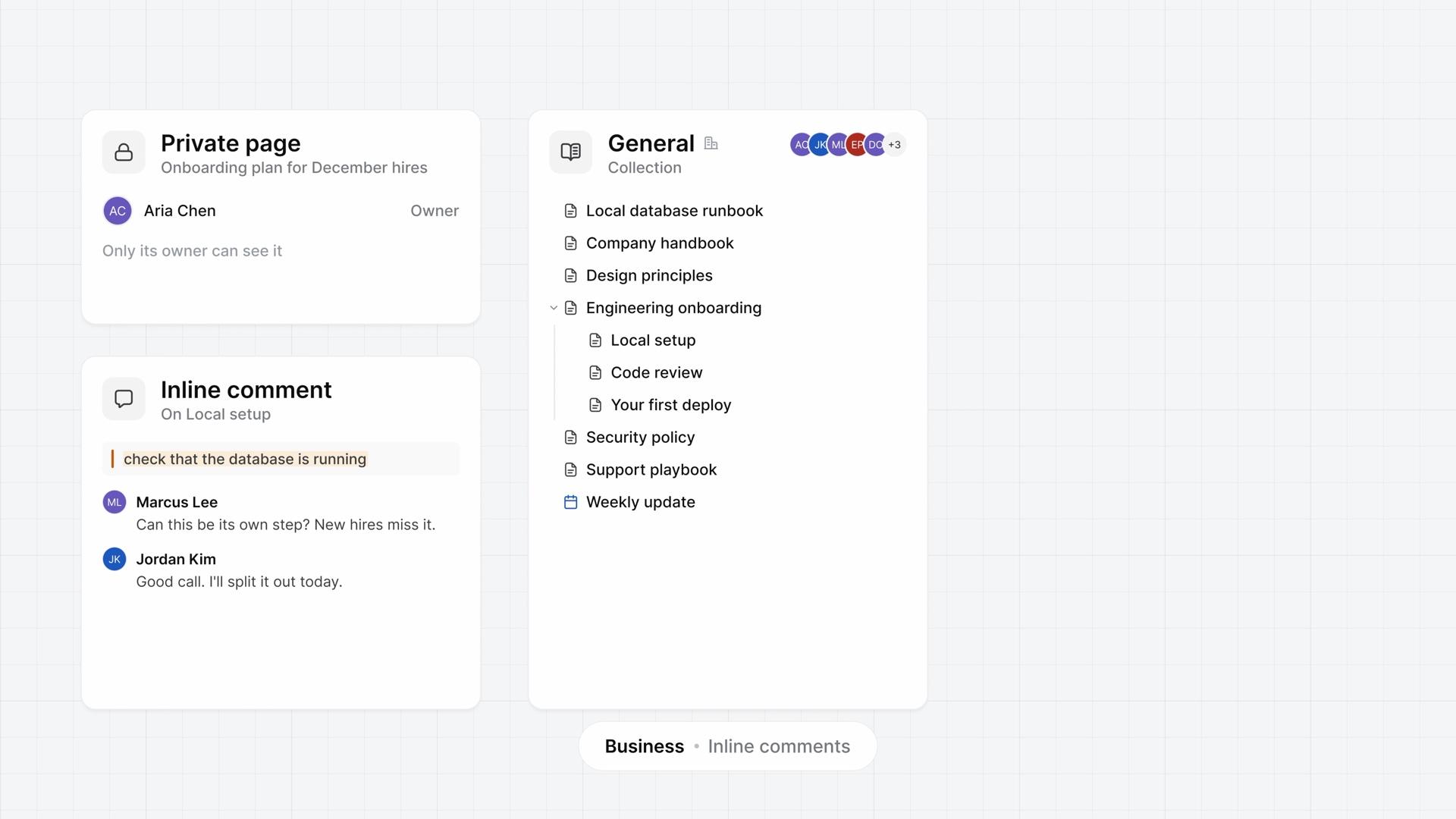
Wiki for teams
How the wiki works for a team, from building a section out of nested pages and sharing a private page to resolving a comment thread, restoring a version, and exporting the section.
ProBusiness - 4:11
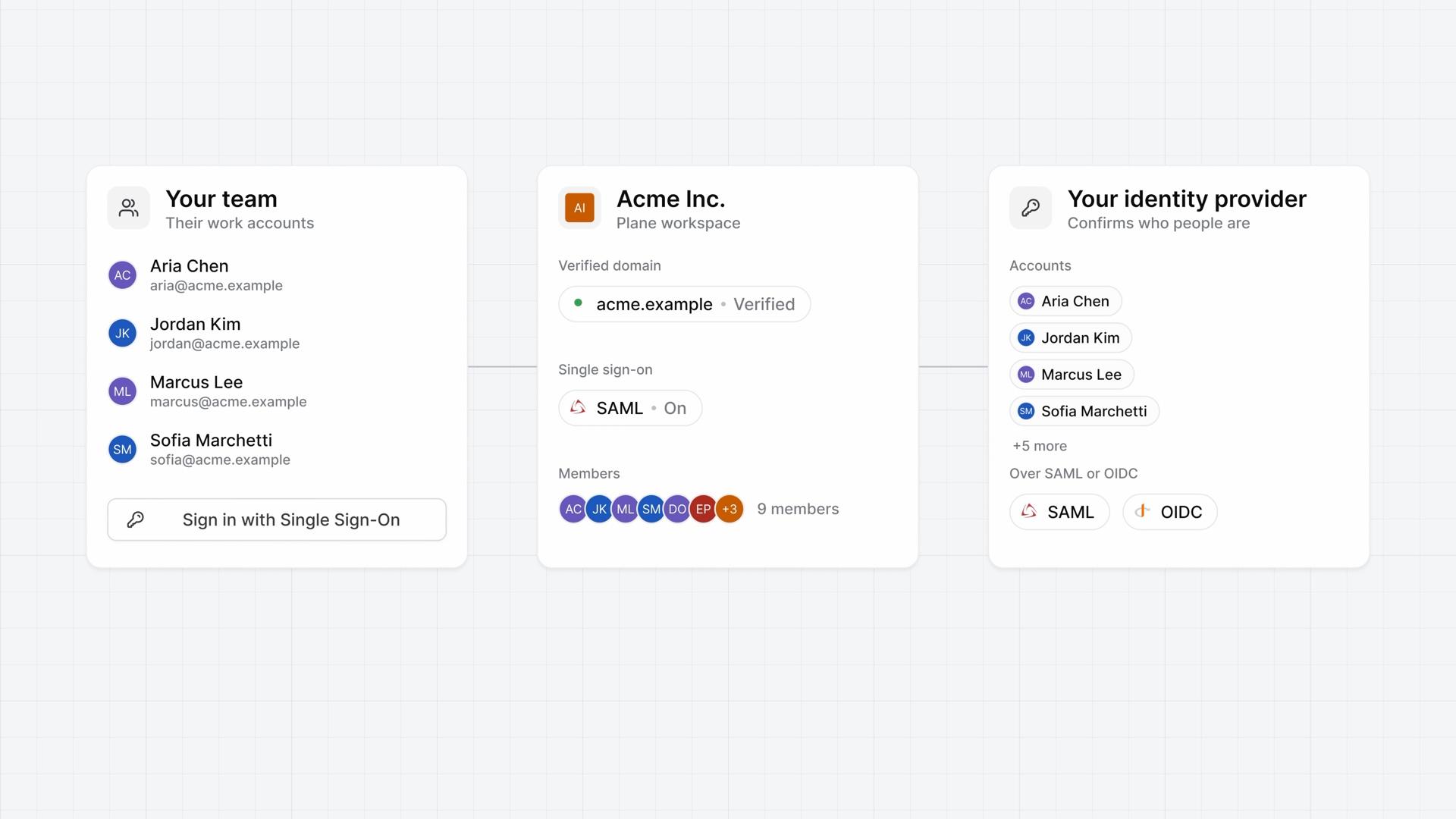
Single sign-on
How single sign-on works for a workspace on Plane Cloud, from verifying your email domain and connecting a SAML or OIDC provider to what people see when they sign in.
Business - 3:55
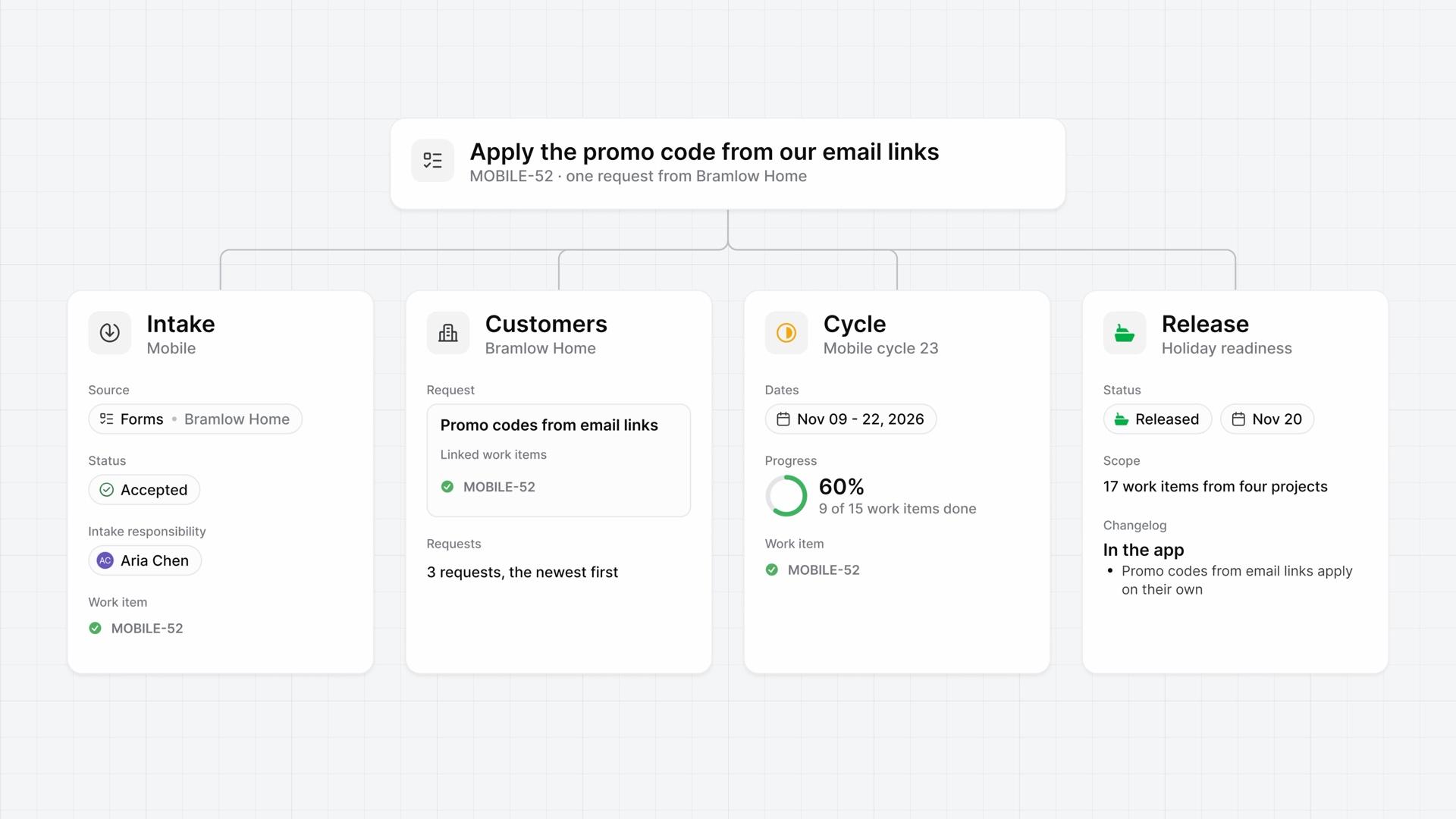
Request to release
How Intake, Customers, a cycle, and a release work together on one customer request, from the form a customer fills in to the changelog of the release that ships it.
Business  4:35
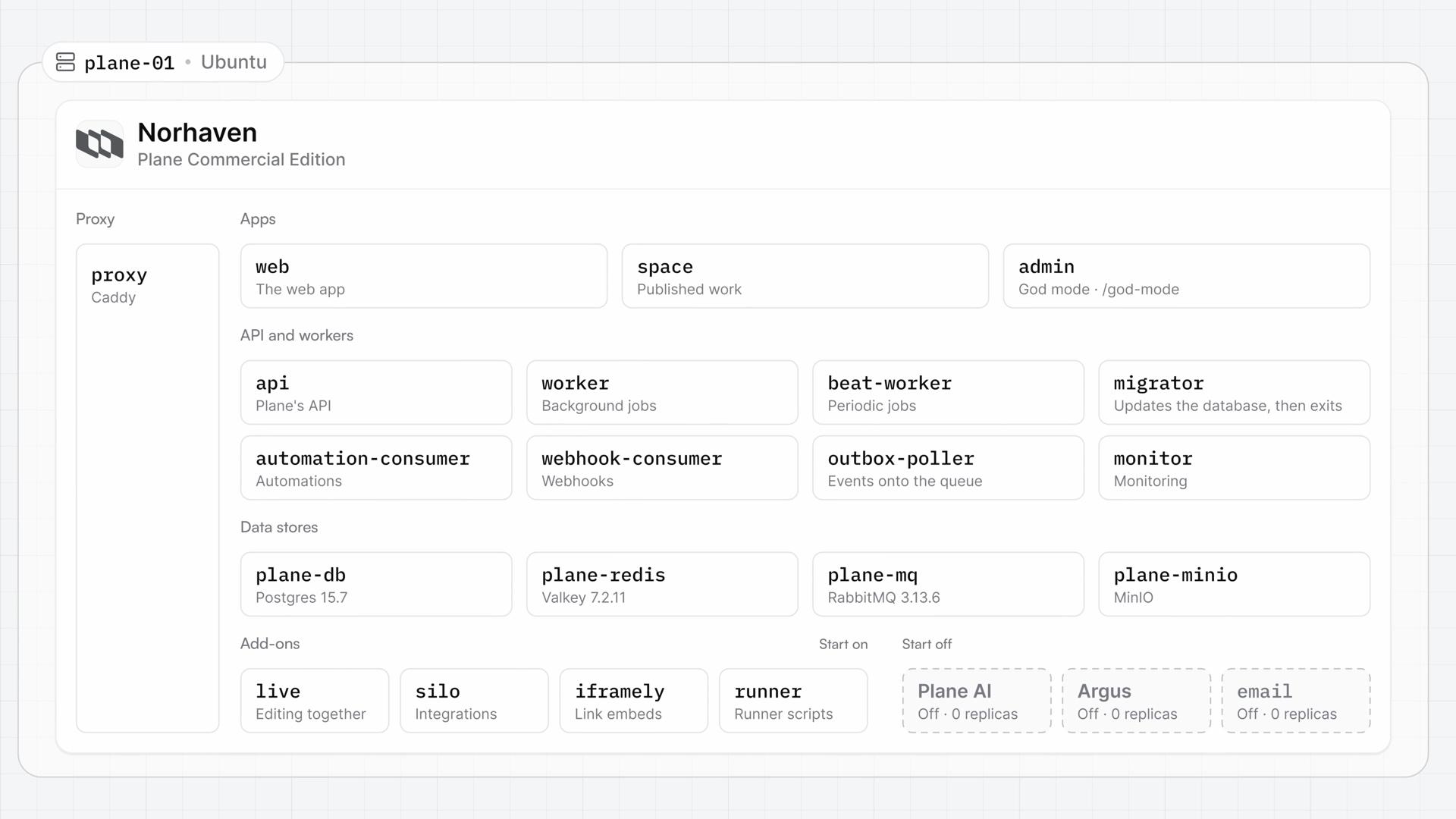
Self-hosted Plane
How self-hosted Plane, Plane's Commercial Edition on your own servers, is put together, from the services that run on a single server and what that server needs to the two install paths and how plans work on your instance.
- 5:09
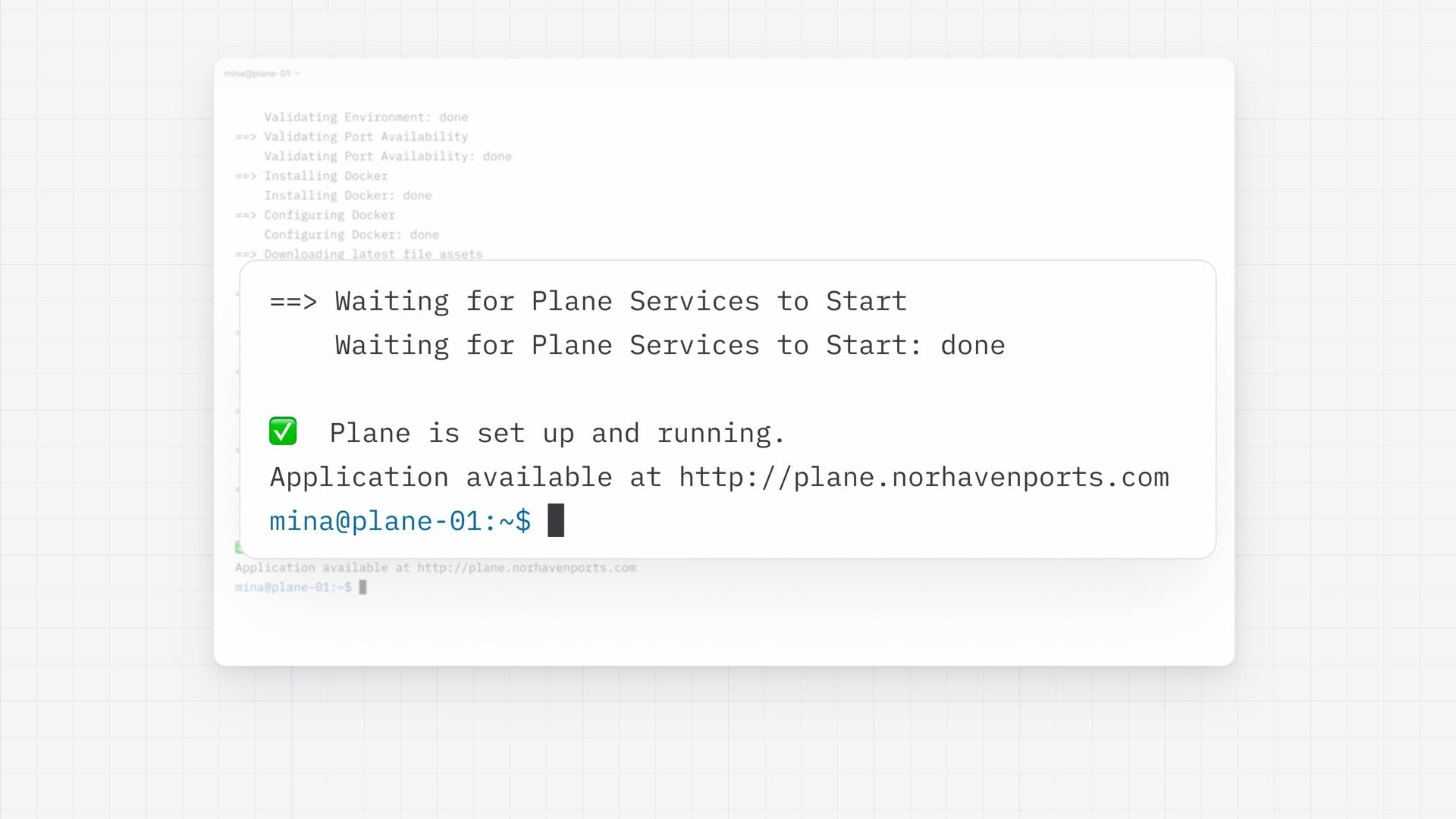
Install with Docker
How a Docker install puts self-hosted Plane on one Linux server with Prime CLI, from preparing the server and running the one-line install with your domain to becoming the instance admin in God mode and creating the first workspace.
- 5:45
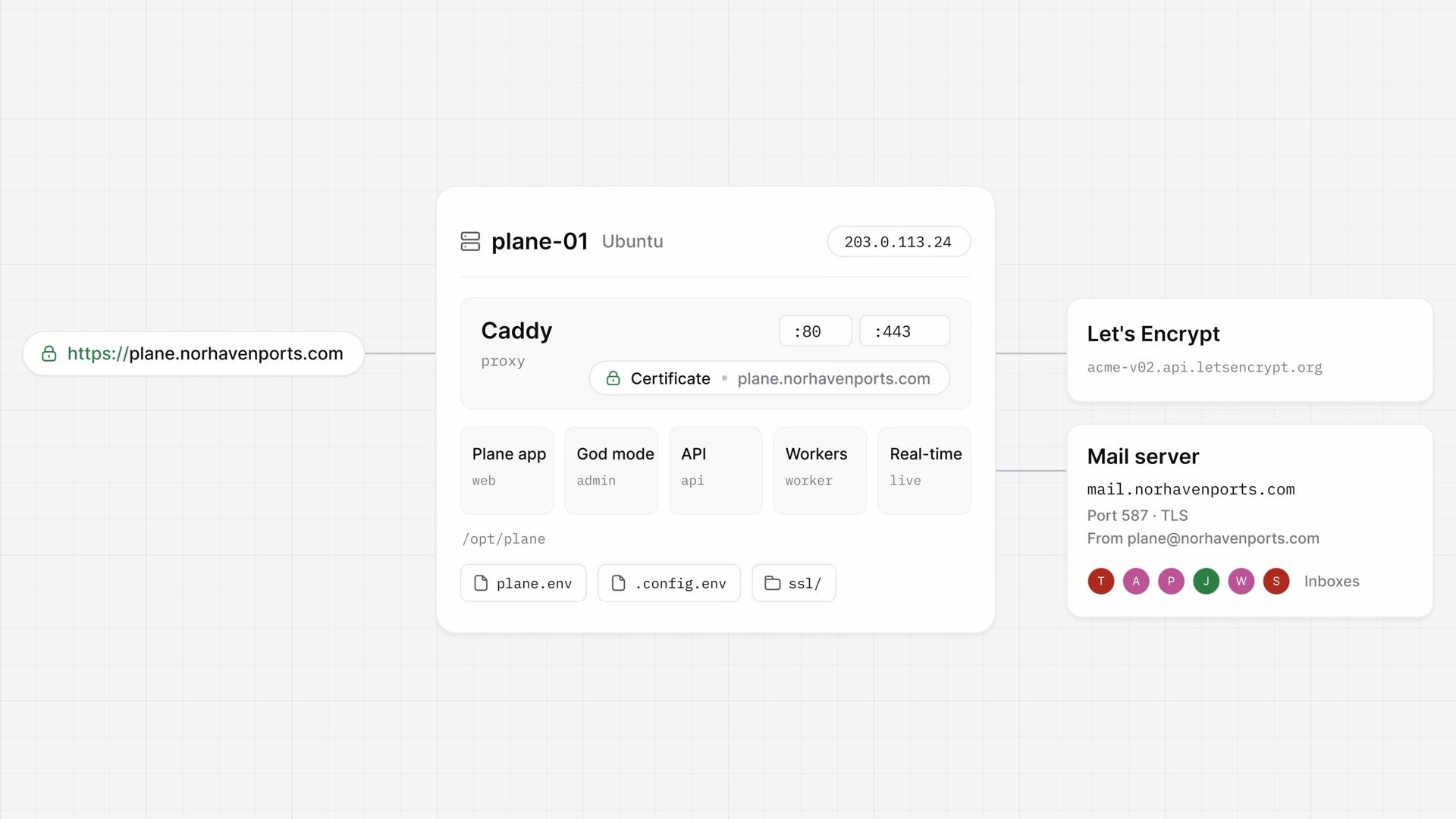
Domain, HTTPS, email
How to turn on HTTPS with a Let's Encrypt certificate or your company's own, move Plane to a new domain, and connect a mail server in God mode, so your instance answers at one domain through Caddy and sends its email.
- 5:47
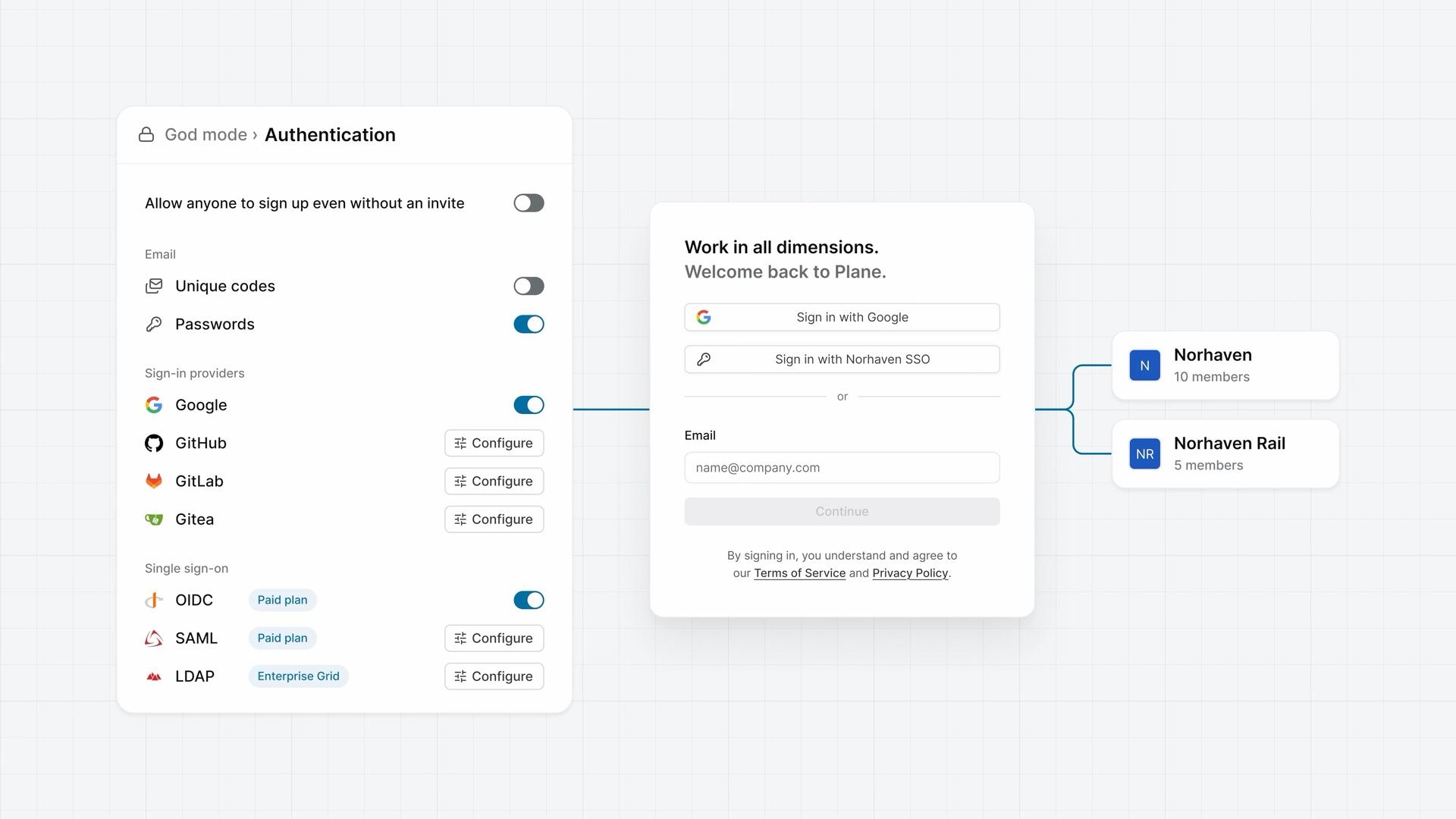
Sign-in and SSO
How sign-in is set once for every workspace on a self-hosted instance, on God mode's Authentication page, from deciding who can sign up and turning on the methods your company uses to connecting your identity provider over OIDC, SAML, or LDAP.
ProBusinessEnterprise Grid - 5:40
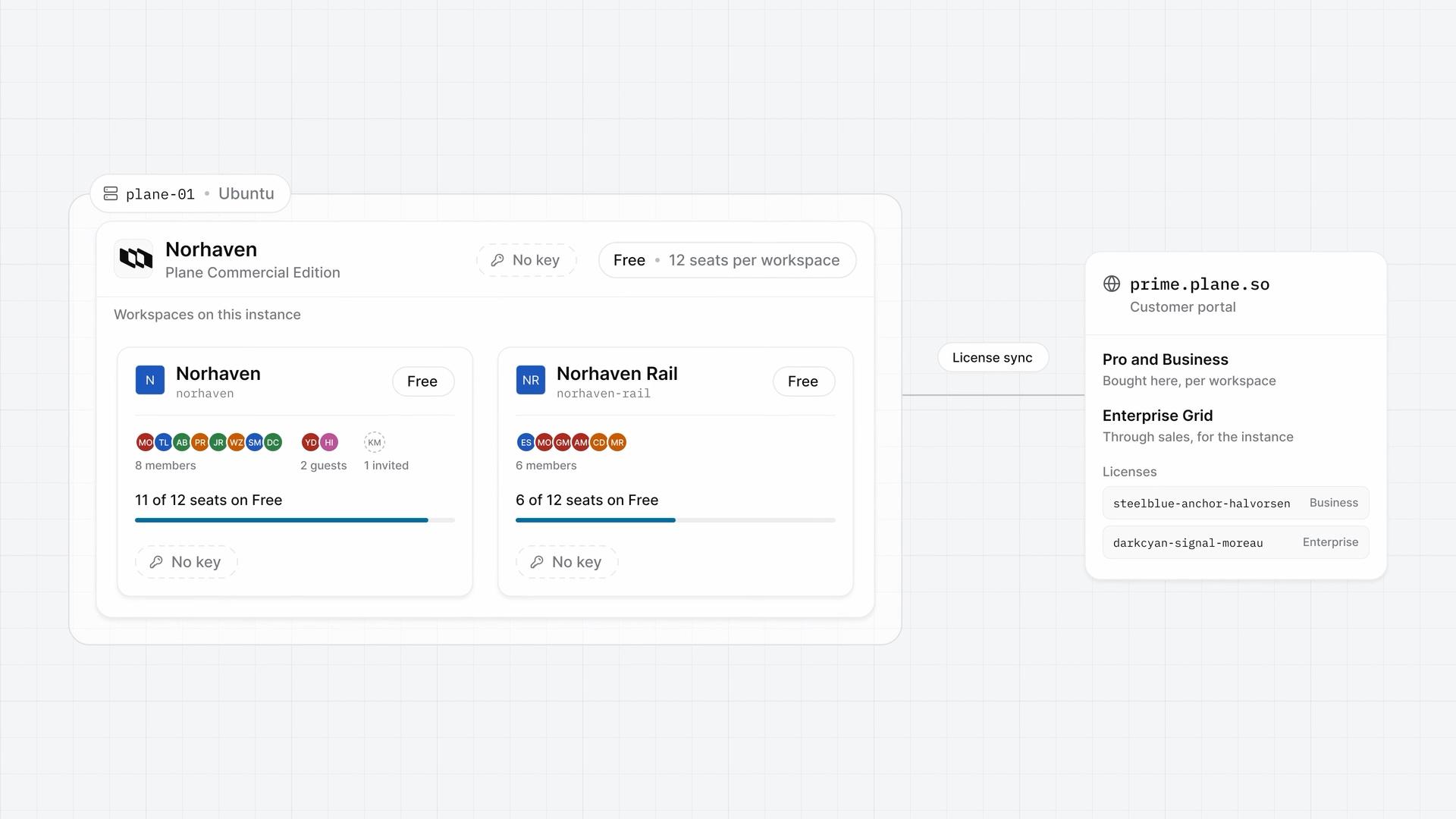
Plans and licenses
How Free, Pro, Business, and Enterprise Grid work on a self-hosted instance, from activating a workspace key and an instance key to reading your seats and the license sync and moving a key to a new server.
- 5:27
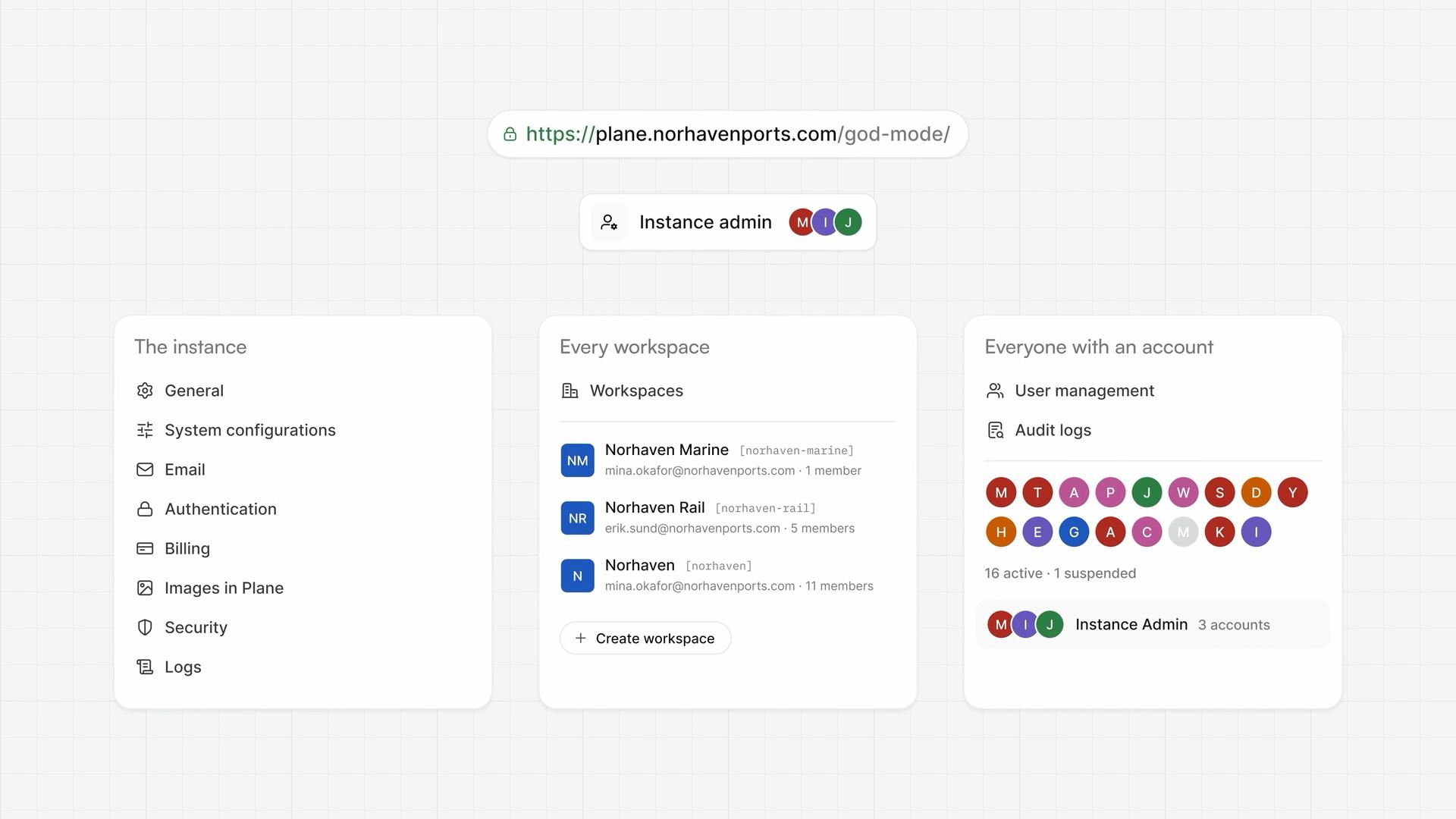
Run your instance
How God mode, the instance admin app of self-hosted Plane, runs the whole instance from its eleven pages, and what to set on a new instance's first day.
- 6:17
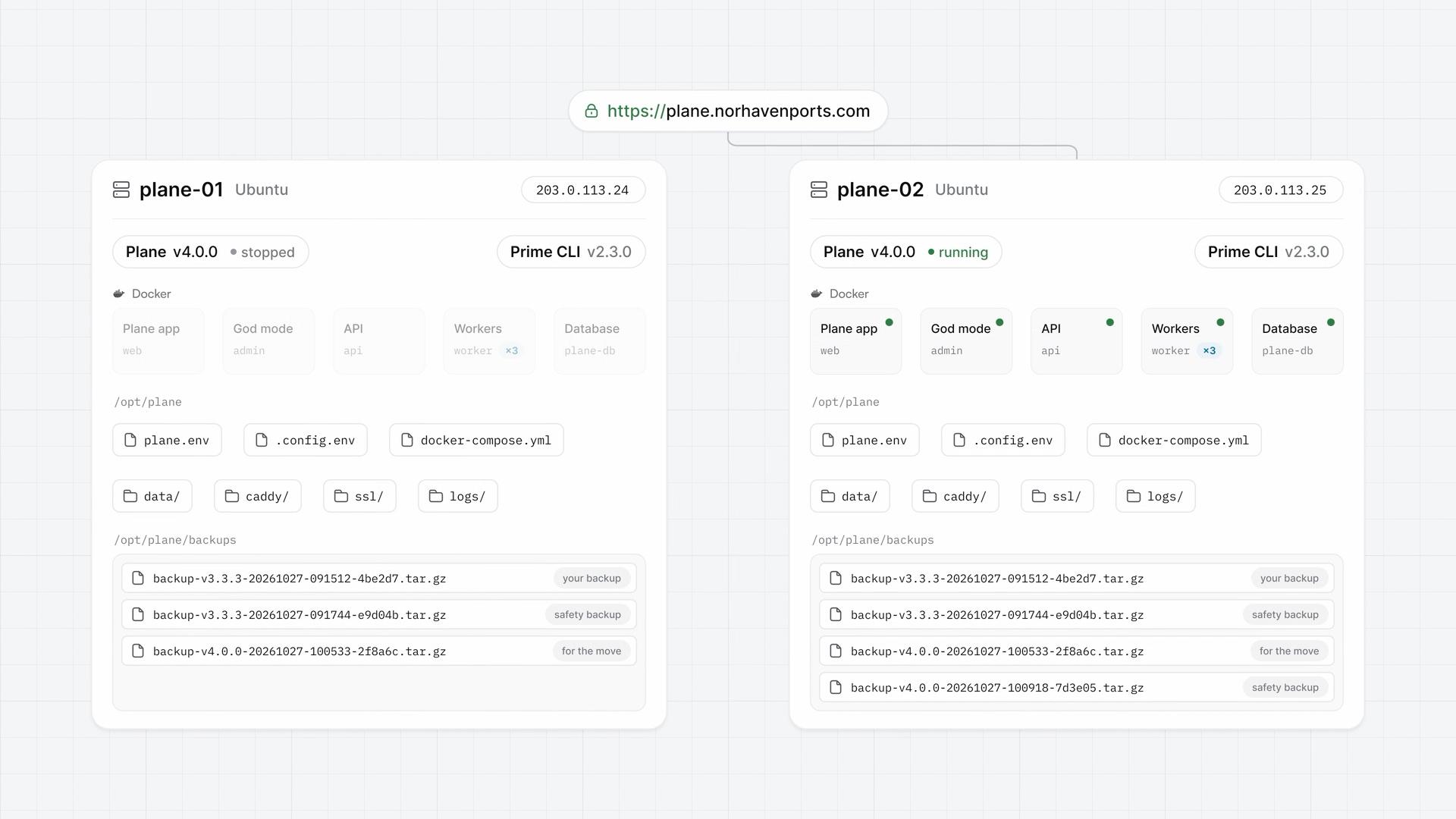
Back up, restore, and upgrade
How Prime CLI backs up, restores, upgrades, and checks the health of a self-hosted Plane instance after the install, and how a single backup moves Plane to a new server.
- 5:18
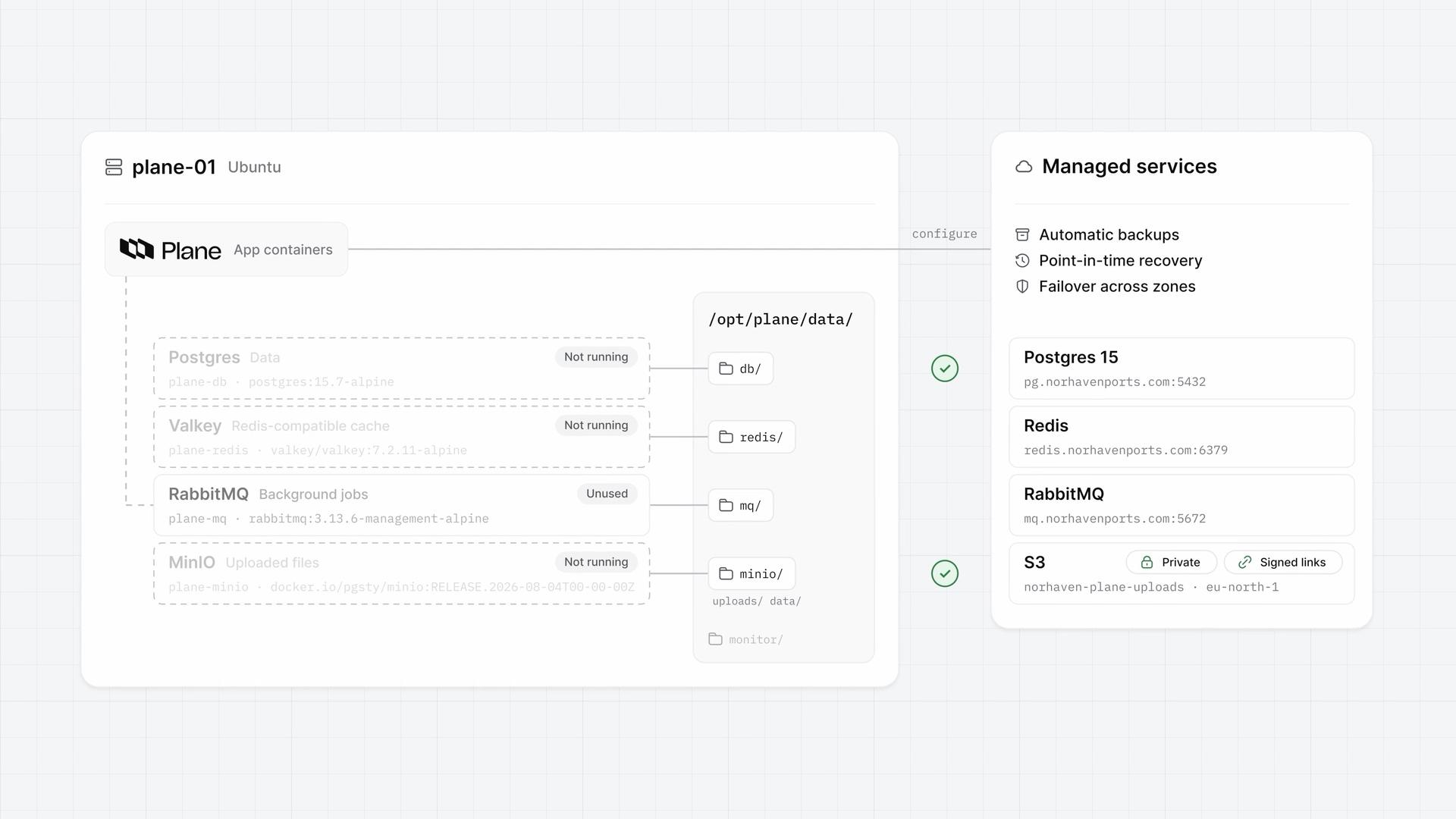
Production data
How to point self-hosted Plane at managed Postgres, Redis, RabbitMQ, and S3 with one command, move the data across once, and keep the S3 bucket private.
- 6:29
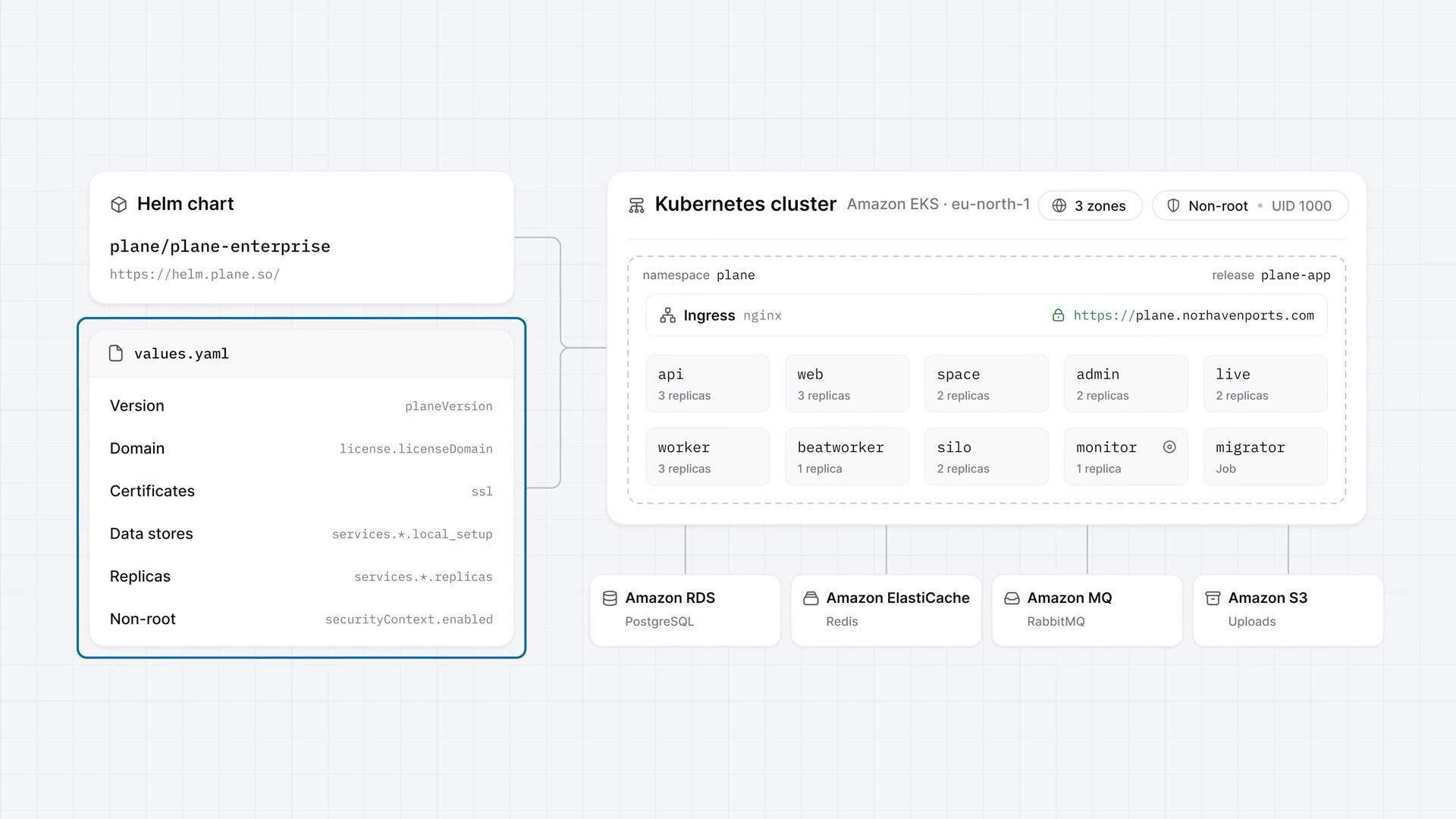
Kubernetes with Helm
How to install self-hosted Plane on Kubernetes from the plane-enterprise Helm chart, set the values that matter for production, and run Plane highly available and non-root.
- 5:52
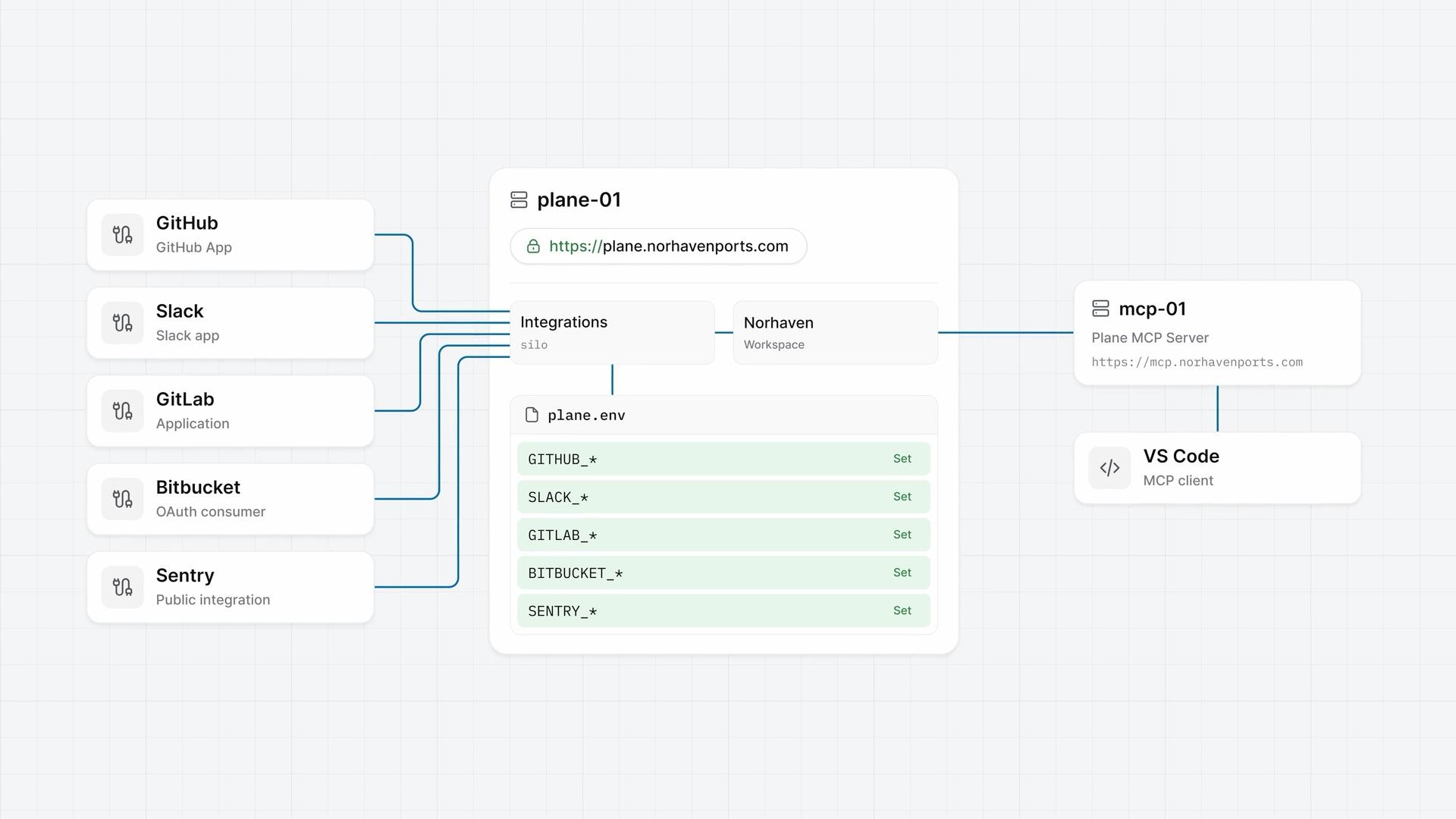
Integrations and the MCP server
How integrations turn on for a self-hosted instance, with an app on the provider's side and its keys in plane.env, from GitHub end to end and four more in one pass to Plane's own MCP server for AI tools.
ProBusinessEnterprise Grid - 5:52
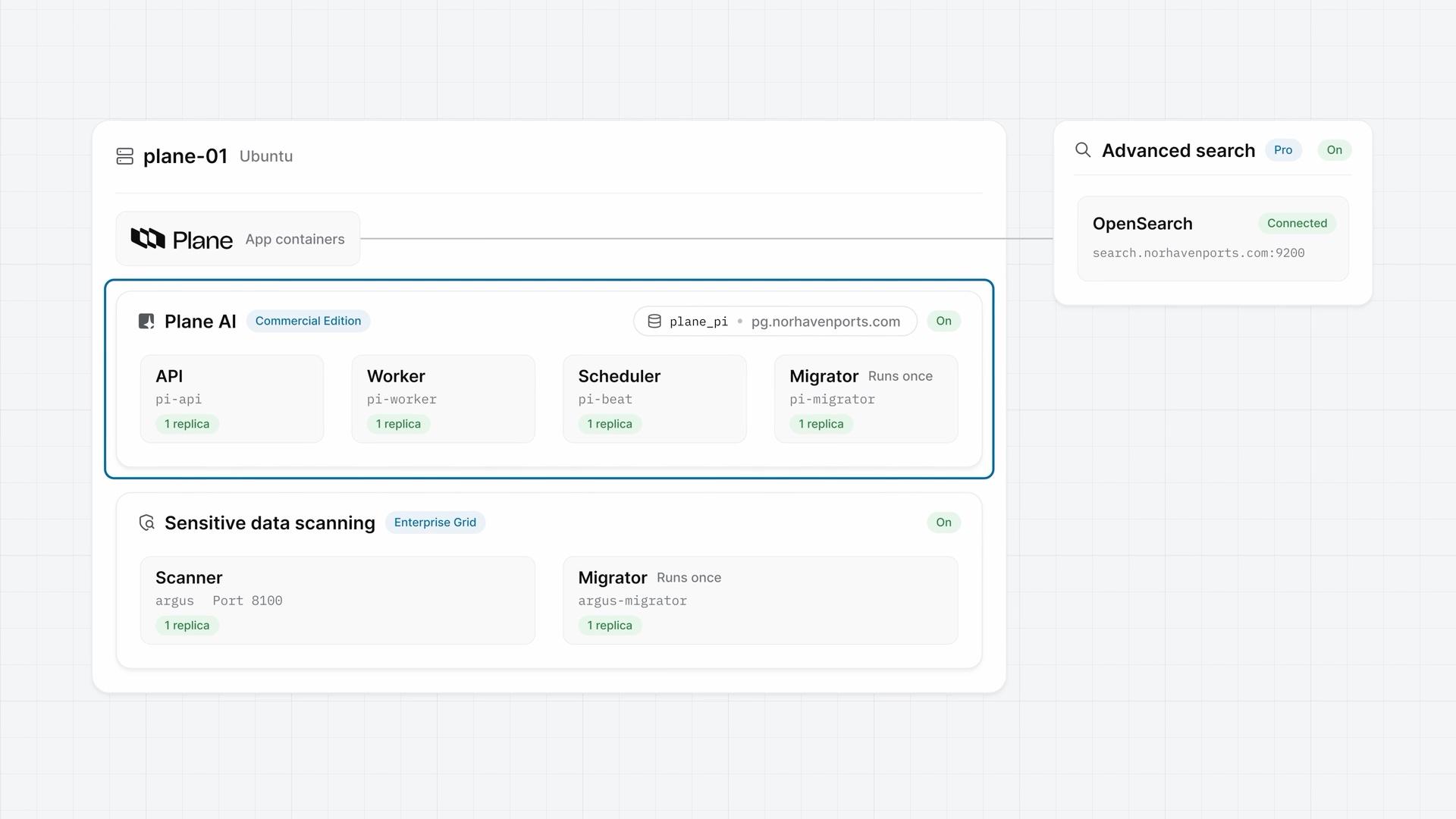
Plane AI, search, and scanning
How the three add-ons that ship switched off, advanced search on an OpenSearch cluster you provide, Plane AI, and sensitive data scanning, each turn on with a few keys in plane.env, and how to check each one from the terminal and in the app.
ProEnterprise Grid - 5:06
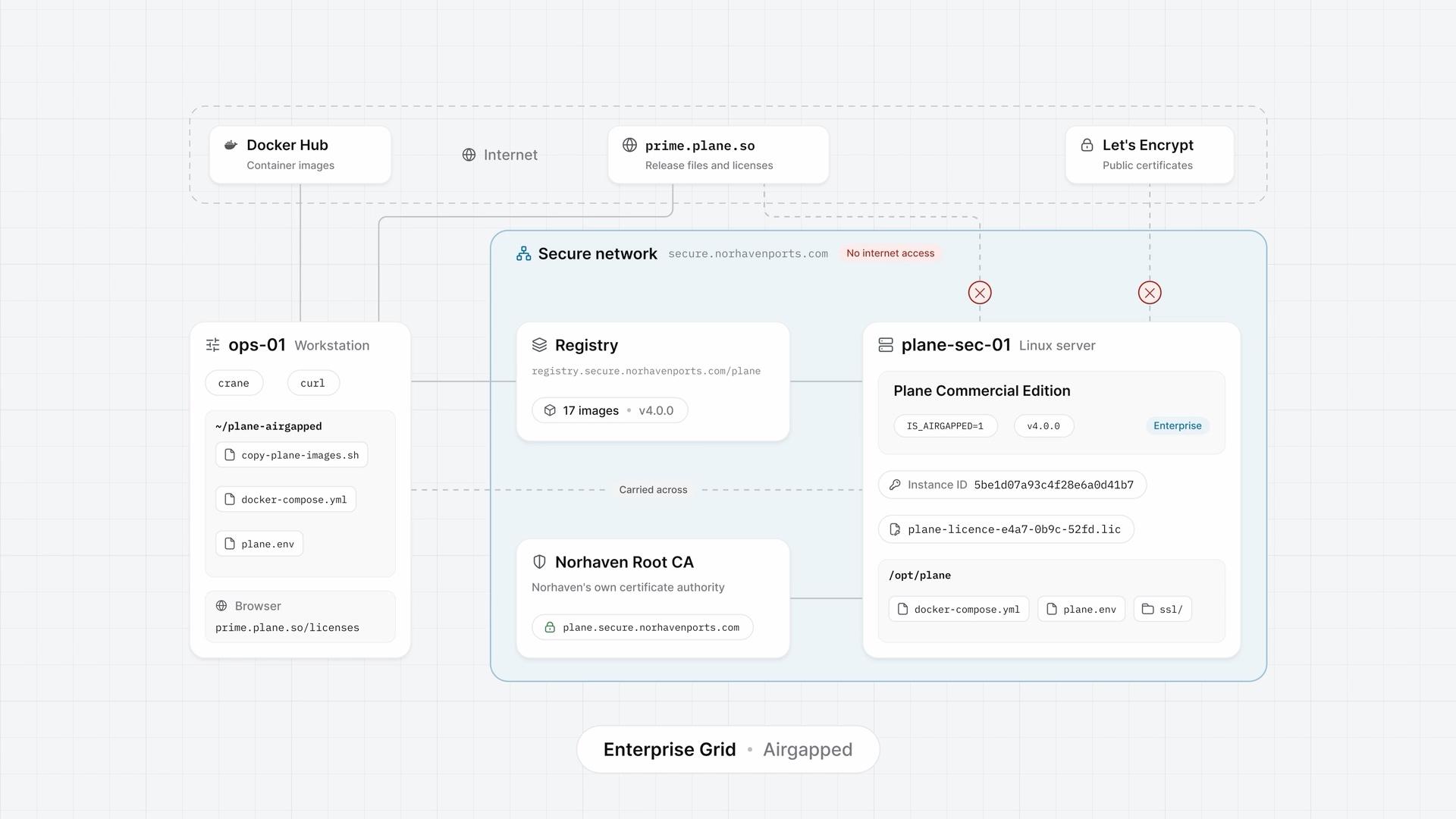
Airgapped Plane
How airgapped Plane, the Commercial Edition set up for a network with no internet access, installs from your own container registry and takes its license as a file, from copying the images and starting Plane with Docker Compose to activating the license and updating.
Enterprise Grid  1:55
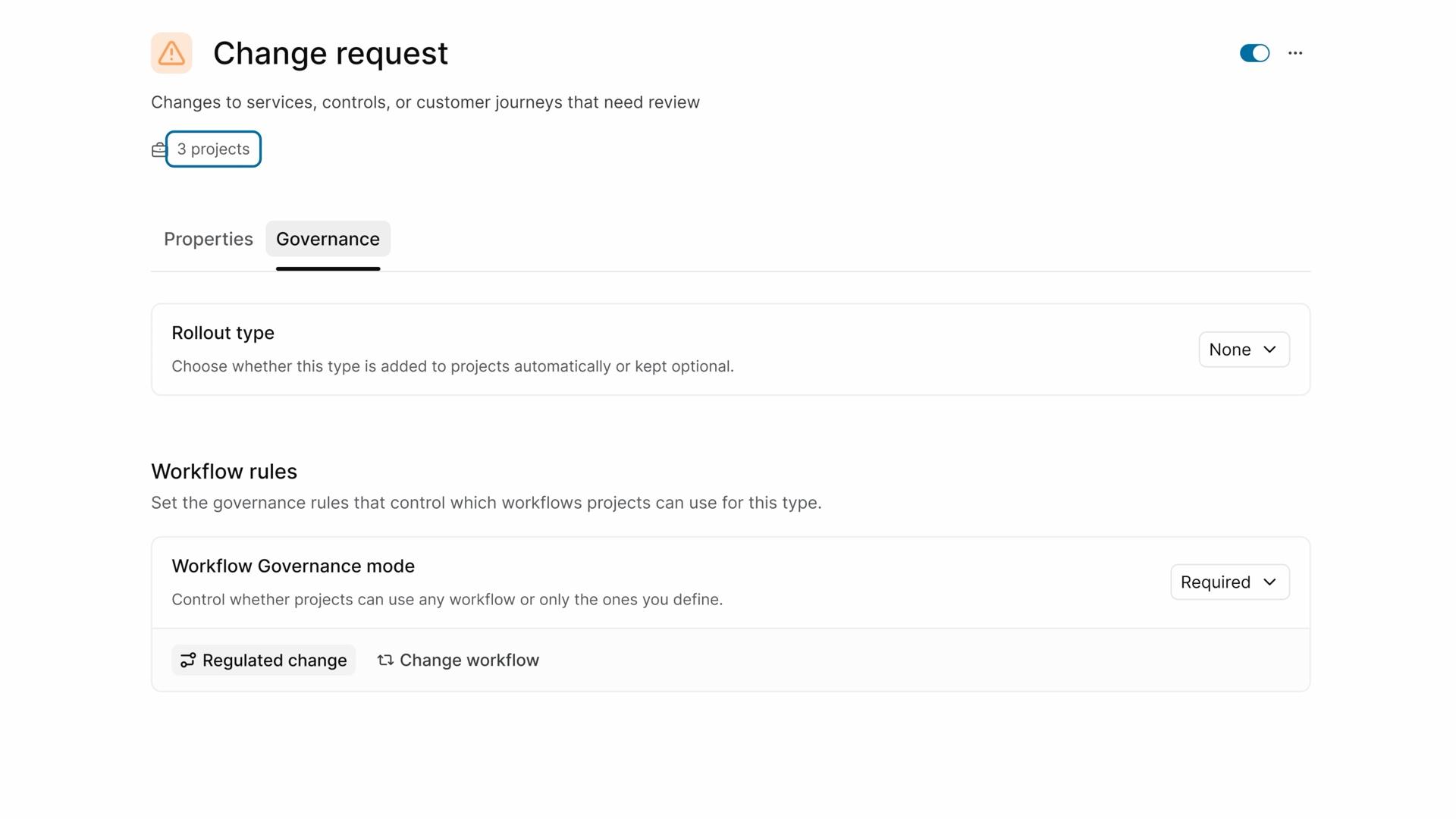
What is Enterprise Grid?
See how Enterprise Grid covers secure access, one governed standard, and auditable changes.
- 4:43
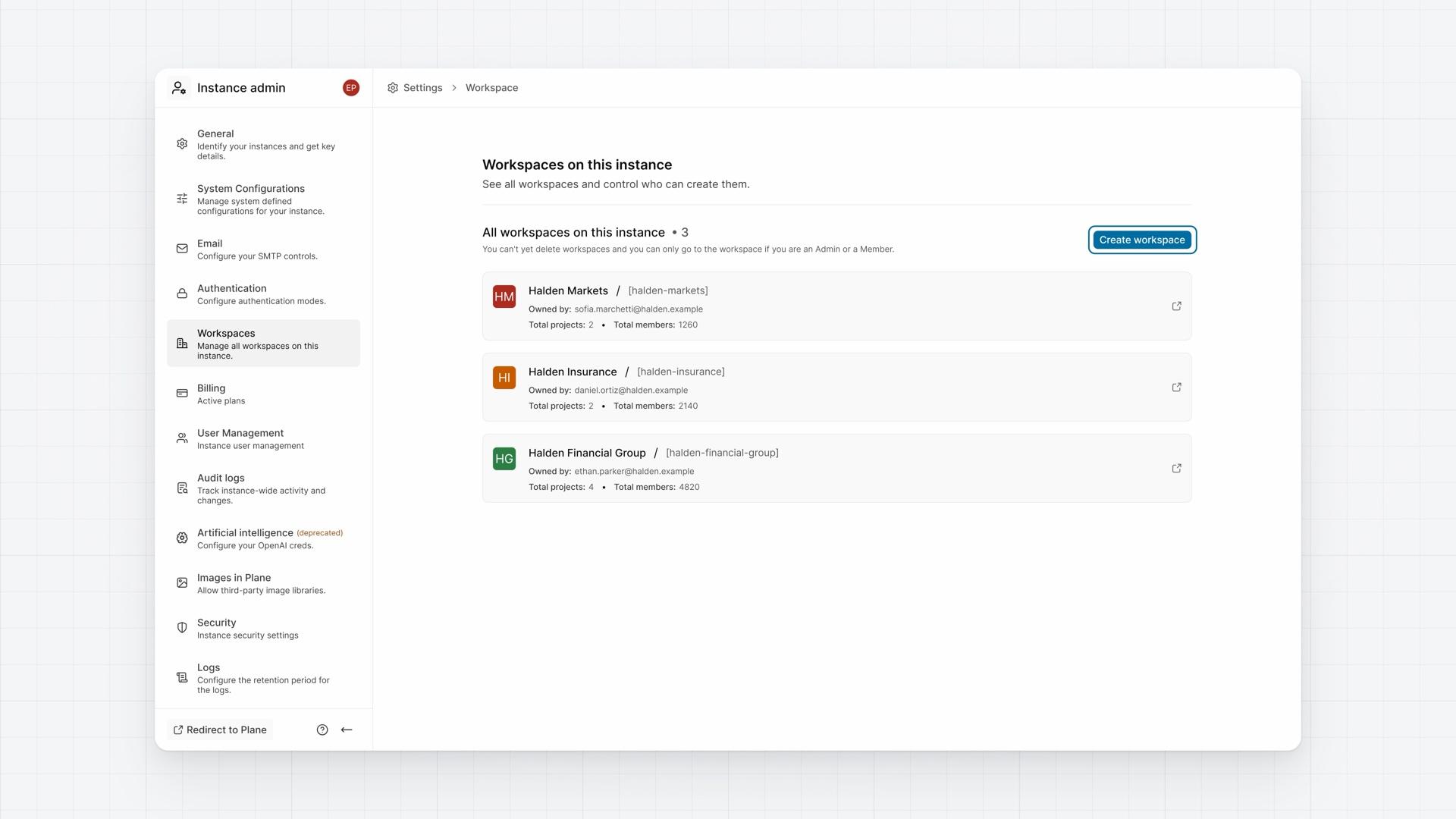
Multiple workspaces
How an instance, one self-hosted installation of Plane, can hold many workspaces, from what is set once for the instance to what each workspace keeps for itself and who administers each.
Enterprise Grid - 4:30
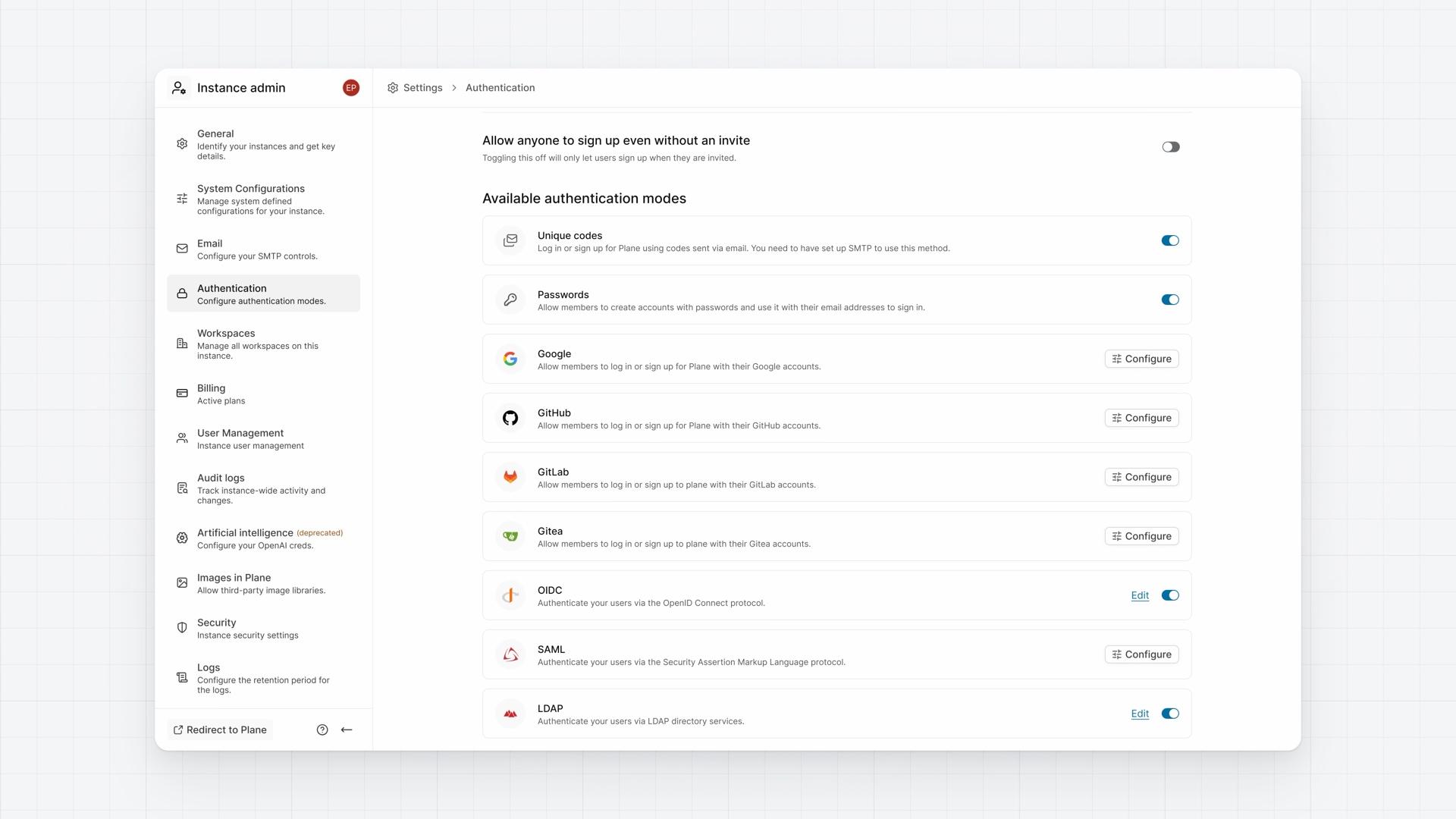
Single sign-on
How single sign-on lets people sign in through the identity provider your organization already runs, from connecting a provider and controlling the other ways in to letting directory groups assign access.
Enterprise Grid - 4:34
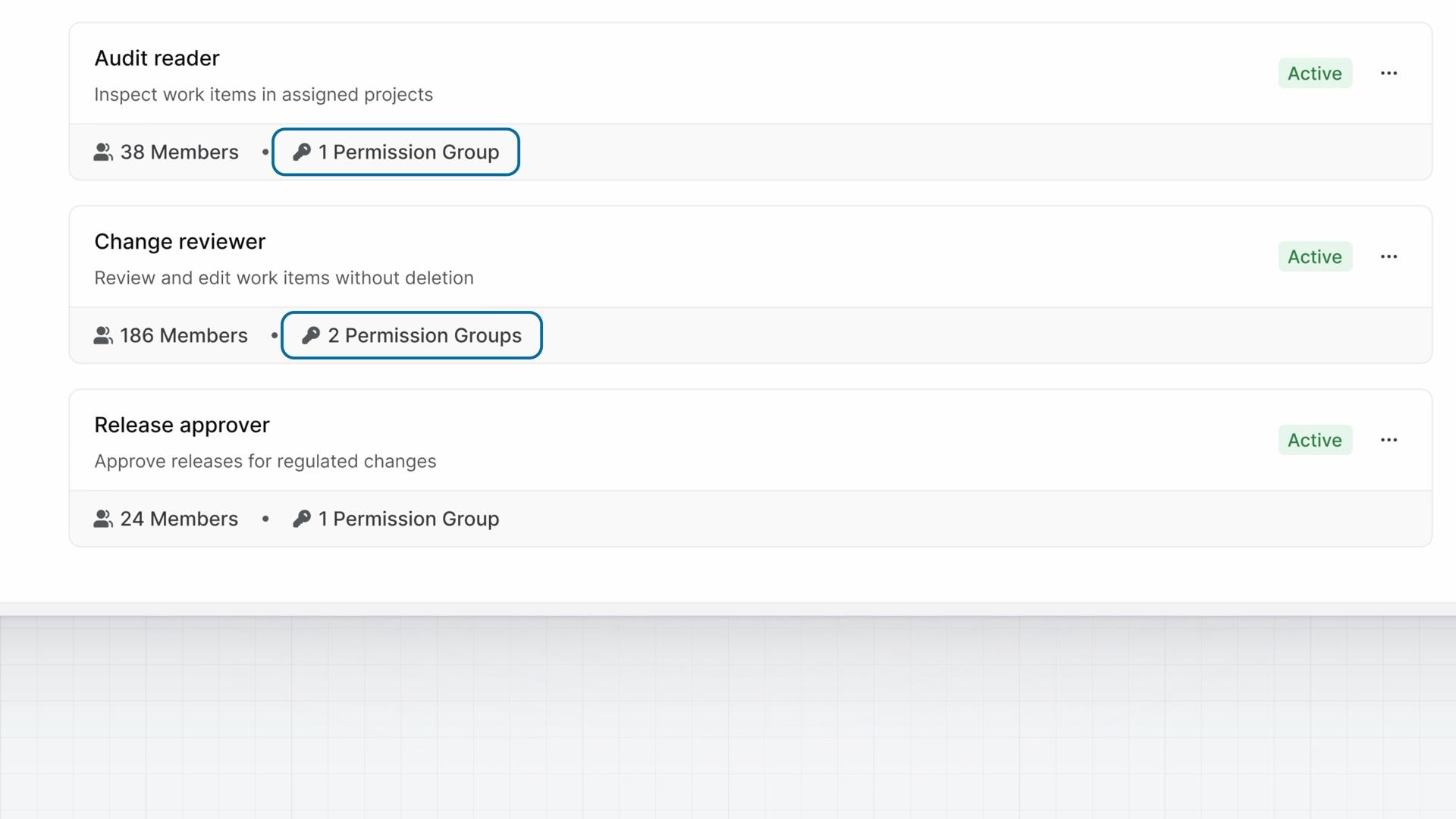
Custom roles
How custom roles define access by responsibility, from building roles from permission groups and checking what each person can do to changing shared policy in one place.
Enterprise Grid - 4:25
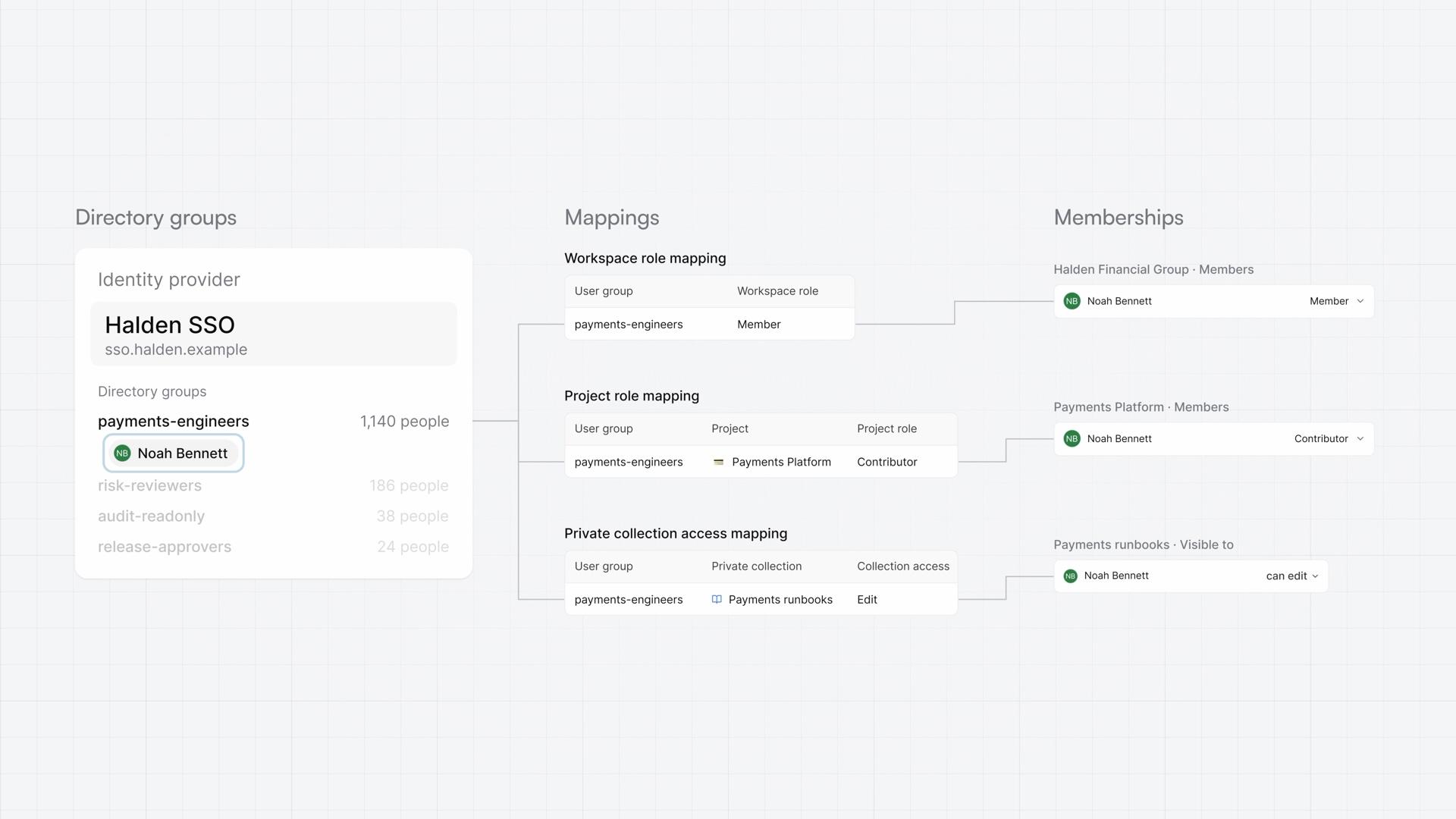
Group syncing
How group syncing assigns access from the directory groups your identity team already manages, from mapping a group and following a team change to seeing what removing access needs.
Enterprise Grid - 4:43
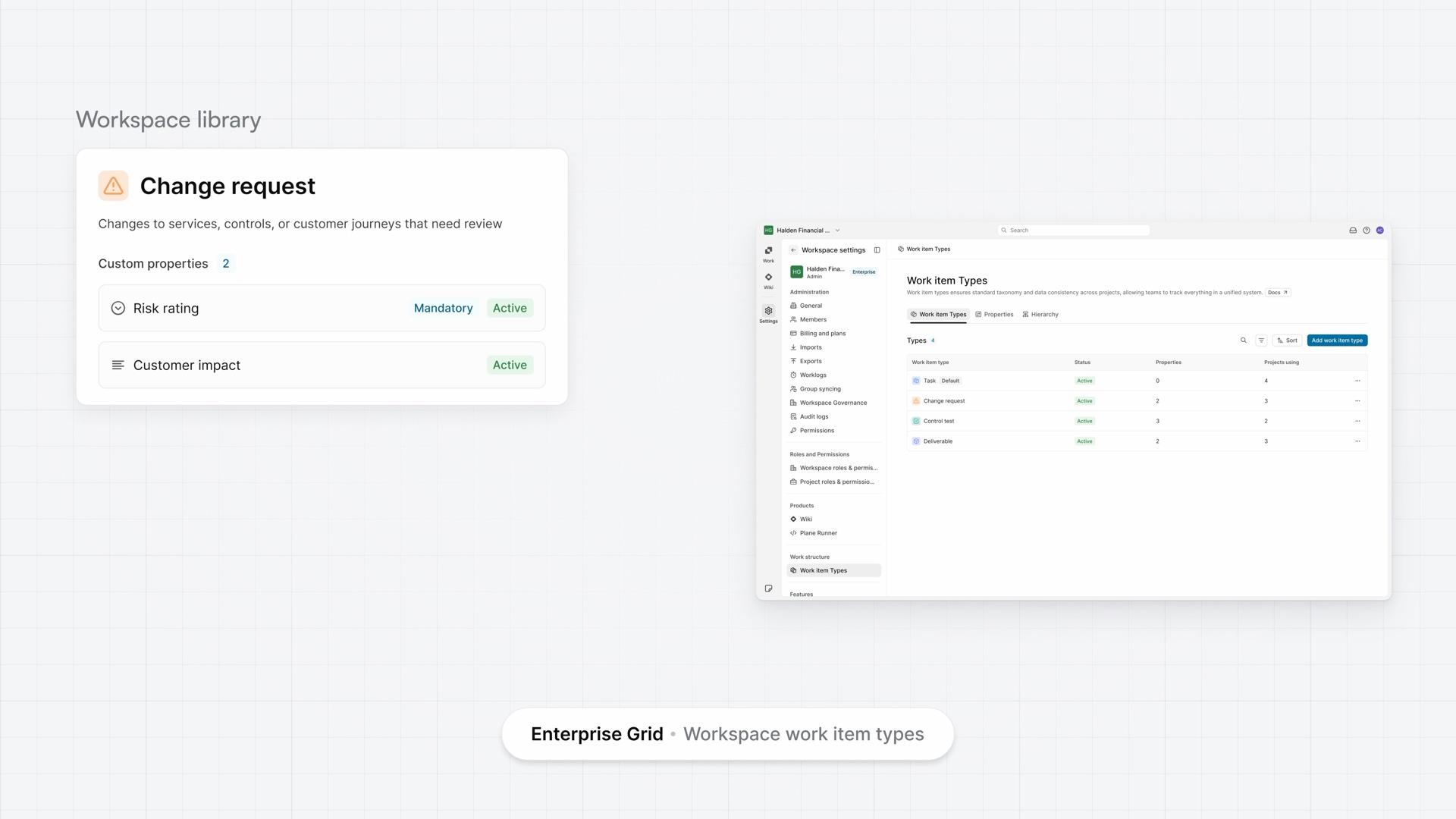
Work item types
How workspace work item types let you define a type and its properties once, then use them in every project, from moving the definition to the workspace to requiring a property where your policy needs it.
Enterprise Grid - 4:28
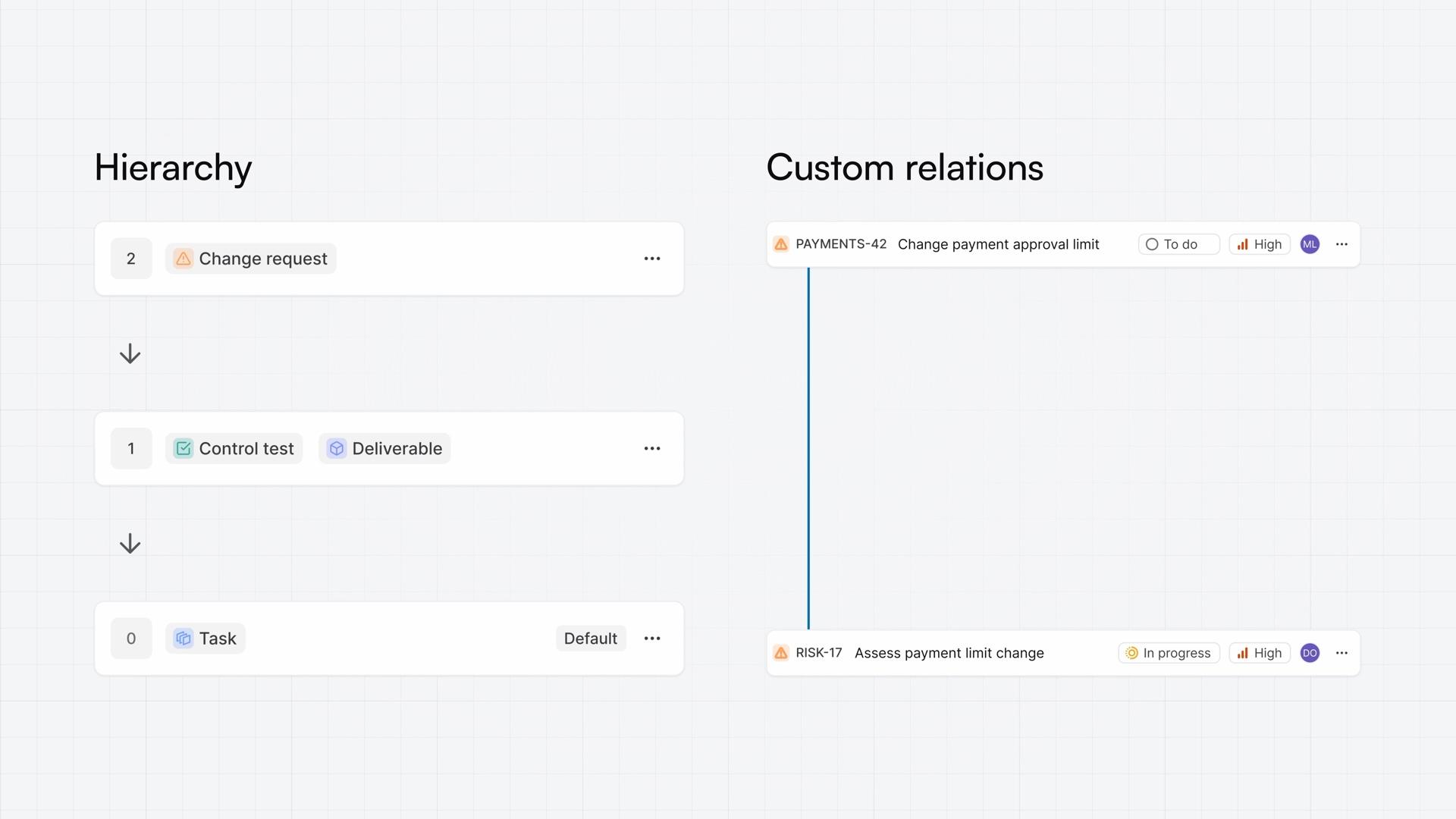
Work item hierarchy
How a work item hierarchy sets which type can sit under which, and custom relations name how work items connect across projects, from setting the levels of work to connecting two work items.
Enterprise Grid - 4:12
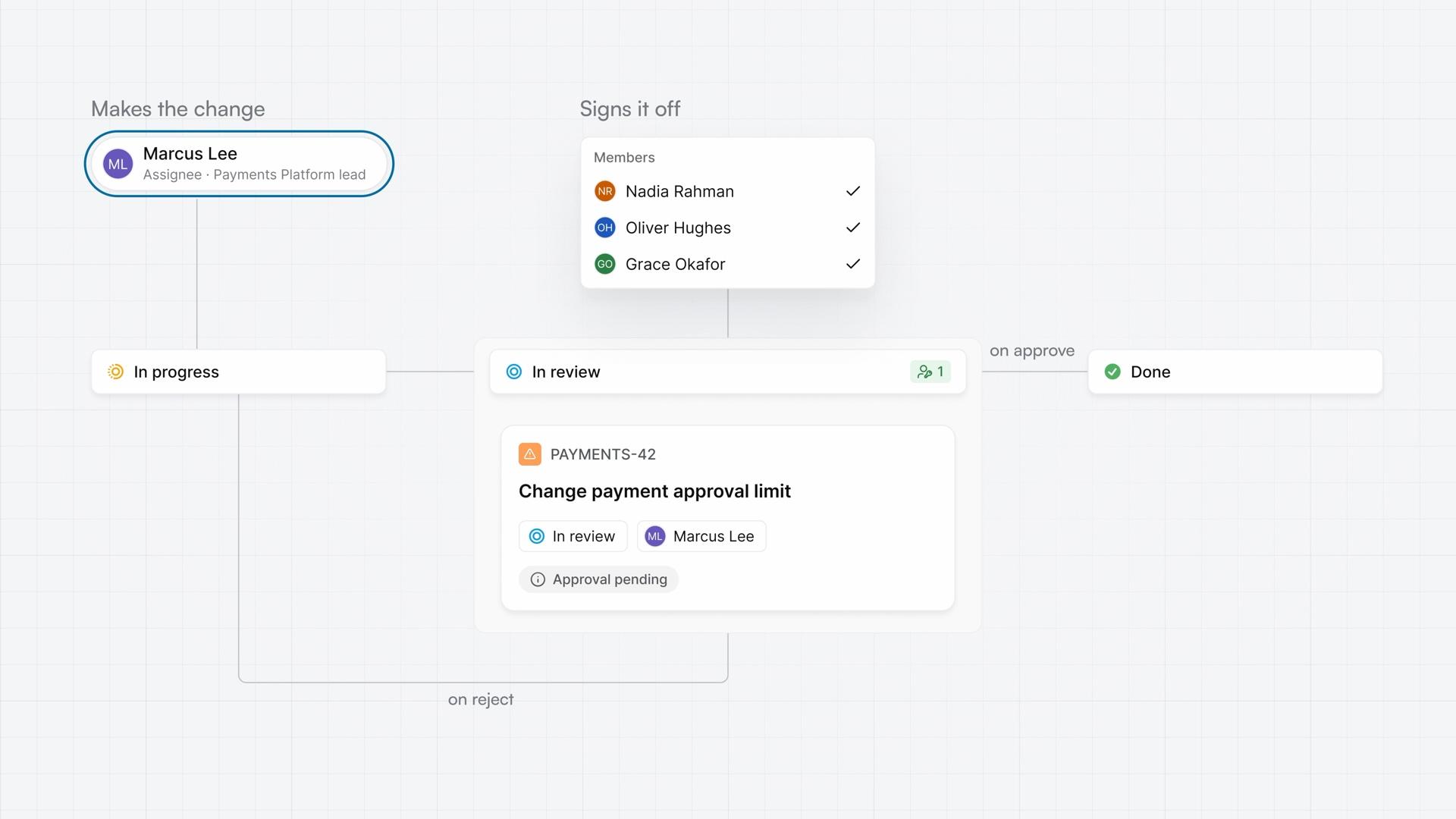
Approvals
How an approval flow holds a work item in a state until a named approver approves or rejects it, from adding an approval to a shared workflow to approving a change and reading its record.
Enterprise Grid - 4:28
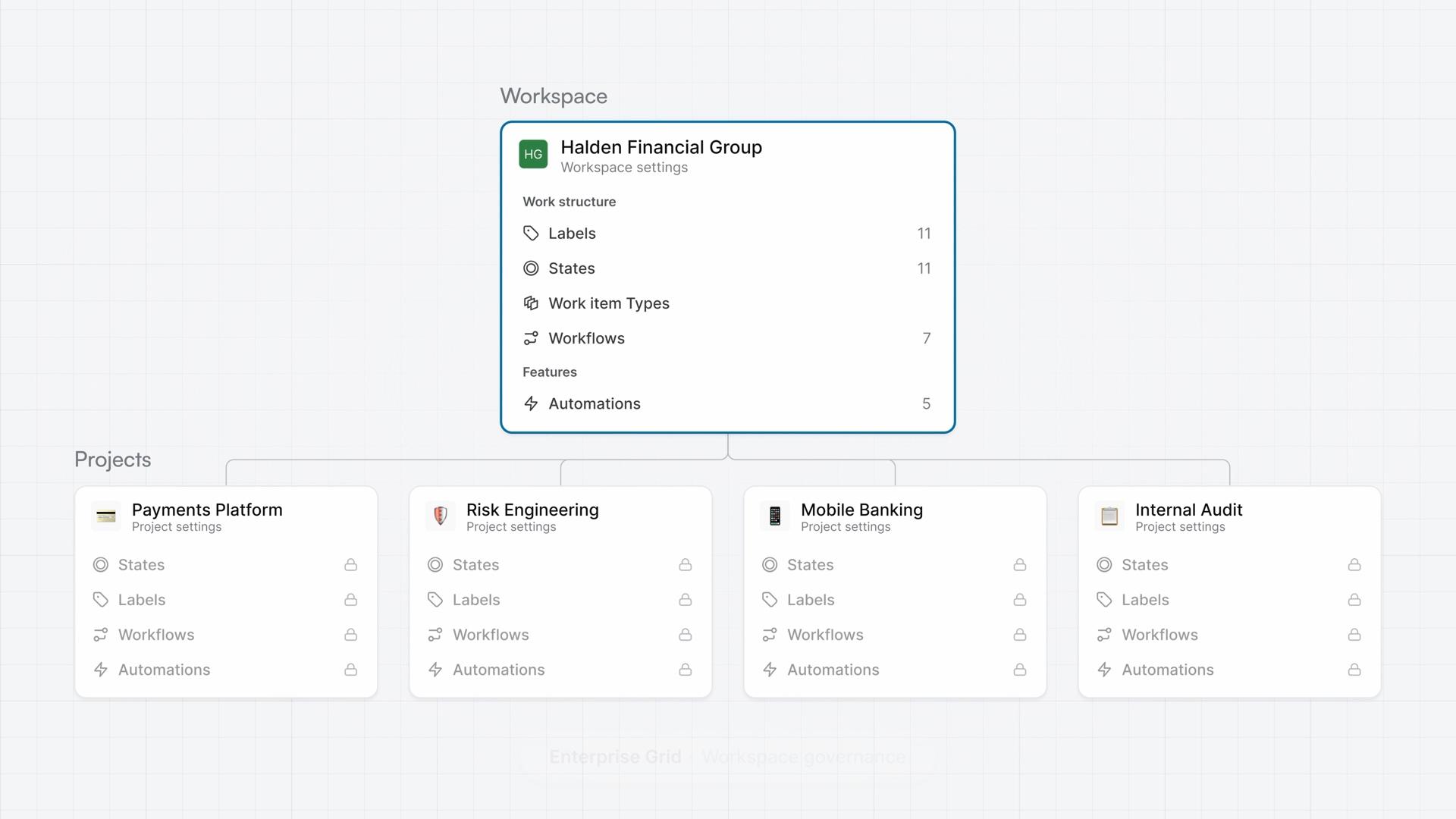
Workspace governance
How workspace governance moves shared configuration from projects to the workspace, from reviewing the move before you commit to requiring one workflow for a work item type and checking the record of a workflow edit.
Enterprise Grid - 4:26
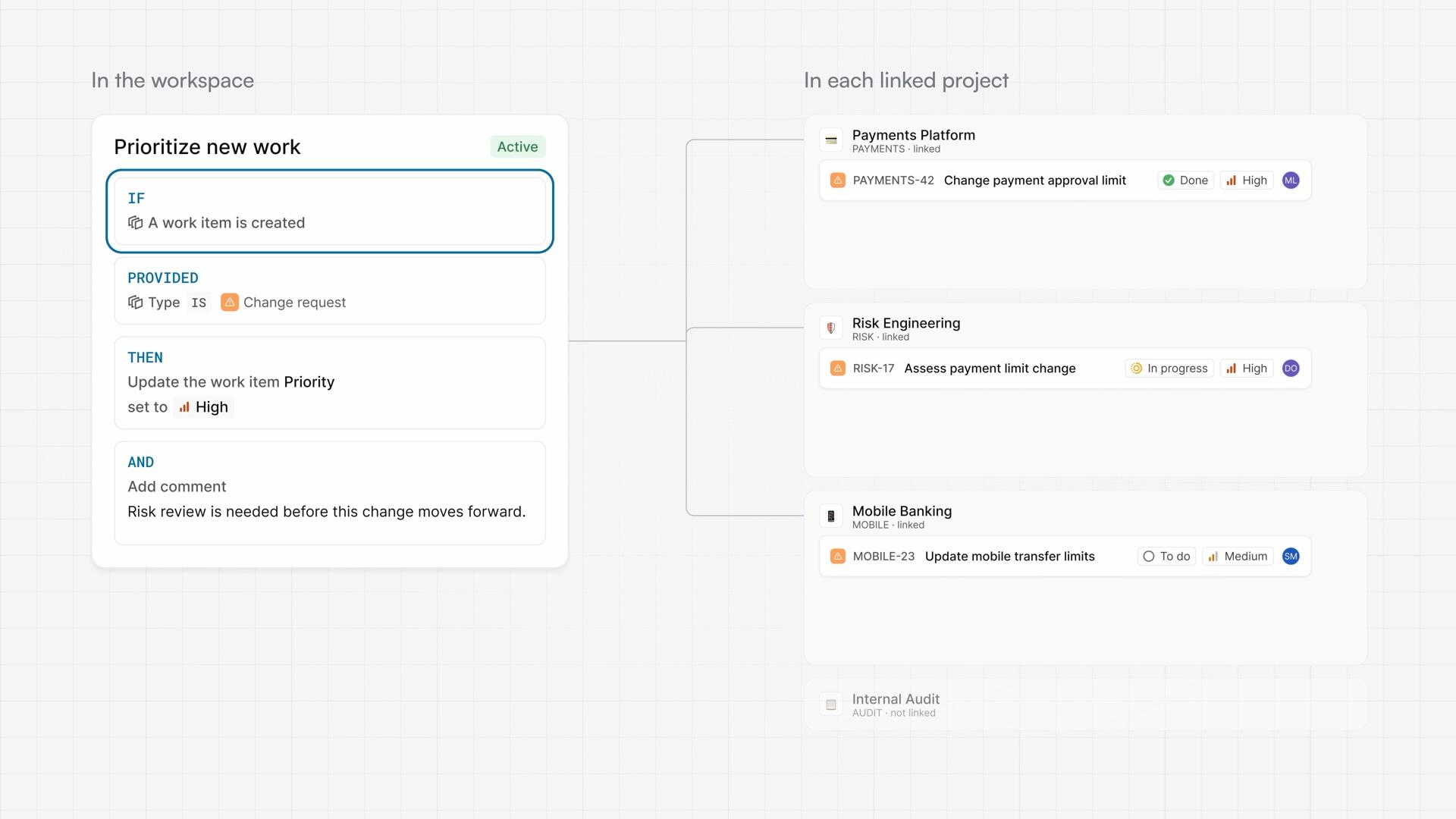
Workspace automations
How workspace automations update work items from rules you define once in the workspace, from building a rule with a trigger, a condition, and actions to seeing what it did.
Enterprise Grid - 4:49
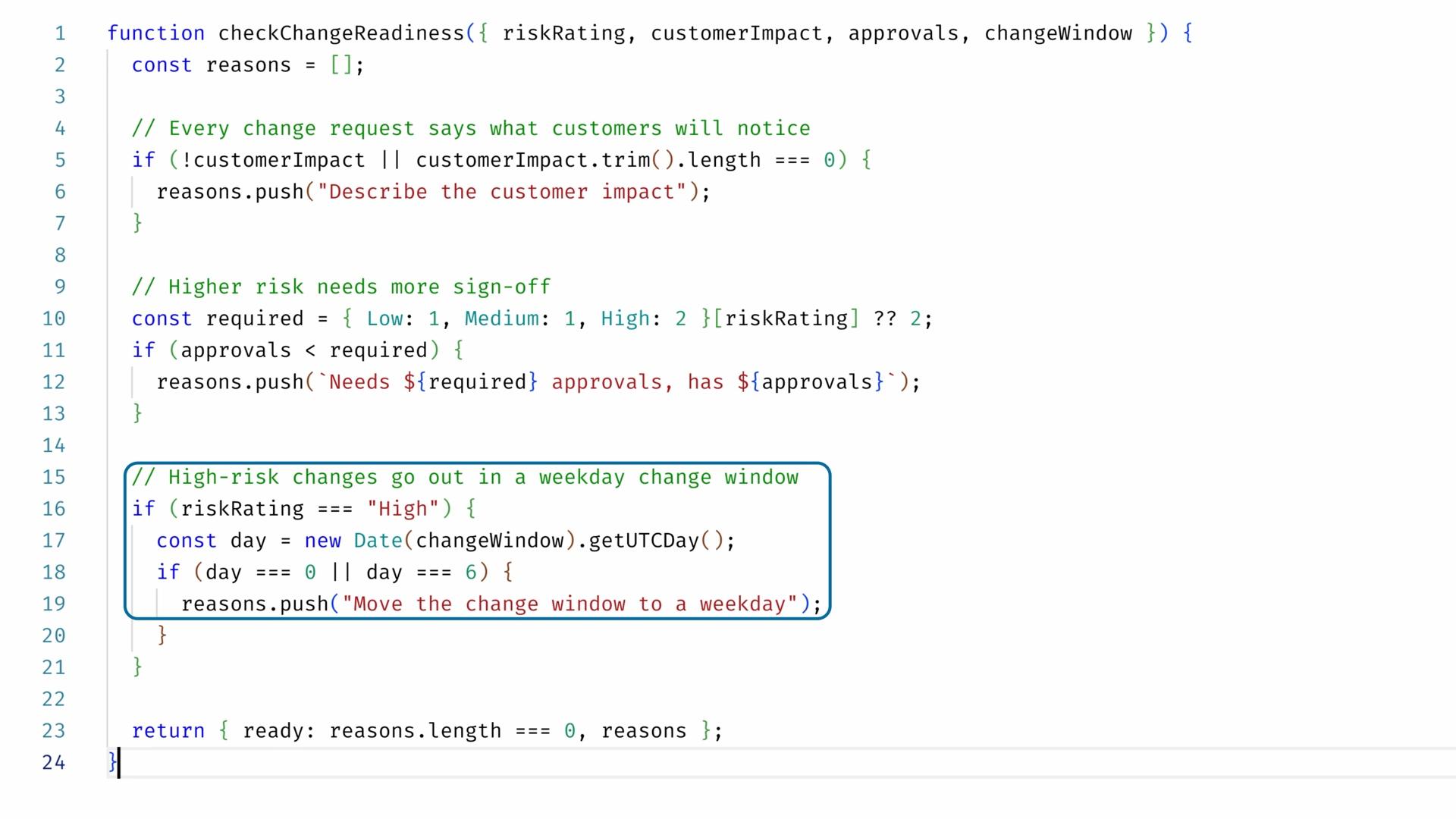
Plane Runner
How Plane Runner runs code you write inside Plane, from writing a function with typed parameters to calling it from a script and running that script from a workspace automation.
Enterprise Grid - 4:32
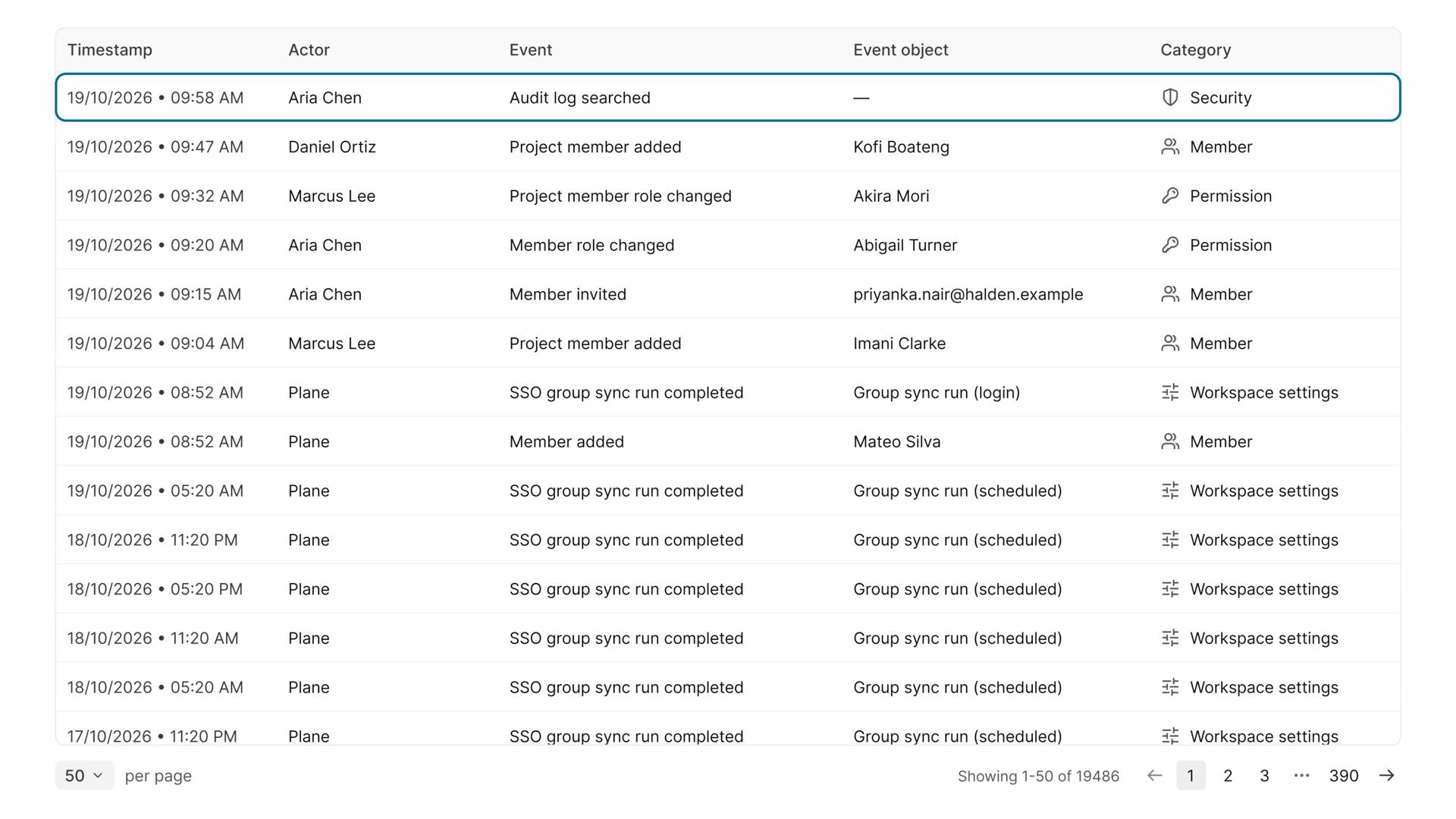
Audit logs
How audit logs record who changed what, and when, from reading the workspace log and tracing one person's access to exporting the result as evidence.
Enterprise Grid - 4:30
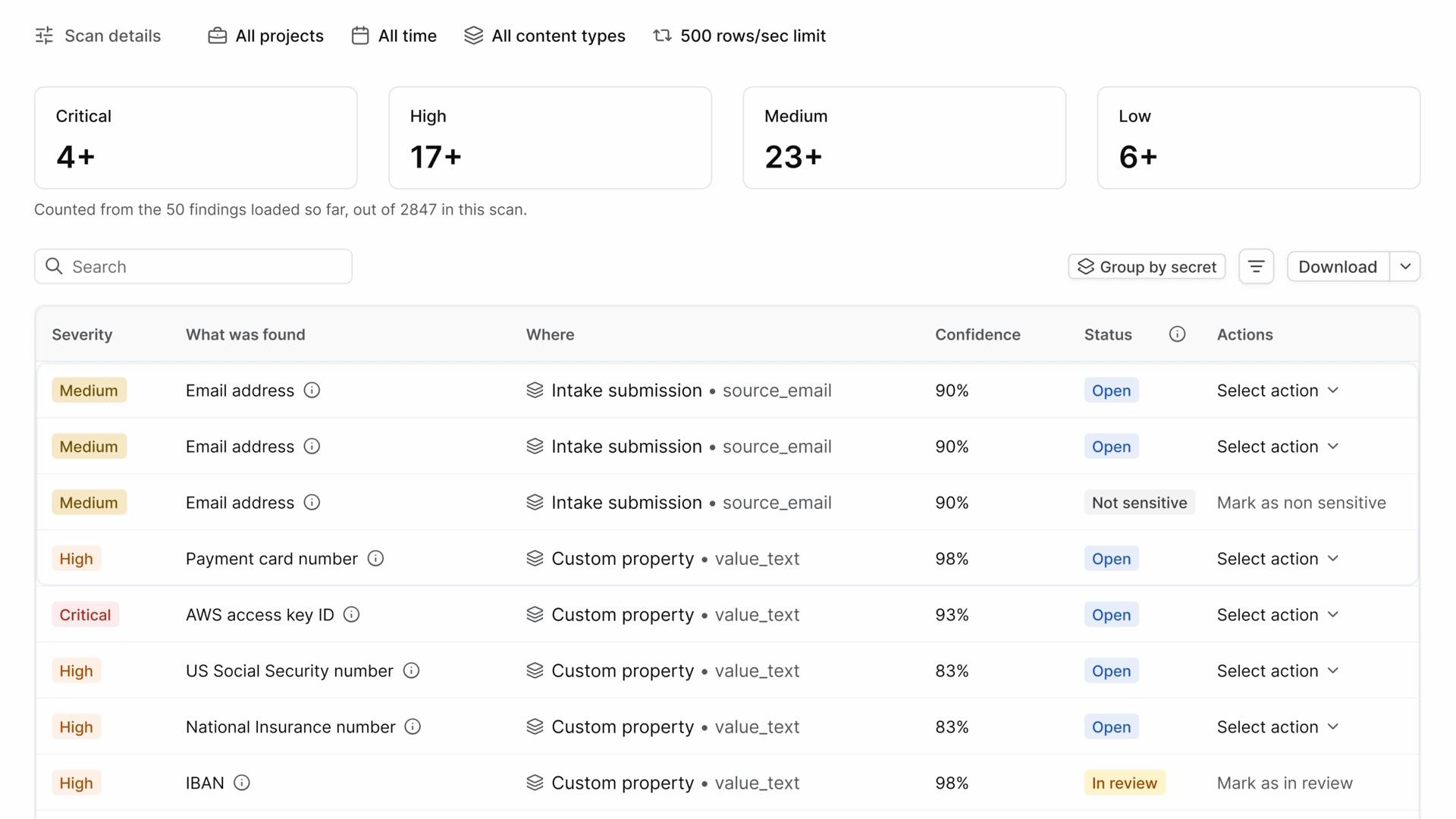
Sensitive data scanning
How sensitive data scanning finds exposed credentials and personal data in your workspace's content, from running a scan and reviewing its findings to tuning what it reports.
- 4:18
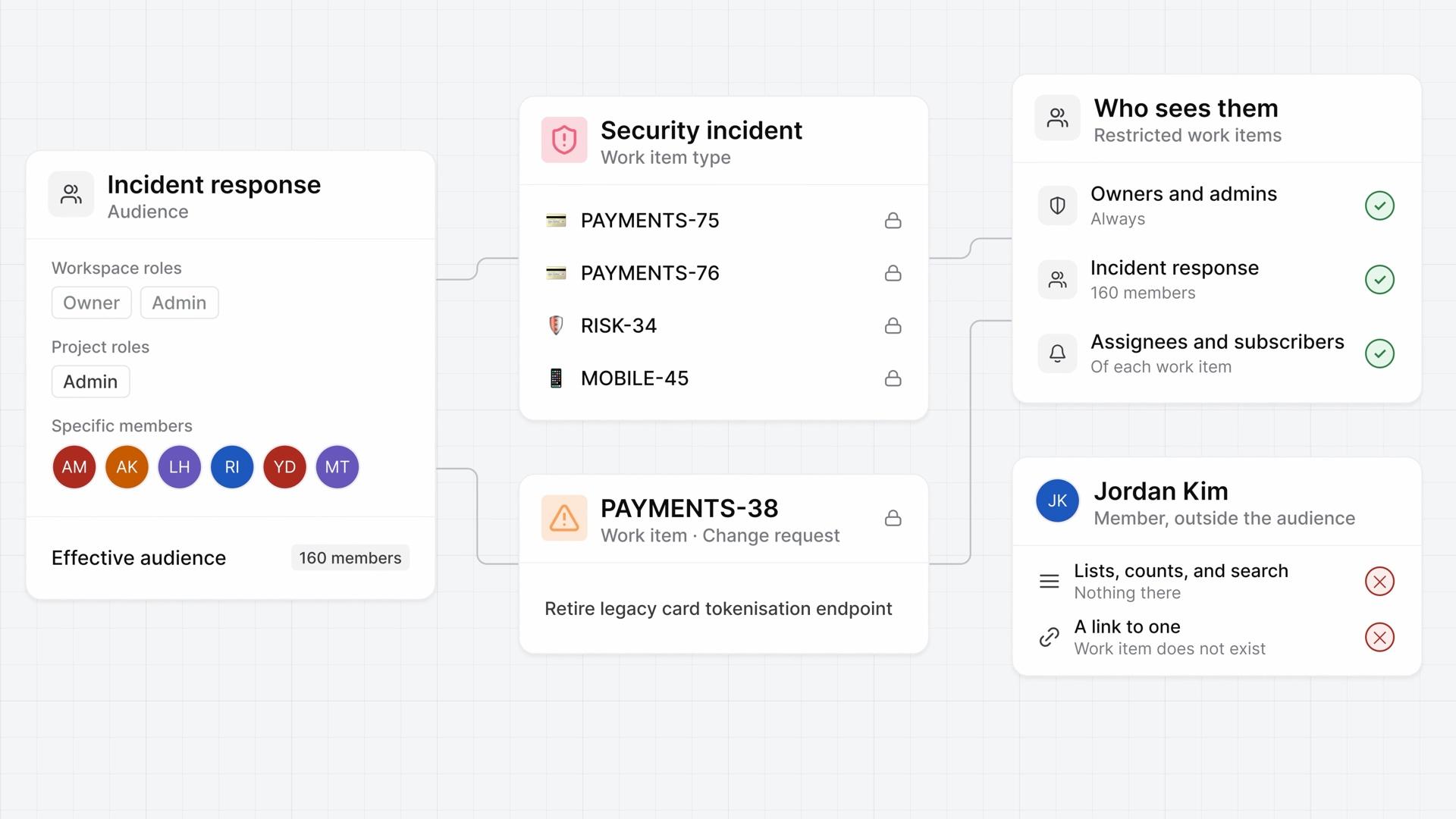
Work item security
How work item security restricts who can see work items, from creating an audience and attaching it to a work item type or one work item to checking what others see and removing a restriction.
Enterprise Grid - 4:07
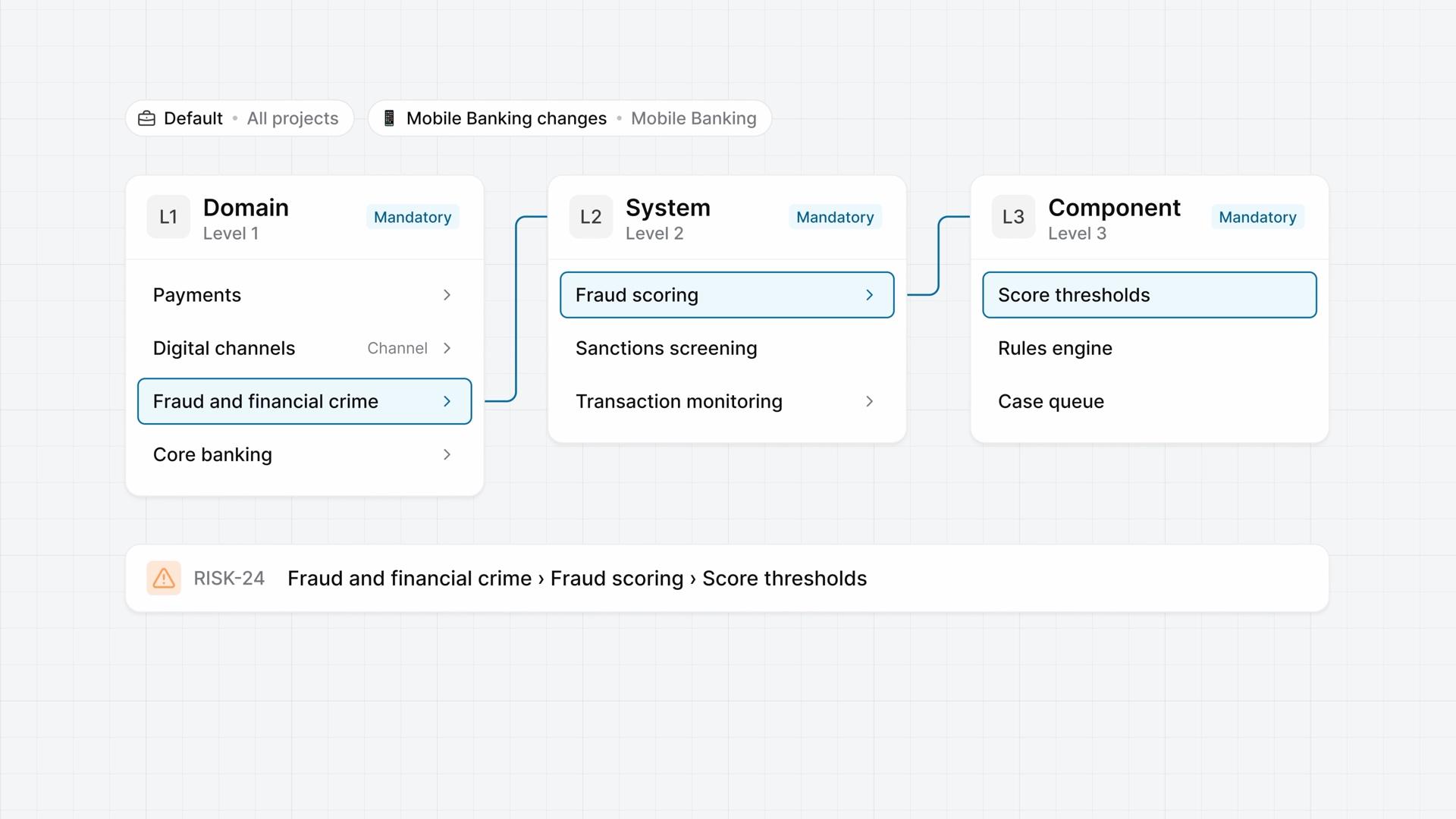
Cascading properties
How a cascading property gives a work item type two to four linked dropdowns, from adding the property and its levels to building the options for each context and using it on change requests.
Enterprise Grid