Skip to content

For team leads, managers, and admins

Plane Business

Set projects up once, take requests to release, and work across teams, on the plan for scaling organizations.

  • 12 lessons
  • 49 min
  • For team leads, managers, and admins
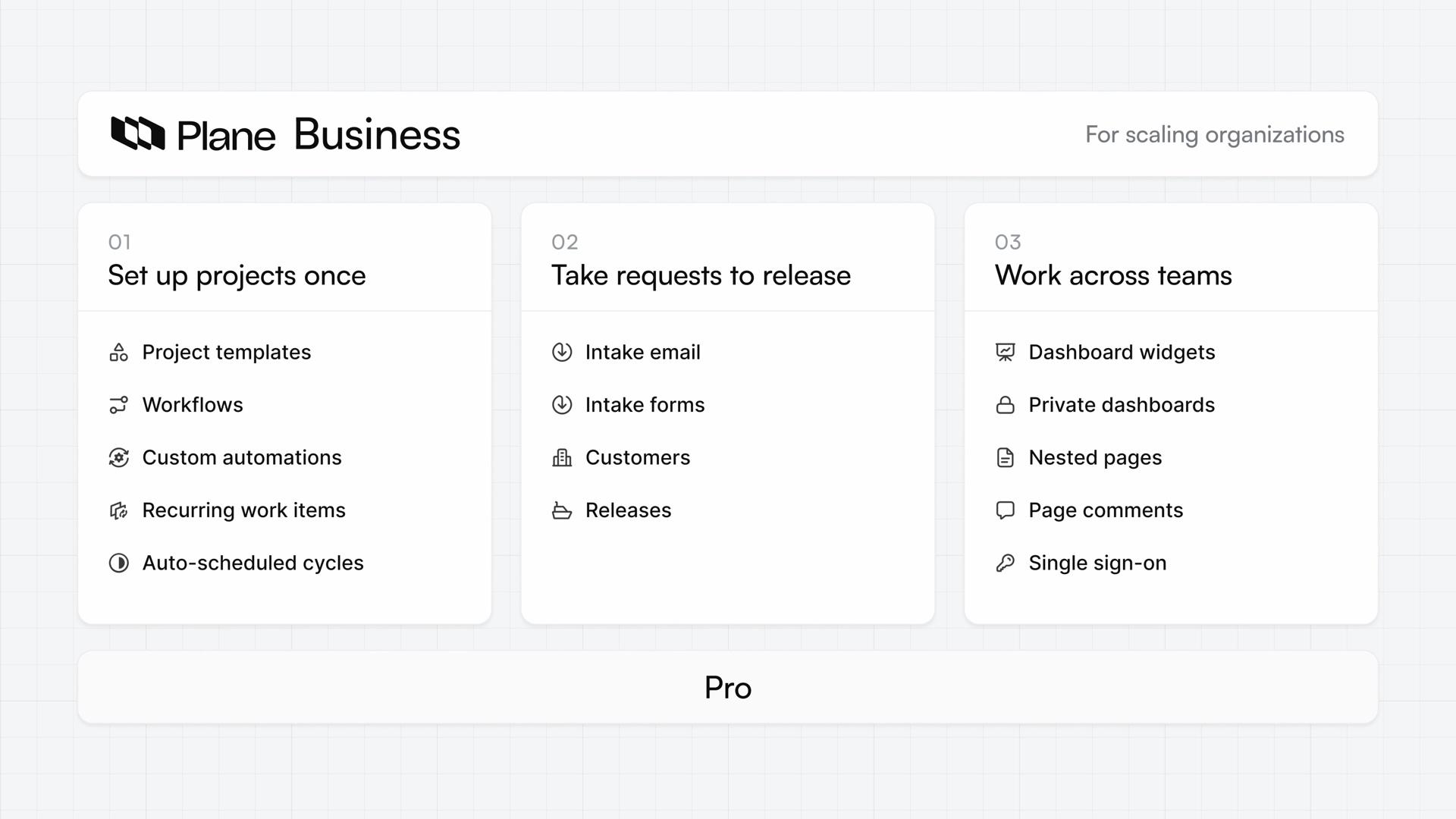
The Plane Business overview: three cards, Set up projects once, Take requests to release, and Work across teams, each listing the features it adds, above a bar marked Pro.

Lessons

  1. The Plane Business overview: three cards, Set up projects once, Take requests to release, and Work across teams, each listing the features it adds, above a bar marked Pro.
    1:54

    Lesson 1 · 1:54

    What is Plane Business?

    See how Plane Business builds on Pro, with ways to set projects up once, take requests to release, and work across teams.

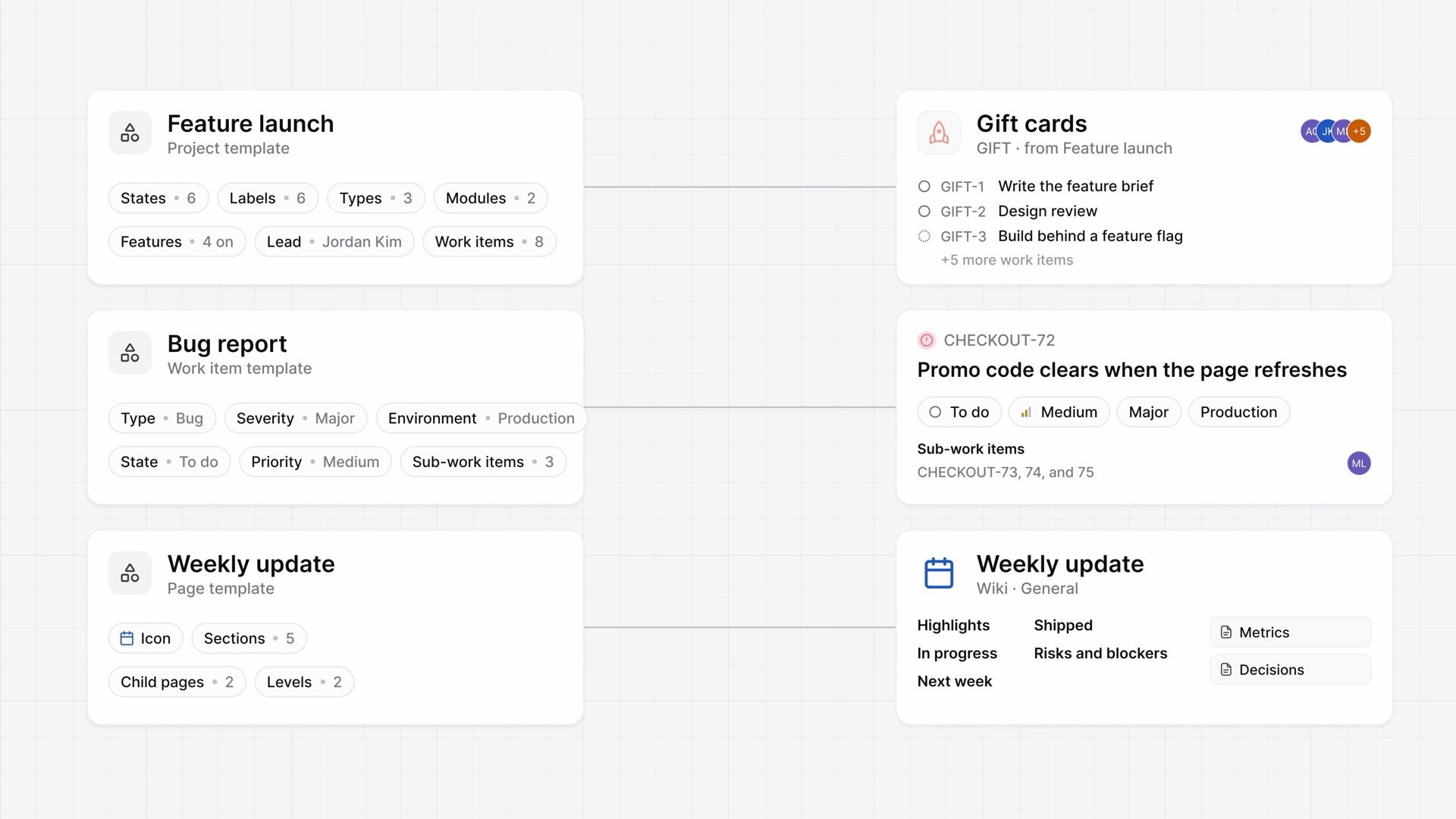
  2. Three template cards, Feature launch, Bug report, and Weekly update, each wired to what it started: the Gift cards project with its first work items, the bug CHECKOUT-72 with its sub-work items, and a Weekly update page in the wiki.
    4:06

    Lesson 2 · 4:06

    Templates

    How templates give new projects, work items, and pages a saved starting point, from making each kind in Templates to starting something new from it.

    ProBusiness
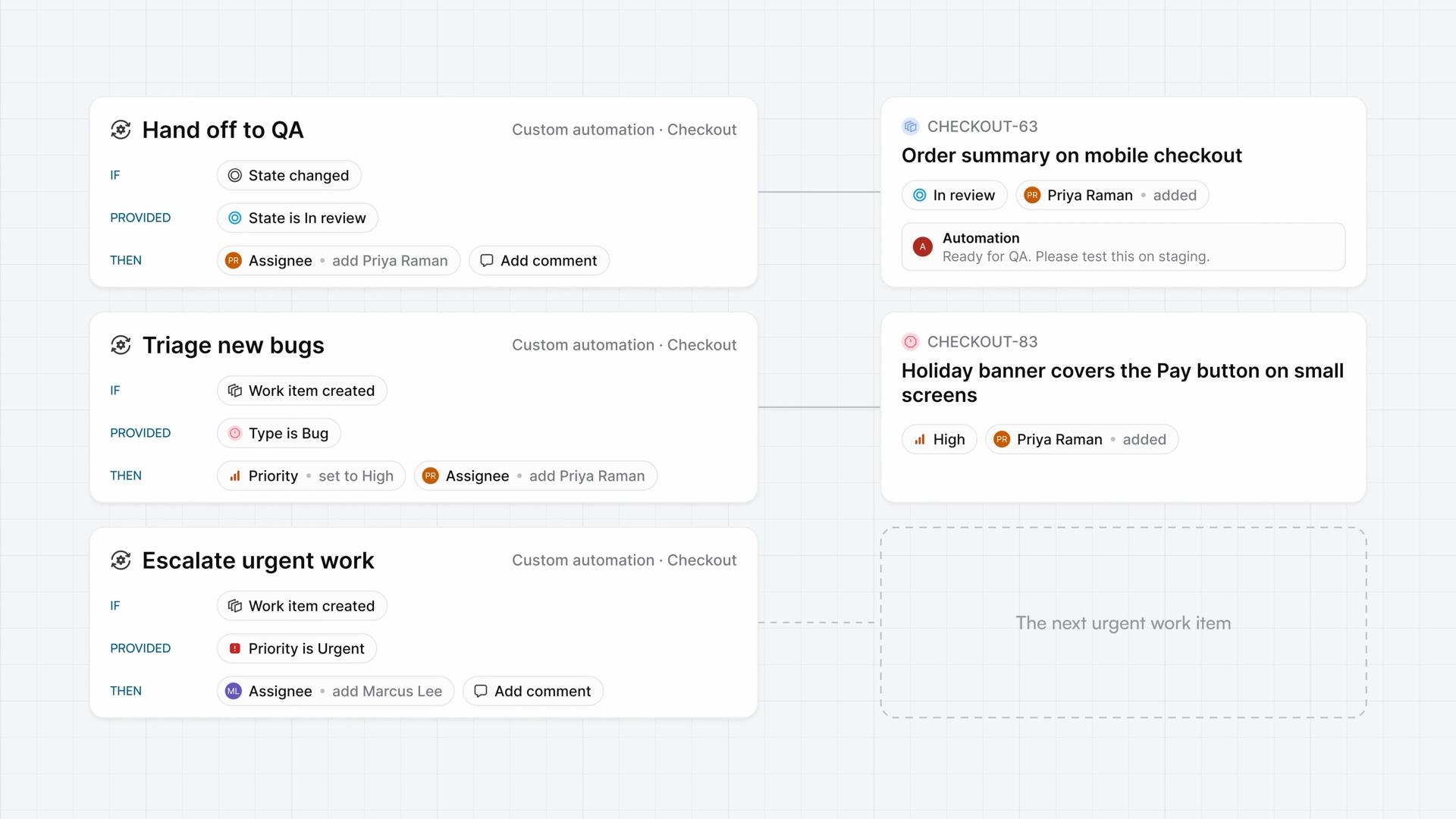
  3. Three custom automations in the Checkout project, Hand off to QA, Triage new bugs, and Escalate urgent work, each with its If, Provided, and Then rows, beside the work items the first two changed and a dashed space for the next urgent work item.
    4:14

    Lesson 3 · 4:14

    Custom automations

    How a custom automation runs the actions you set in one project when its trigger fires and its conditions match, from building one to reading the record of each run.

    Business
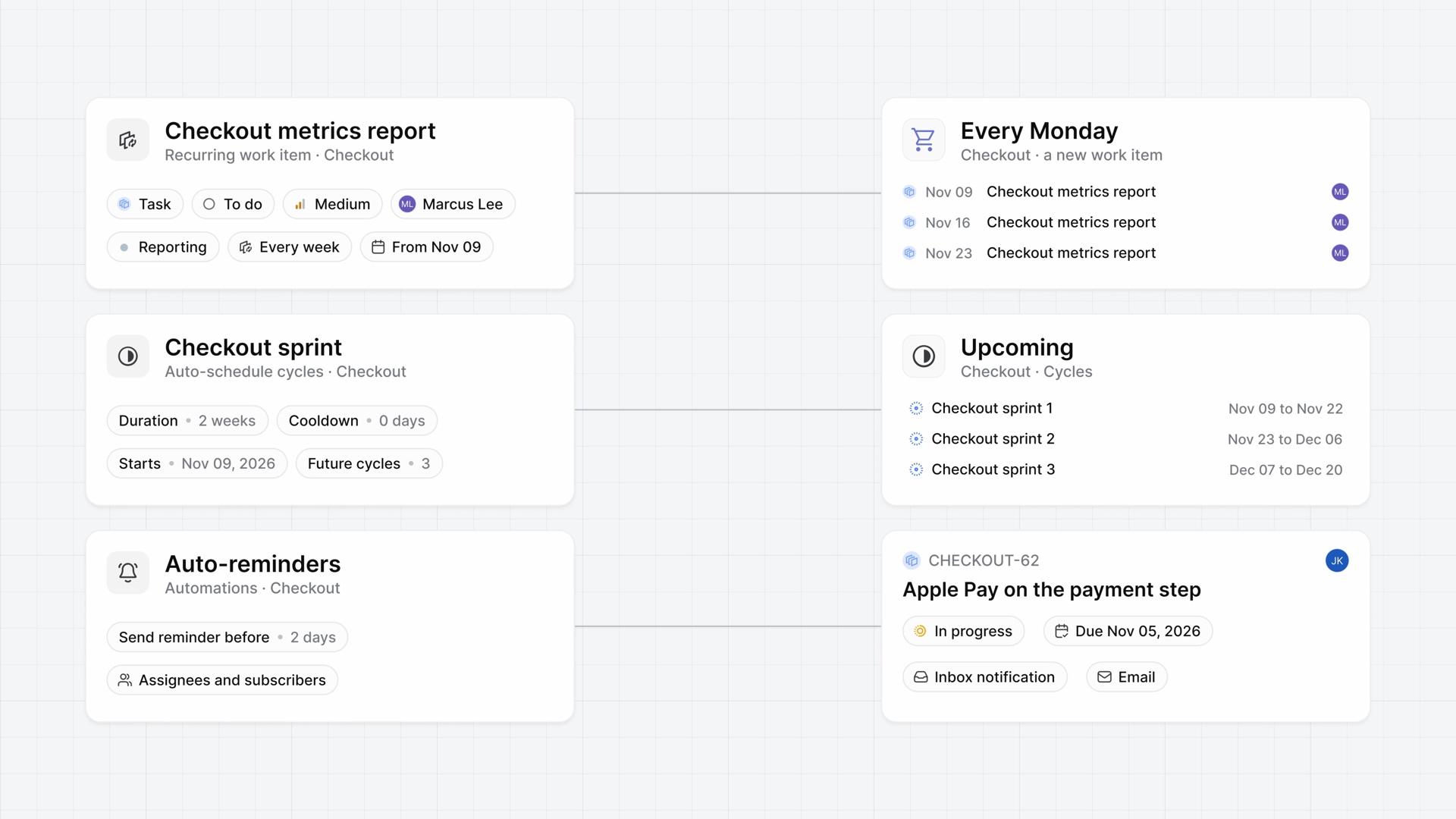
  4. A weekly Checkout metrics report recurring work item, a cycle schedule with three upcoming cycles, and Auto-reminders set to 2 days, each linked to what it makes, ending on CHECKOUT-62 with an Inbox notification and an email.
    3:51

    Lesson 4 · 3:51

    Routine work on a schedule

    How a project creates its own routine work items, keeps its next cycles ready, and reminds people before work is due, each on a schedule you set.

    Business
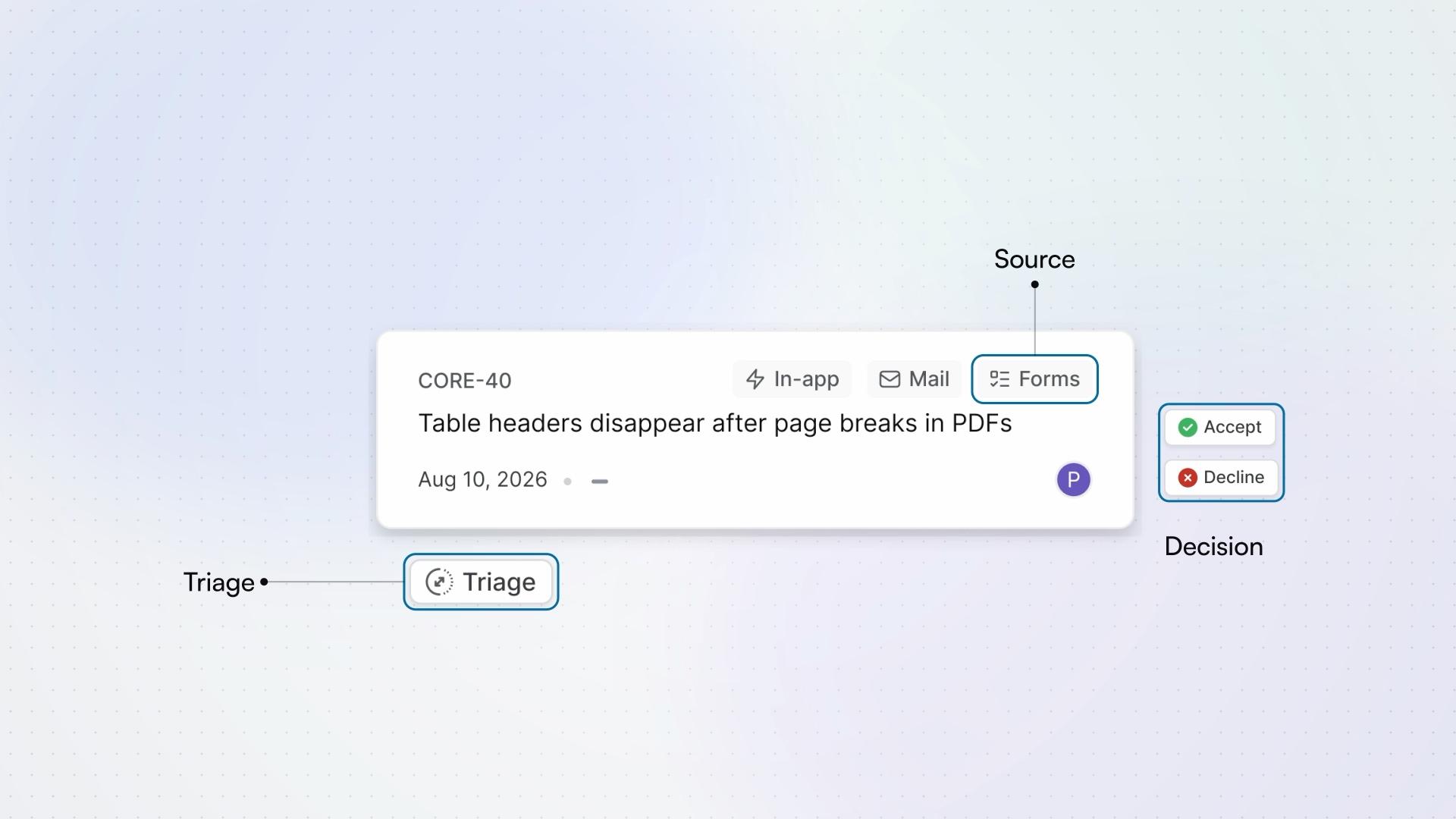
  5. An Intake request card, with its source, Triage state, and decision controls labelled.
    5:20

    Lesson 5 · 5:20

    Intake

    How Intake turns requests into work items, from the moment a request arrives, in the app, by email, or through a form, to the moment it joins the project.

    Business
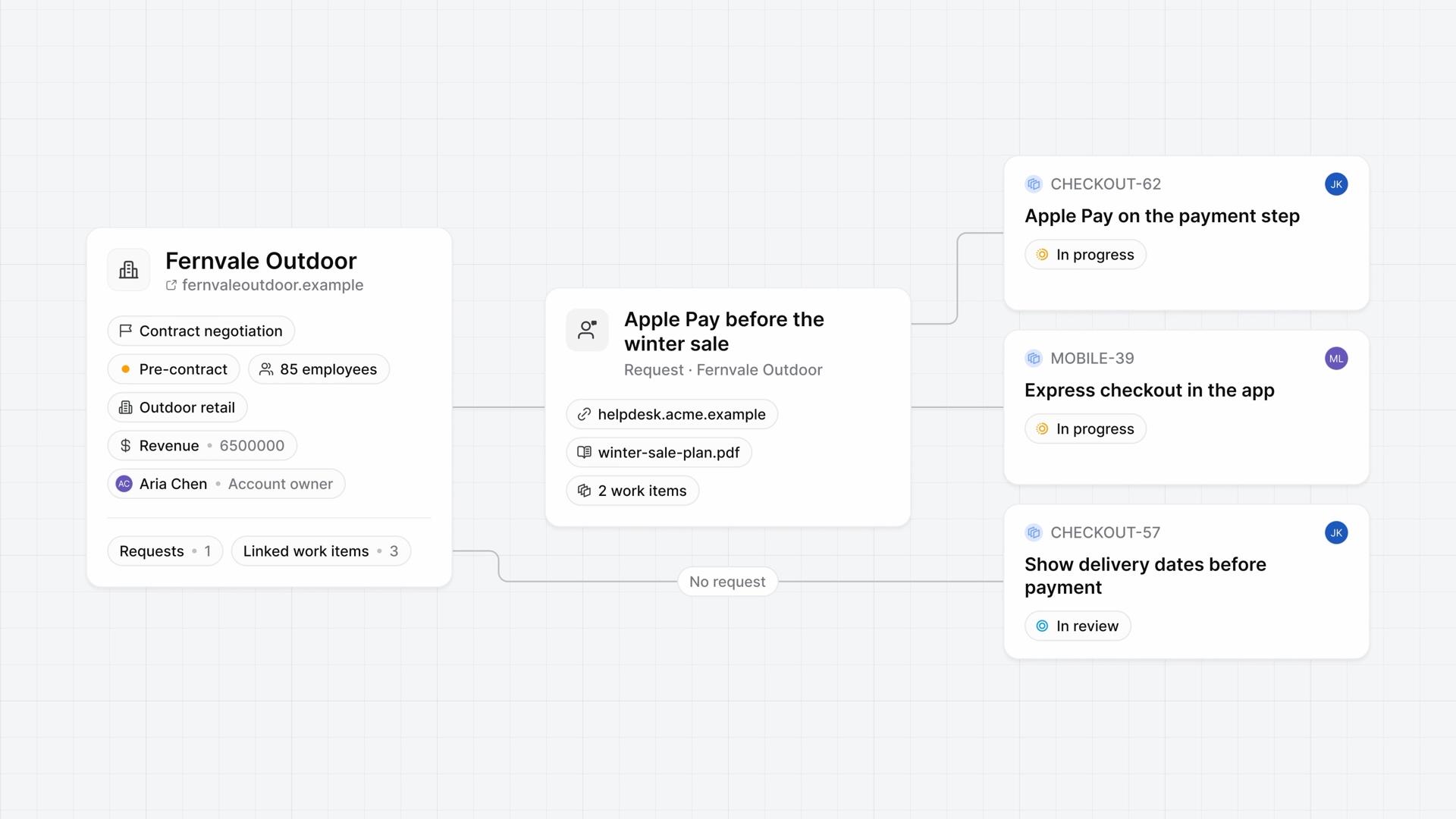
  6. The Fernvale Outdoor customer record with its stage, contract status, employees, industry, revenue, and account owner, linked to a request with a source link and a file, then to three work items, one of them linked with no request.
    4:13

    Lesson 6 · 4:13

    Customers

    How customer records hold each company's details and requests, link those requests to work items, and show who's waiting on which work from both sides.

    Business
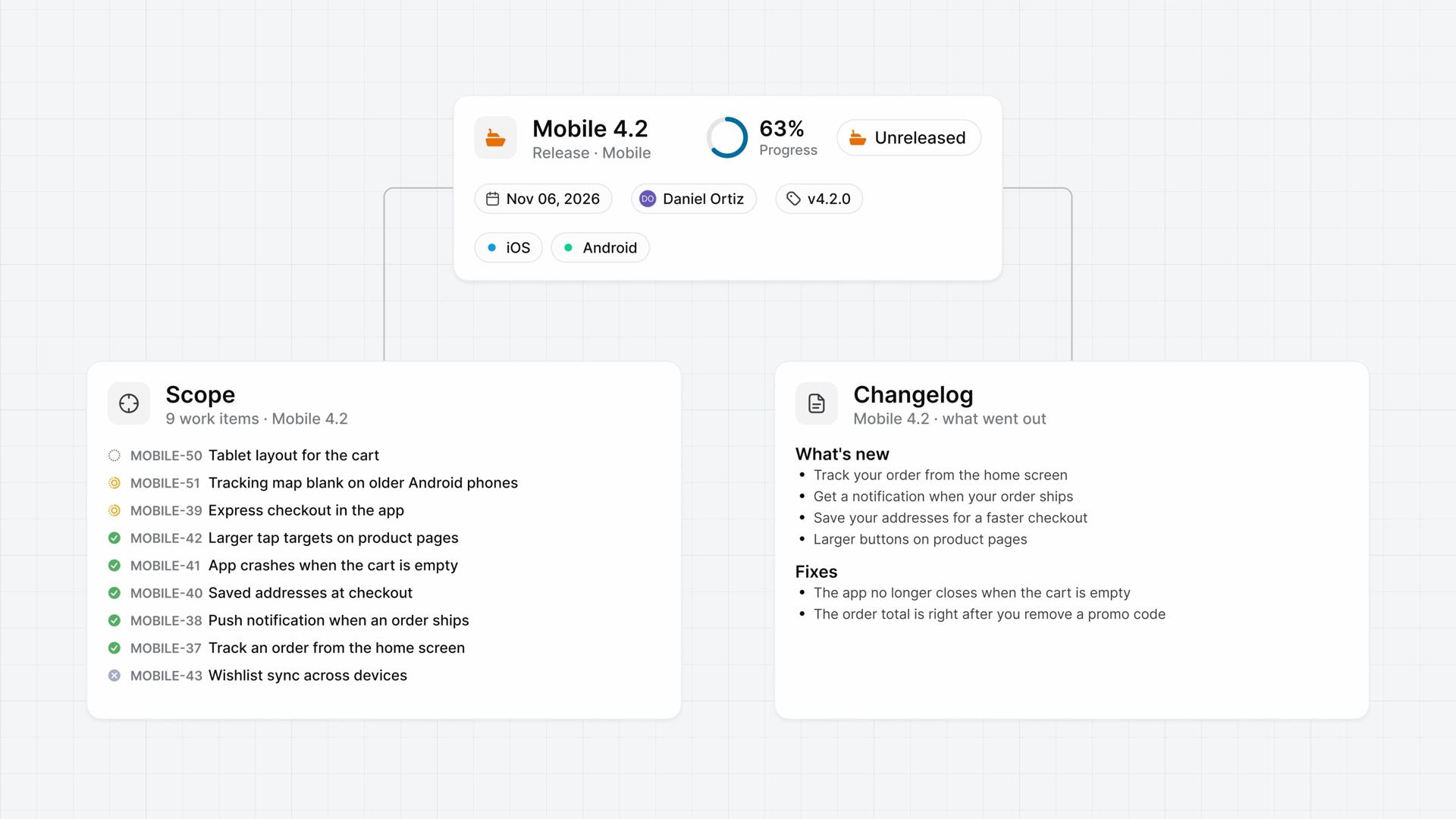
  7. The Mobile 4.2 release, Unreleased at 63% progress, with its target date, lead, v4.2.0 tag, and iOS and Android labels, above its scope of nine work items and a changelog of what's new and fixes.
    4:07

    Lesson 7 · 4:07

    Releases

    How a release groups the work items that ship together, from turning releases on and setting the scope to shipping it and writing its changelog.

    Business
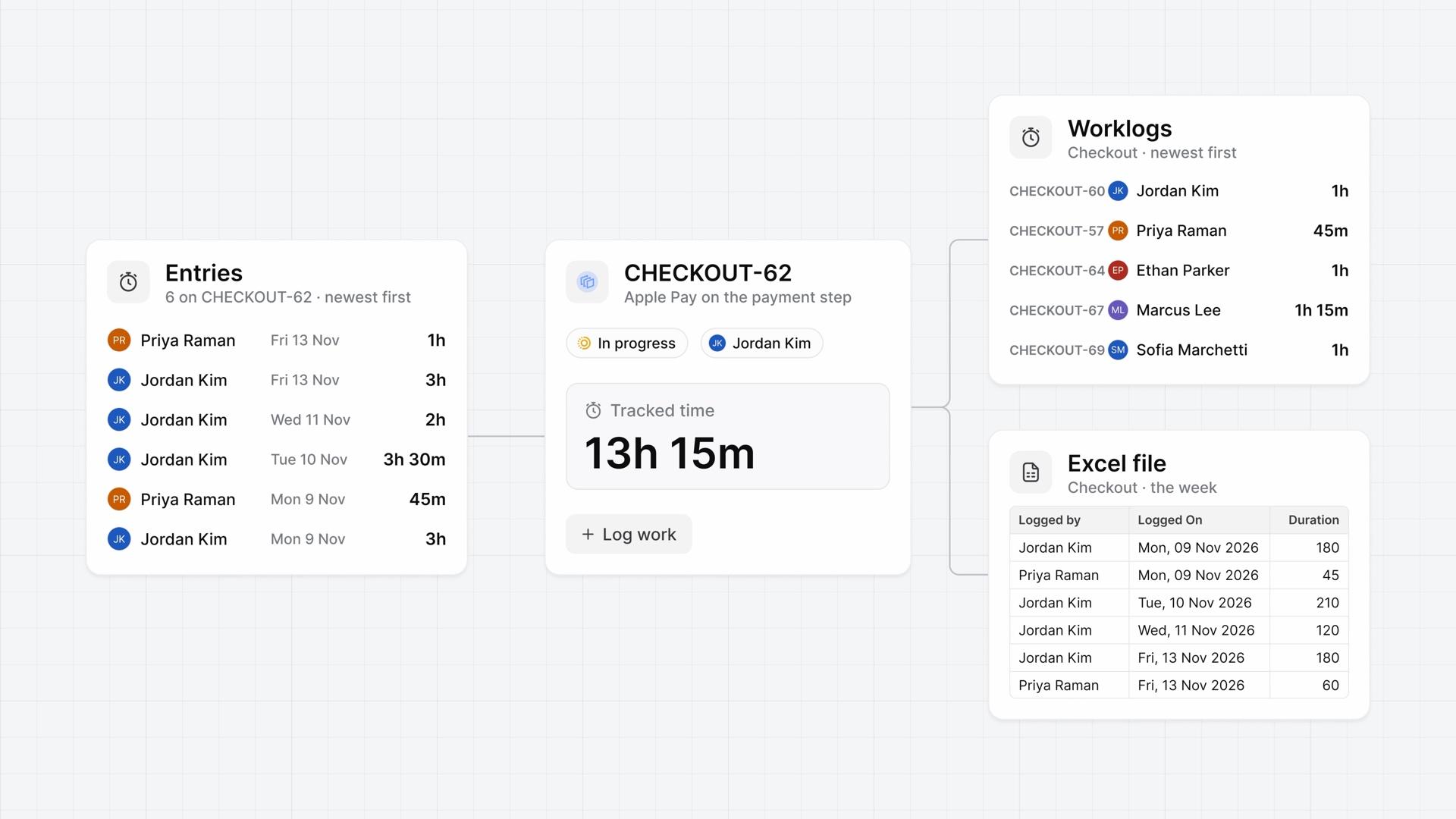
  8. Six time entries on CHECKOUT-62, its Tracked time of 13h 15m above Log work, the Checkout project's Worklogs list, newest first, and the week's Excel file with its Logged by, Logged On, and Duration columns.
    4:02

    Lesson 8 · 4:02

    Time tracking

    How time tracking logs time on each work item, from turning it on and logging hours to reading a project's worklogs and downloading them as a file.

    Pro
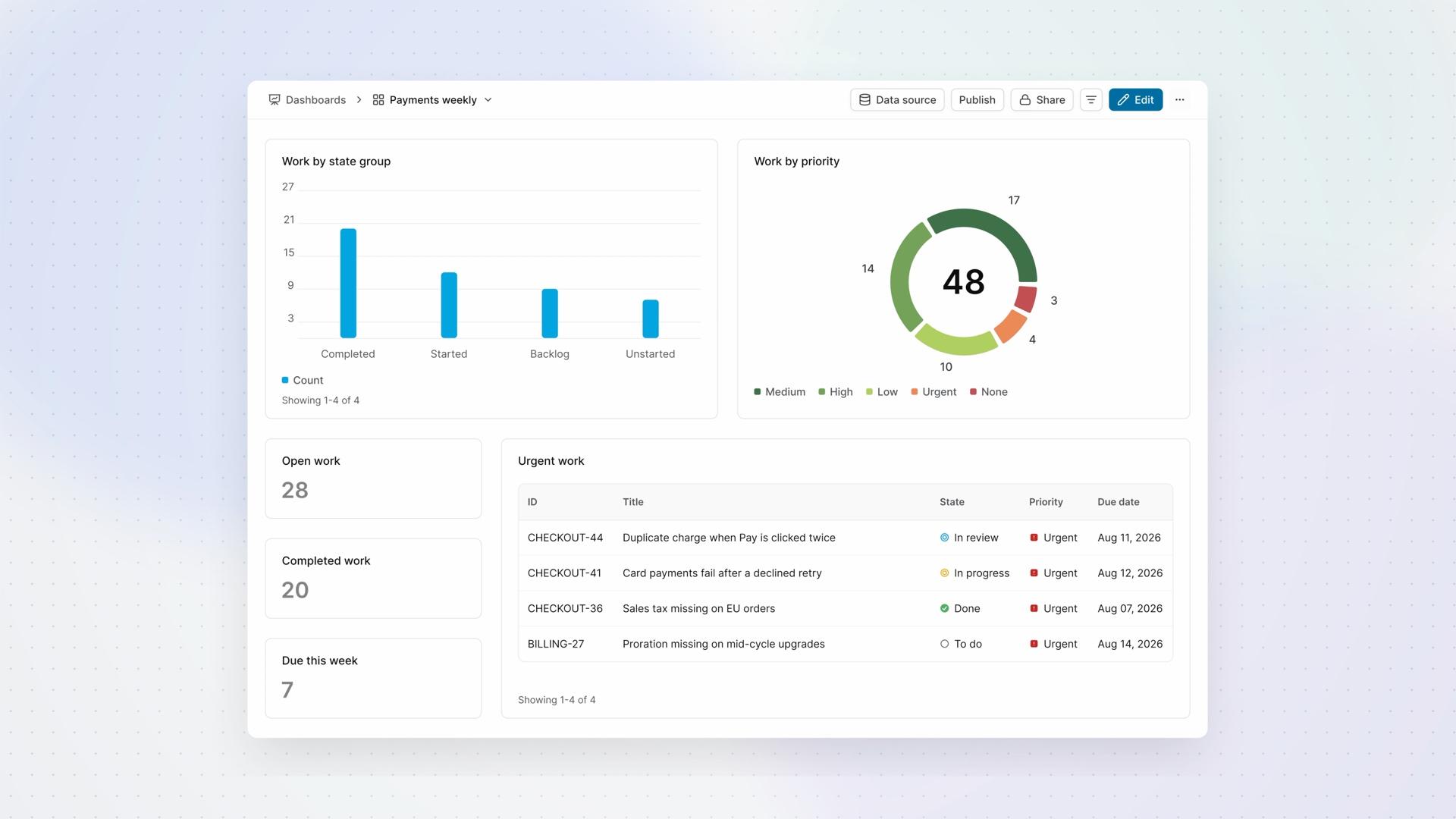
  9. The Payments weekly dashboard, with a bar of work by state group, a donut of work by priority, three counts, and the Urgent work table.
    4:40

    Lesson 9 · 4:40

    Dashboards

    How a dashboard brings counts, charts, and tables together for regular review, from choosing its data and widgets to filtering what you see and deciding who can read it.

    ProBusinessEnterprise Grid
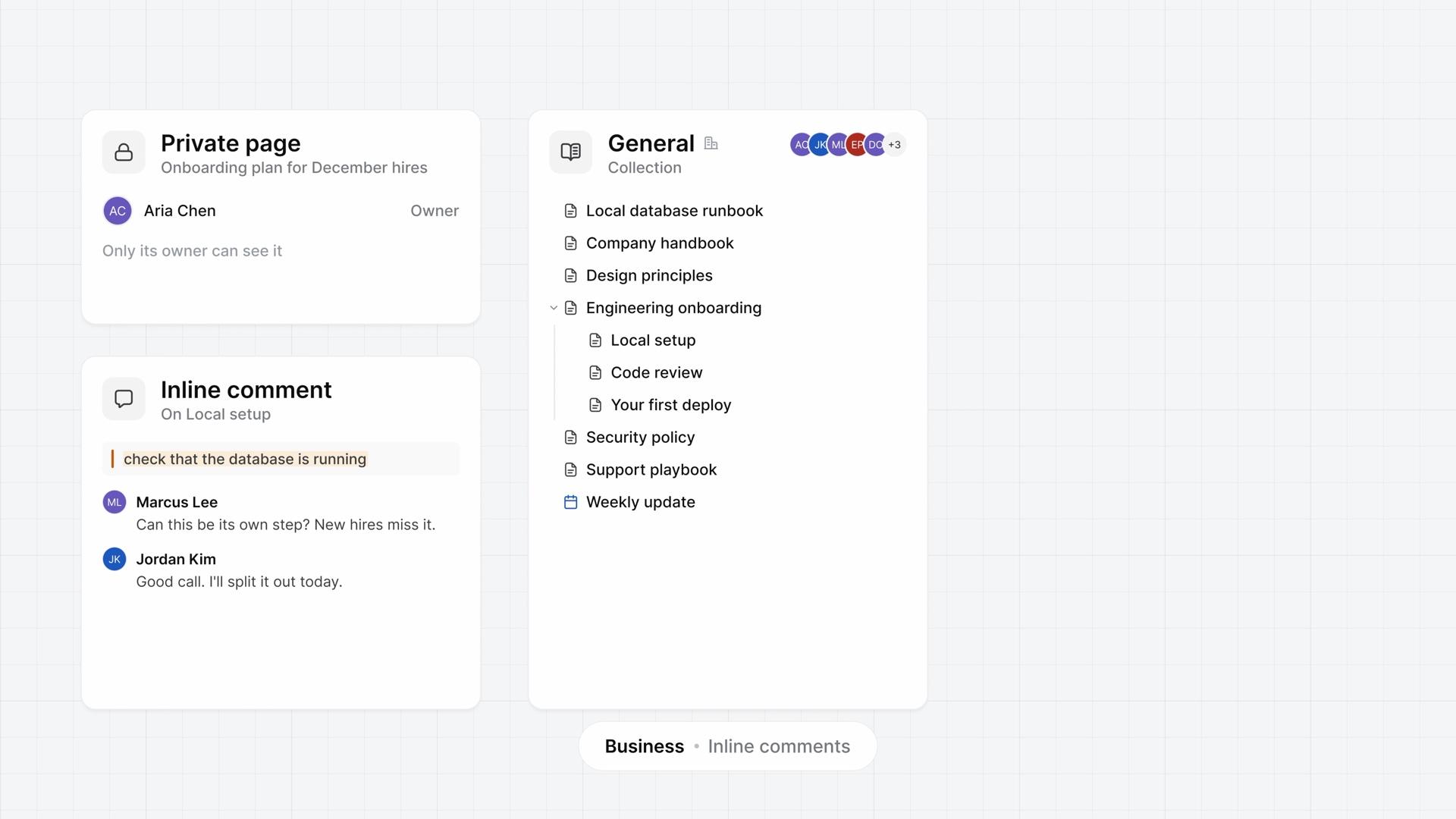
  10. A private page that only its owner can see, an inline comment thread on the sentence check that the database is running, and the General collection with Local setup, Code review, and Your first deploy nested under Engineering onboarding.
    4:05

    Lesson 10 · 4:05

    Wiki for teams

    How the wiki works for a team, from building a section out of nested pages and sharing a private page to resolving a comment thread, restoring a version, and exporting the section.

    ProBusiness
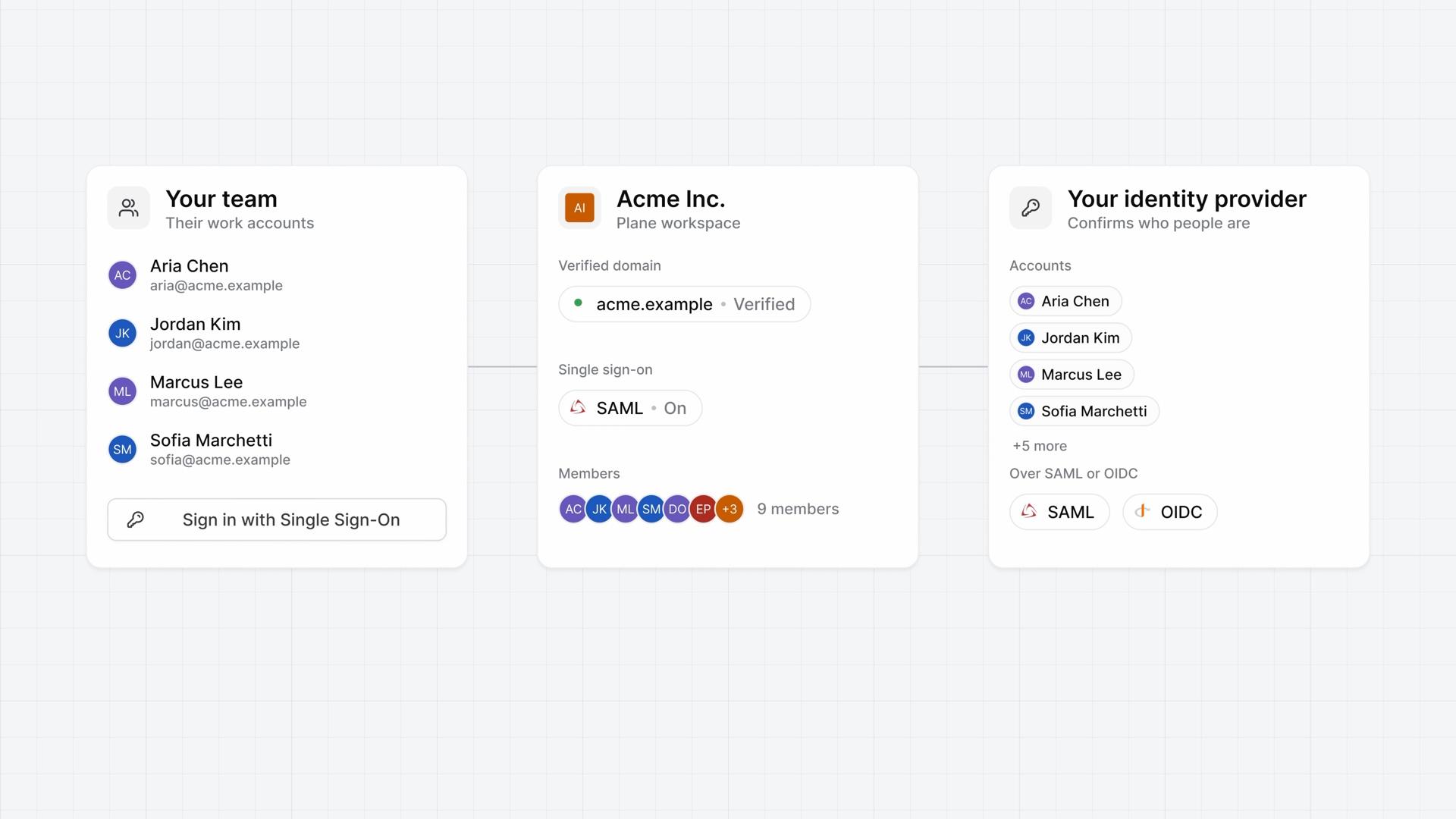
  11. Three linked cards: the team's work accounts with a Sign in with Single Sign-On button, the Plane workspace with its verified domain and SAML switched on, and the identity provider that confirms who people are over SAML or OIDC.
    4:11

    Lesson 11 · 4:11

    Single sign-on

    How single sign-on works for a workspace on Plane Cloud, from verifying your email domain and connecting a SAML or OIDC provider to what people see when they sign in.

    Business
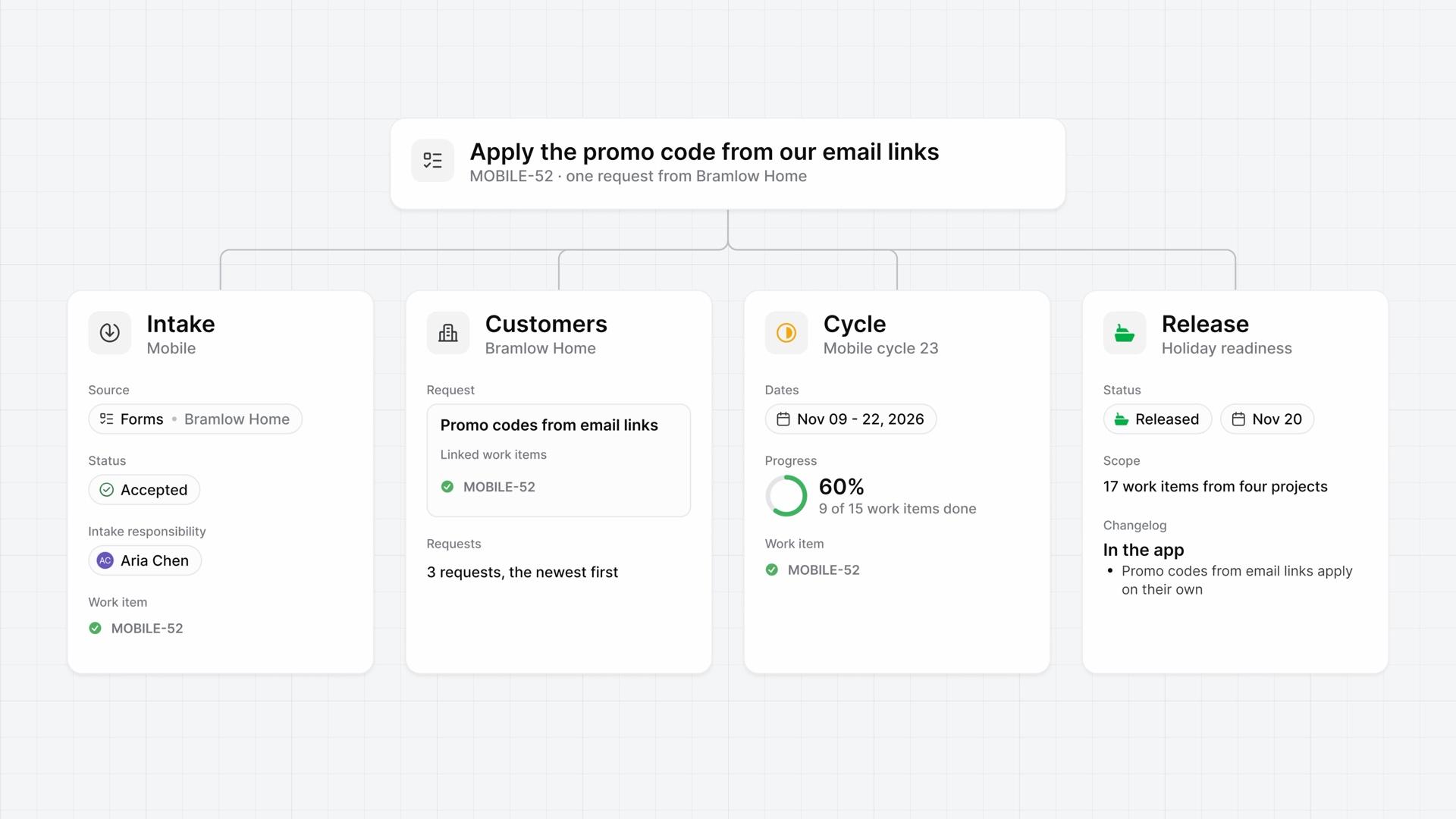
  12. One request's trail across four cards: Intake shows it accepted from a form, Customers shows the request with its linked work item, Cycle shows the cycle's dates and progress, and Release shows it released with a changelog line.
    3:55

    Lesson 12 · 3:55

    Request to release

    How Intake, Customers, a cycle, and a release work together on one customer request, from the form a customer fills in to the changelog of the release that ships it.

    Business

Next-gen project management starts here.