
Lesson 2 of 15 · 4:43
Run multiple workspaces on one Plane instance
How an instance, one self-hosted installation of Plane, can hold many workspaces, from what is set once for the instance to what each workspace keeps for itself and who administers each.
In this course
- 1What is Enterprise Grid?1:55
- 2Multiple workspaces4:43
- 3Single sign-on4:30
- 4Custom roles4:34
- 5Group syncing4:25
- 6Work item types4:43
- 7Work item hierarchy4:28
- 8Approvals4:12
- 9Workspace governance4:28
- 10Workspace automations4:26
- 11Plane Runner4:49
- 12Audit logs4:32
- 13Sensitive data scanning4:30
- 14Work item security4:18
- 15Cascading properties4:07
What you will learn
- An instance is one self-hosted installation of Plane. With Enterprise Grid, one license covers the instance and every workspace on it.
- An instance admin runs God mode. A workspace admin runs one workspace's settings.
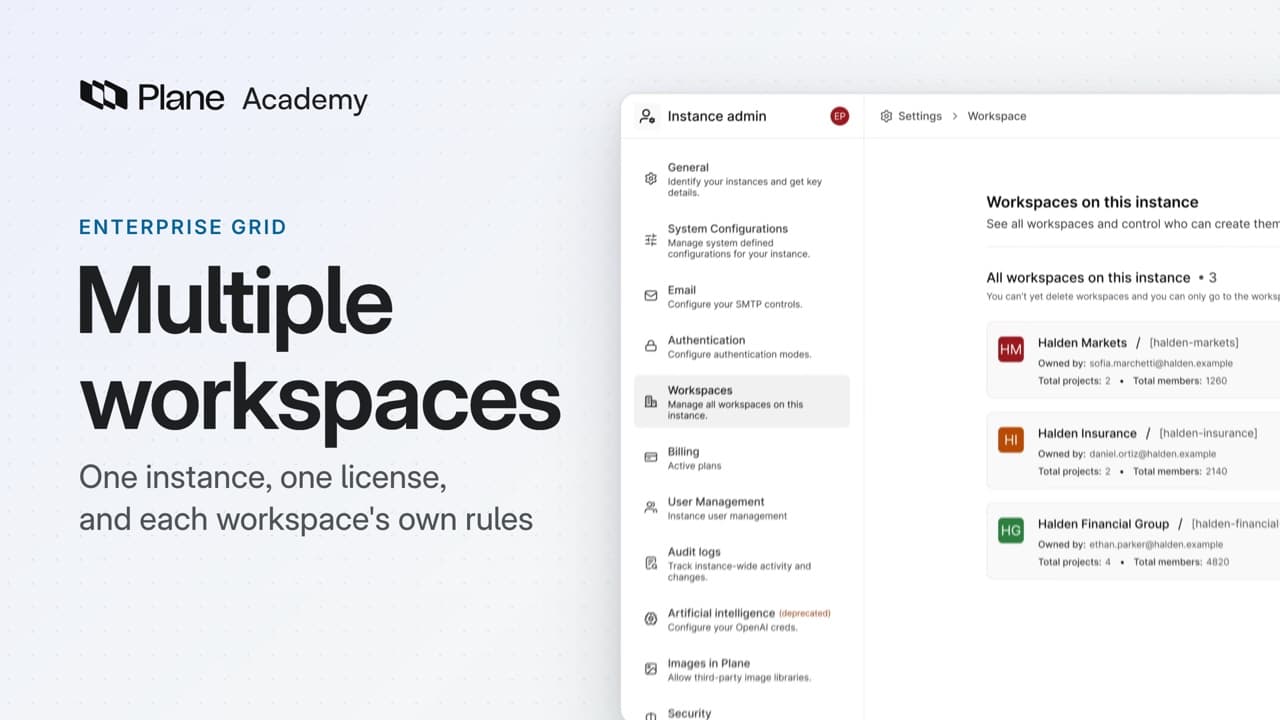
- The license activates the whole instance, including workspaces you create later. God mode's Workspaces page lists every workspace, and an instance admin can create one there.
- Listing a workspace does not open it. An instance admin can enter a workspace only as one of its members.
- Deactivating a user in User Management removes them from all workspaces and projects and ends their sessions. Plane will not deactivate the last instance admin, or your own account.
- Sign-in is set once in God mode, under Authentication, and every workspace uses it. LDAP and group syncing are part of Enterprise Grid, on self-hosted Plane only.
- Each workspace keeps its own roles, governance, work item types, and audit log. No single screen sets a role or a workflow for every workspace.
One instance, many workspaces
0:00An instance is one self-hosted installation of Plane, and it can hold many workspaces. With Enterprise Grid, one license covers the instance and every workspace on it.
Some controls are set once for the instance. Others are set in each workspace. Knowing which is which tells you who administers what.
License and manage the instance
0:34Two kinds of admin are involved. An instance admin runs God mode. A workspace admin runs one workspace's settings.
An Enterprise Grid license is not tied to one workspace. It activates the whole instance.
- An instance admin opens God mode, then Billing.
- Enter the license key under Activate Enterprise license.
The activation applies to every workspace on the instance, including any you create later.
God mode's Workspaces page lists every workspace on the instance, and an instance admin can create one there. Listing a workspace does not open it. An instance admin can enter a workspace only as one of its members.
User Management lists every account on the instance. Deactivating a user there removes them from all workspaces and projects, and ends their sessions. Plane will not deactivate the last instance admin, or your own account. Each deactivation is recorded in the instance audit log.
Keep policy in each workspace
3:09Everything else is set workspace by workspace. Custom roles and permission groups belong to the workspace that defines them. A custom role in one workspace is a separate role from one with the same name in another.
Governance is turned on per workspace too. Its states, workflows, labels, and work item types are that workspace's own. Turning it on in one workspace changes nothing in the others, even while its migration runs.
Each workspace has its own audit log, covering the changes made inside it. Sign-in events stay in the instance log.
A second workspace lets a business unit or a region run with its own members, access rules, and standards. No single screen sets a role or a workflow for every workspace. To use one standard everywhere, configure it in each workspace.
Try it in your workspace
Open God mode, then Billing, and enter the license key under Activate Enterprise license.
Transcript
Show the transcript
One instance, many workspaces
0:02An instance is one self-hosted installation of Plane, and it can hold many workspaces. With Enterprise Grid, one license covers the instance and every workspace on it.
0:15Some controls are set once for the instance. Others are set in each workspace. Knowing which is which tells you who administers what.
0:25You'll see what the license covers, what every workspace shares, and what each workspace keeps for itself. Let's take a closer look.
License and manage the instance
0:38Two kinds of admin are involved. An instance admin runs God mode. A workspace admin runs one workspace's settings.
0:48An Enterprise Grid license isn't tied to one workspace. It activates the whole instance.
0:56An instance admin opens God mode, then Billing, and enters the license key under Activate Enterprise license.
1:04The activation applies to every workspace on the instance, including any you create later.
1:12God mode's Workspaces page lists every workspace on the instance, and an instance admin can create one there.
1:20Listing a workspace doesn't open it. An instance admin can enter a workspace only as one of its members.
1:29User Management lists every account on the instance. Deactivating a user there removes them from all workspaces and projects, and ends their sessions.
1:40Plane won't deactivate the last instance admin, or your own account.
1:47Each deactivation is recorded in the instance audit log.
Share sign-in across workspaces
1:56Sign-in is set once for the instance. In God mode, under Authentication, an instance admin turns on SAML, OIDC, or LDAP, and every workspace uses it.
2:09LDAP and group syncing are part of Enterprise Grid, on self-hosted Plane only.
2:16Each person has one account on the instance, and sees only the workspaces they're a member of.
2:24Group syncing connects the directory to each workspace. A workspace maps directory groups to its own roles and projects.
2:33At sign-in, Plane checks the person's groups against every workspace that has group syncing on, and adds them wherever a mapping matches.
2:43So one directory can place a person in the right workspaces, with the right role in each.
2:51Each workspace also chooses whether a sync can remove access, with Auto remove.
2:59Plane records sign-in, instance, and security events for the instance. An instance admin reviews them in God mode, under Audit logs.
Keep policy in each workspace
3:13Everything else is set workspace by workspace. Custom roles and permission groups belong to the workspace that defines them.
3:22A custom role in one workspace is a separate role from one with the same name in another.
3:29Governance is turned on per workspace too. Its states, workflows, labels, and work item types are that workspace's own.
3:40Turning it on in one workspace changes nothing in the others, even while its migration runs.
3:48Each workspace has its own audit log, covering the changes made inside it. Sign-in events stay in the instance log.
3:58That is what a second workspace is for. A business unit or a region can run with its own members, access rules, and standards.
4:08It also means no single screen sets a role or a workflow for every workspace. To use one standard everywhere, configure it in each workspace.
Review what is shared
4:21One license and one sign-in configuration cover the instance. Each workspace keeps its own roles, standards, and audit log. Directory groups connect people to the workspaces they need.
Read next
Plans
- Enterprise Grid:
- Instance-wide license, LDAP, and group syncing