
Lesson 3 of 15 · 4:30
Set up single sign-on for your Plane instance
How single sign-on lets people sign in through the identity provider your organization already runs, from connecting a provider and controlling the other ways in to letting directory groups assign access.
In this course
- 1What is Enterprise Grid?1:55
- 2Multiple workspaces4:43
- 3Single sign-on4:30
- 4Custom roles4:34
- 5Group syncing4:25
- 6Work item types4:43
- 7Work item hierarchy4:28
- 8Approvals4:12
- 9Workspace governance4:28
- 10Workspace automations4:26
- 11Plane Runner4:49
- 12Audit logs4:32
- 13Sensitive data scanning4:30
- 14Work item security4:18
- 15Cascading properties4:07
What you will learn
- Single sign-on lets people sign in to Plane through the identity provider your organization already runs. Plane supports SAML and OIDC, and Enterprise Grid adds LDAP.
- Sign-in belongs to the instance. An instance admin sets it once in God mode, and it covers every workspace.
- OIDC needs the Origin URL, Redirect URL, and Logout URL registered with your provider, then the Client ID, Client secret, and Authorize, Token, and Users' info URLs.
- The IdP's name field sets the label on the sign-in button. Turn on Refresh user attributes from IdP to update each person's profile at sign-in.
- To make your provider the only way in, turn off the other methods, such as Passwords and Unique codes. Plane keeps at least one method enabled, and God mode keeps its own password sign-in for instance admins.
- A first sign-in creates the person's Plane account. With sign-up limited to invitations, they need an invitation, or a directory group that group syncing maps.
- Group syncing maps a directory group to a workspace role, a project role, or access on a private collection. Auto remove is off by default.
Sign in through your identity provider
0:00Single sign-on lets people sign in to Plane through the identity provider your organization already runs.
Plane supports two protocols, SAML and OIDC. Enterprise Grid adds LDAP, for sign-in against your directory.
Sign-in belongs to the instance. An instance admin sets it up once in God mode, and it covers every workspace.
Connect your identity provider
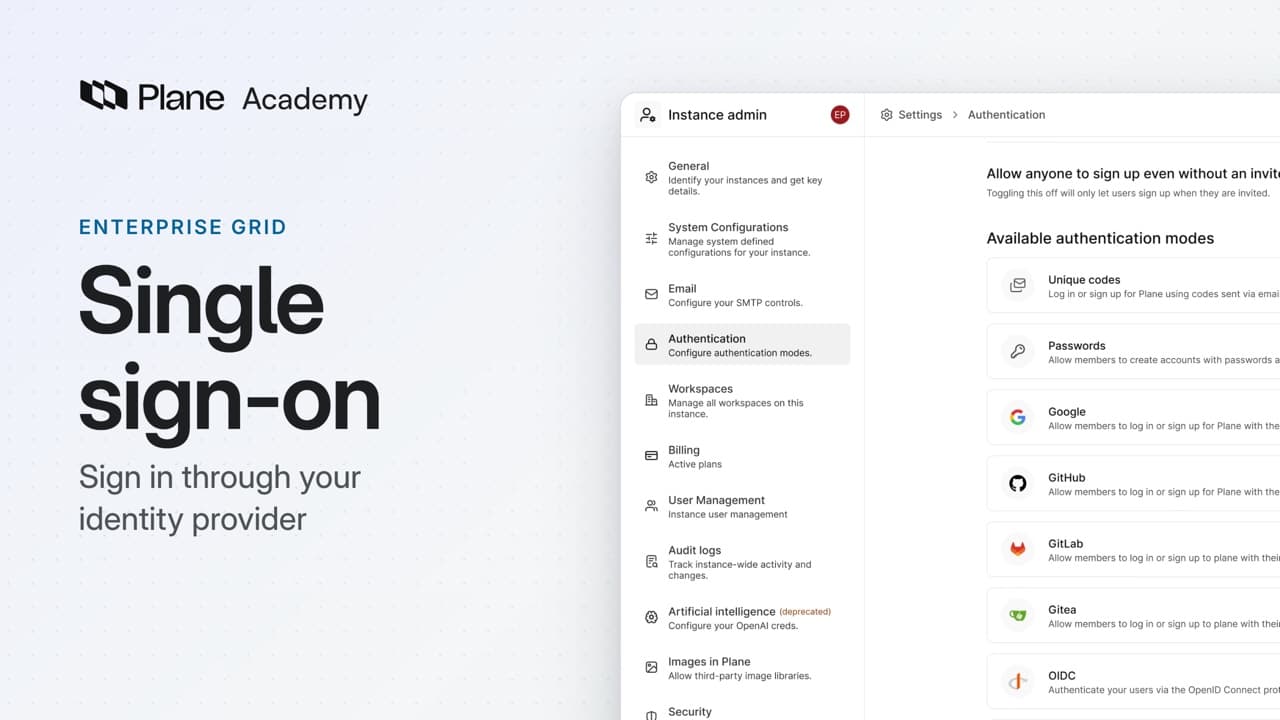
0:37An instance admin opens God mode, then Authentication. Every sign-in method for the instance is listed there.
To connect OIDC:
- Choose Configure next to OIDC.
- Register Plane's Origin URL, Redirect URL, and Logout URL with your identity provider. Plane lists one set for the web app, one for the mobile app, and one for God mode.
- Enter what the provider gives you: the Client ID, the Client secret, and the Authorize, Token, and Users' info URLs.
- Set the IdP's name field. That label appears on the sign-in button.
- Turn on Refresh user attributes from IdP if Plane should update each person's profile from your provider when they sign in.
- Choose Save changes, then turn OIDC on.
The sign-in page now offers your provider by name.
SAML works the same way, with an Entity ID, an SSO URL, and your provider's certificate.
With Enterprise Grid, LDAP is a third option. People sign in with their directory credentials, and Plane checks them against your LDAP server. Configure it with the Server URI, a Bind DN and password for a read-only service account, and the User Search Base.
Control every way in
2:28To make your identity provider the only way in, turn off the other methods, such as Passwords and Unique codes. Plane keeps at least one method enabled.
God mode keeps its own password sign-in for instance admins, so this change does not lock them out.
A first sign-in creates the person's Plane account. With sign-up limited to invitations, they need an invitation, or a directory group that group syncing maps.
Plane records sign-in events for the whole instance. An instance admin reviews them in God mode, under Audit logs.
Let directory groups assign access
3:14Sign-in proves who someone is. With Enterprise Grid, group syncing can also set what they can access.
- A workspace admin turns it on in Workspace settings, under Group syncing.
- Map a directory group to a workspace role, to a project role, or to access on a private collection.
Plane reads a person's groups when they sign in and applies the matching access. OIDC and LDAP can also sync on a schedule. SAML syncs at sign-in only.
Removal is a separate choice. Auto remove is off by default. When it is on, a sync removes synced memberships that no longer match a group.
Review where sign-in is controlled
4:05Single sign-on sends people to your identity provider to sign in. An instance admin sets it once in God mode, for every workspace. Group syncing then assigns access from directory groups.
Try it in your workspace
Open God mode, then Authentication, and choose Configure next to OIDC.
Transcript
Show the transcript
Sign in through your identity provider
0:02Single sign-on lets people sign in to Plane through the identity provider your organization already runs.
0:09Plane supports two protocols, SAML and OIDC. Enterprise Grid adds LDAP, for sign-in against your directory.
0:20Sign-in belongs to the instance. An instance admin sets it up once in God mode, and it covers every workspace.
0:29You'll connect a provider, control the other ways in, and let directory groups assign access. Let's take a closer look.
Connect your identity provider
0:41An instance admin opens God mode, then Authentication. Every sign-in method for the instance is listed there.
0:50Choose Configure next to OIDC. The page has two parts: details your provider gives Plane, and details Plane gives your provider.
1:01Start with Plane's side. Register the Origin URL, the Redirect URL, and the Logout URL with your identity provider.
1:11Plane lists one set for the web app, one for the mobile app, and one for God mode.
1:17Then enter what the provider gives you: the Client ID, the Client secret, and the Authorize, Token, and Users' info URLs.
1:29The IdP's name field sets the label on the sign-in button, so people see a name they recognize.
1:36Turn on Refresh user attributes from IdP, and Plane updates each person's profile from your provider when they sign in.
1:45Save changes, then turn OIDC on. The sign-in page now offers your provider by name.
1:55SAML works the same way, with an Entity ID, an SSO URL, and your provider's certificate.
2:04With Enterprise Grid, LDAP is a third option. People sign in with their directory credentials, and Plane checks them against your LDAP server.
2:14Configure it with the Server URI, a Bind DN and password for a read-only service account, and the User Search Base.
Control every way in
2:30To make your identity provider the only way in, turn off the other methods, such as Passwords and Unique codes. Plane keeps at least one method enabled.
2:43God mode keeps its own password sign-in for instance admins, so this change doesn't lock them out.
2:52A first sign-in creates the person's Plane account. With sign-up limited to invitations, they need an invitation, or a directory group that group syncing maps.
3:05Plane records sign-in events for the whole instance. An instance admin reviews them in God mode, under Audit logs.
Let directory groups assign access
3:17Sign-in proves who someone is. With Enterprise Grid, group syncing can also set what they can access.
3:25A workspace admin turns it on in Workspace settings, under Group syncing.
3:31Map a directory group to a workspace role, to a project role, or to access on a private collection.
3:41Plane reads a person's groups when they sign in and applies the matching access. OIDC and LDAP can also sync on a schedule. SAML syncs at sign-in only.
3:54Removal is a separate choice. Auto remove is off by default. When it's on, a sync removes synced memberships that no longer match a group.
Review where sign-in is controlled
4:07Single sign-on sends people to your identity provider to sign in. An instance admin sets it once in God mode, for every workspace. Group syncing then assigns access from directory groups.
Read next
Plans
- Enterprise Grid:
- LDAP and group syncing