
Lesson 9 of 12 · 6:29
Install self-hosted Plane on Kubernetes with Helm: one chart, one values file
How to install self-hosted Plane on Kubernetes from the plane-enterprise Helm chart, set the values that matter for production, and run Plane highly available and non-root.
In this course
- 1Self-hosted Plane4:35
- 2Install with Docker5:09
- 3Domain, HTTPS, email5:45
- 4Sign-in and SSO5:47
- 5Plans and licenses5:40
- 6Run your instance5:27
- 7Back up, restore, and upgrade6:17
- 8Production data5:18
- 9Kubernetes with Helm6:29
- 10Integrations and the MCP server5:52
- 11Plane AI, search, and scanning5:52
- 12Airgapped Plane5:06
What you will learn
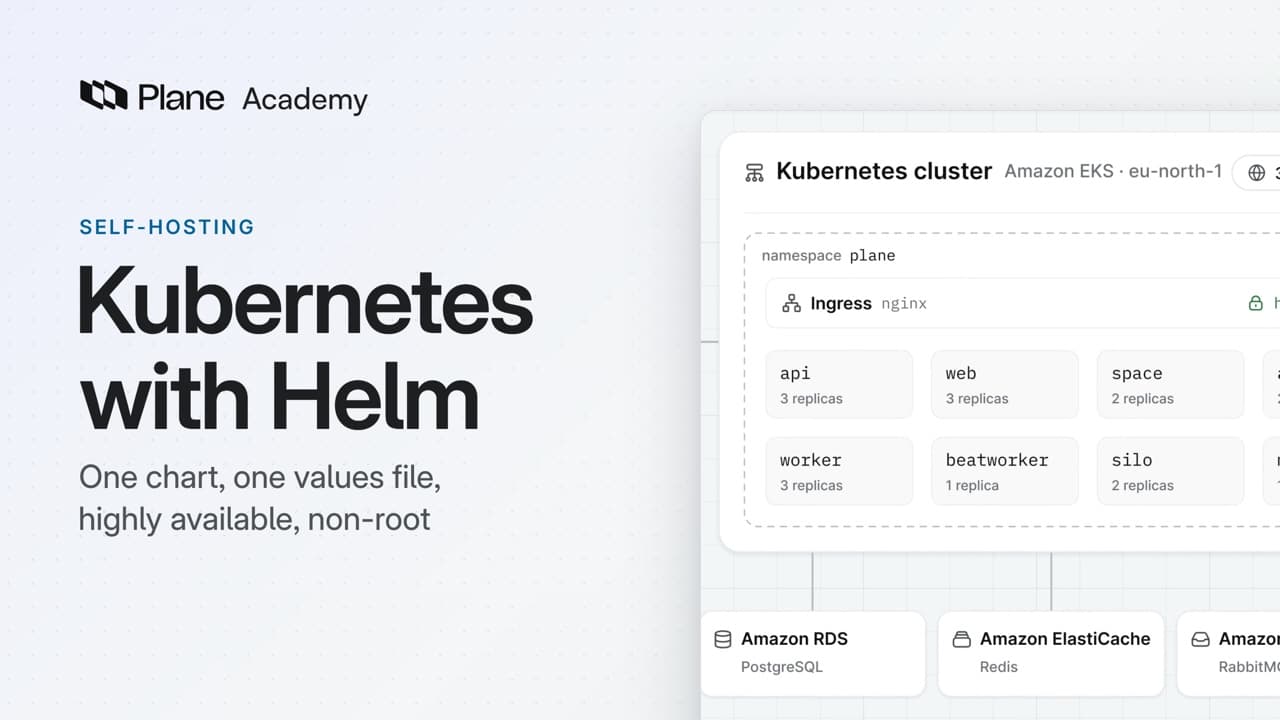
- On Kubernetes, self-hosted Plane installs from one Helm chart, plane-enterprise, and each service runs as its own workload. One values file sets the version, the domain, the certificates, the data stores, and each service's replicas.
- helm repo add plane https://helm.plane.so/ adds the chart, and helm upgrade --install creates the plane namespace and the plane-app release. In that command, set license.licenseDomain to the address your team will open, license.licenseServer to prime.plane.so, planeVersion to the latest release tag (never stable), the ingress class, and the storage class.
- Most services come up as Deployments, monitor as a StatefulSet, and the migrator as a Job that runs once per release. Kubernetes probes each API pod at /api/live/ every thirty seconds, and /api/ready/ checks the database and cache every ten seconds.
- For production, keep your settings in a values file. helm show values writes out the chart's defaults, and you apply the file after every change with -f values.yaml. An upgrade is a backup, helm repo update plane, a new tag, and the same command.
- The chart supports three HTTPS modes: your own certificate in a TLS Secret named in ssl.tls_secret_name, a Let's Encrypt certificate from cert-manager with ssl.createIssuer and ssl.generateCerts, or ssl.externalTermination when a load balancer or Cloudflare terminates TLS in front of the cluster.
- For production, set local_setup to false for Postgres, Redis, RabbitMQ, and MinIO, and give the chart each connection URL or the S3 bucket and region. On EKS, leave the S3 keys unset and give Plane's service account an IAM role. Keep credentials in Kubernetes Secrets, each named in its existingSecret key.
- High availability needs managed data stores, nodes in three zones, at least two replicas per stateless service and three for api, web, and worker, topologySpreadConstraints, and podDisruptionBudget from chart 3.8.0. Monitor, the beat workers, and the migration jobs stay at one.
- securityContext.enabled runs every Plane pod as UID 1000, the plane user. The bundled data stores run as their own users, so point Plane at external ones, and on OpenShift set every ID to null.
Kubernetes with Helm
0:00On Kubernetes, self-hosted Plane installs from one Helm chart, plane-enterprise, and each service runs as its own workload.
One values file sets the version, the domain, the certificates, the data stores, and each service's replicas.
Install Plane with Helm
0:30You need a working cluster, and kubectl and helm on the machine you install from.
-
Add Plane's chart repository with
helm repo add plane https://helm.plane.so/. -
One command,
helm upgrade --install, creates theplanenamespace and a release namedplane-app.helm upgrade --install plane-app plane/plane-enterprise \ --create-namespace \ --namespace plane \ --set license.licenseDomain=<your-domain> \ --set license.licenseServer=https://prime.plane.so \ --set planeVersion=<release-tag> \ --set ingress.enabled=true \ --set ingress.ingressClass=nginx \ --set env.storageClass=<storage-class> \ --timeout 10m \ --wait \ --wait-for-jobs -
In that command, set
license.licenseDomainto the address your team will open. The license is bound to it, and the ingress serves Plane there. -
license.licenseServerisprime.plane.so, andplaneVersiontakes the latest release tag from there. Never set it tostable. -
Turn on the ingress with your cluster's ingress class, such as
nginx, and name the storage class for Plane's volumes. -
The command then waits, for up to ten minutes, until the pods are ready and the migration job is done.
Most services come up as Deployments, monitor as a StatefulSet, and the migrator as a Job that runs once per release.
Kubernetes probes each API pod at /api/live/ every thirty seconds, and restarts the container if it stops answering. /api/ready/ checks the database and cache every ten seconds. After about ninety seconds a new pod passes, and Plane answers at your domain.
Set the values that matter
2:03For production, keep your settings in a values file.
helm show values plane/plane-enterprise > values.yamlwrites out the chart's defaults to start from.- Apply it, after every change, with the same command and
-f values.yaml. - To upgrade, back up the database, object storage, values file, and Secrets. Then run
helm repo update plane, set the new tag inplaneVersion, and apply again.
The chart supports three HTTPS modes:
- To bring your own certificate, store it in a TLS Secret and point
ssl.tls_secret_nameat it. - Or let cert-manager get one from Let's Encrypt. Set
ssl.createIssuerandssl.generateCertstotrue, and add your email. - Or, when a load balancer or Cloudflare terminates TLS in front of the cluster, set
ssl.externalTerminationtotrue.
The quick setup runs Postgres, Redis, RabbitMQ, and MinIO in the cluster. For production, run them as managed services instead.
- For Postgres, Redis, and RabbitMQ, set
local_setuptofalse, and give the chart each one's connection URL. - Turn off MinIO the same way, and name the S3 bucket for uploads and its region.
- On EKS, leave the S3 keys unset, and give Plane's service account an IAM role through Pod Identity or IRSA.
Set the secret key to a random value of your own, and keep it. Plane hashes and encrypts data with it.
To keep credentials out of the values file, put them in Kubernetes Secrets, each named in its *_existingSecret key. The chart loads each Secret with envFrom, so every key becomes an environment variable. Keep only the keys Plane reads.
Make it highly available and non-root
4:04High availability means Plane keeps serving when one zone or one node fails. The bundled data stores cannot do that, so use managed ones.
- A fresh install runs one replica of everything, and the chart adds no autoscalers. Give each stateless service at least two, and
api,web, andworkerthree. - Monitor, the beat workers, and the migration jobs stay at one, or they would do the same work twice.
- You need nodes in three zones, a storage class that waits for the first consumer, a cross-zone load balancer, and two ingress replicas.
- The live service keeps WebSockets open. On AWS, an NLB's 350-second idle timeout is fine, but raise an ALB's 60 seconds.
- To keep replicas apart, give each scaled service
topologySpreadConstraintson hostname and zone. The chart fills in the selector. - Then turn on
podDisruptionBudgetwith one key, from chart 3.8.0, so a node drain takes one replica at a time. The chart skips services at one replica and refuses budgets on singletons. Budgets cover drains, not crashes or rolling updates. - Check them with
kubectl get pdb -n plane. Each budget should allow at least one disruption.
To run without root, set securityContext.enabled to true. Every Plane pod then runs as UID 1000, the plane user. The bundled data stores run as their own users, and the restricted profile rejects them, so point Plane at external ones.
On OpenShift, restricted-v2 assigns the user ID. Set every ID to null, including the email service's runAsUser.
Recap
6:08One Helm chart installs Plane, and one values file sets its version, HTTPS, data stores, high availability, and non-root pods.
Try it in your workspace
On the machine you install from, add Plane's chart repository with helm repo add plane https://helm.plane.so/, then write out the chart's defaults with helm show values plane/plane-enterprise > values.yaml.
Transcript
Show the transcript
Kubernetes with Helm
0:02On Kubernetes, self-hosted Plane installs from one Helm chart, plane-enterprise, and each service runs as its own workload.
0:12One values file sets the version, the domain, the certificates, the data stores, and each service's replicas.
0:21You'll install the chart, set the values that matter, and run Plane highly available and non-root. Let's take a closer look.
Install Plane with Helm
0:34You need a working cluster, and kubectl and helm on the machine you install from.
0:40Add Plane's chart repository with helm repo add plane, at helm.plane.so.
0:48One command, helm upgrade --install, creates the plane namespace and a release named plane-app.
0:57In that command, set the license.licenseDomain to the address your team will open. The license is bound to it, and the ingress serves Plane there.
1:06The license.licenseServer is prime.plane.so, and planeVersion takes the latest release tag from there. Never set it to stable.
1:16Turn on the ingress with your cluster's ingress class, such as nginx, and name the storage class for Plane's volumes.
1:24The command then waits, for up to ten minutes, until the pods are ready and the migration job is done.
1:32Most services come up as Deployments, monitor as a StatefulSet, and the migrator as a Job that runs once per release.
1:41Kubernetes probes each API pod at /api/live/ every thirty seconds, and restarts the container if it stops answering.
1:51/api/ready/ checks the database and cache every ten seconds. After about ninety seconds a new pod passes, and Plane answers at your domain.
Set the values that matter
2:06For production, keep your settings in a values file. helm show values writes out the chart's defaults to start from.
2:15Apply it, after every change, with the same command and -f values.yaml.
2:22To upgrade, back up the database, object storage, values file, and Secrets. Then run helm repo update plane, set the new tag, and apply again.
2:34The chart supports three HTTPS modes. To bring your own certificate, store it in a TLS Secret and point ssl.tls_secret_name at it.
2:44Or let cert-manager issue one from Let's Encrypt. Set ssl.createIssuer and ssl.generateCerts to true, and add your email.
2:53Or, when a load balancer or Cloudflare terminates TLS in front of the cluster, set ssl.externalTermination to true.
3:02The quick setup runs Postgres, Redis, RabbitMQ, and MinIO in the cluster. For production, run them as managed services instead.
3:12For Postgres, Redis, and RabbitMQ, set local_setup to false, and give the chart each one's connection URL.
3:21Turn off MinIO the same way, and name the S3 bucket for uploads and its region.
3:28On EKS, leave the S3 keys unset, and give Plane's service account an IAM role through Pod Identity or IRSA.
3:38Set the secret key to a random value of your own, and keep it. Plane hashes and encrypts data with it.
3:46To keep credentials out of the values file, put them in Kubernetes Secrets, each named in its *_existingSecret key.
3:54The chart loads each Secret with envFrom, so every key becomes an environment variable. Keep only the keys Plane reads.
Make it highly available and non-root
4:07High availability means Plane keeps serving when one zone or one node fails. The bundled data stores can't do that, so use managed ones.
4:18A fresh install runs one replica of everything, and the chart adds no autoscalers. Give each stateless service at least two, and api, web, and worker three.
4:30Monitor, the beat workers, and the migration jobs stay at one, or they'd do the same work twice.
4:38You need nodes in three zones, a storage class that waits for the first consumer, a cross-zone load balancer, and two ingress replicas.
4:48The live service keeps WebSockets open. On AWS, an NLB's 350-second idle timeout is fine, but raise an ALB's 60 seconds.
5:00To keep replicas apart, give each scaled service topologySpreadConstraints on hostname and zone. The chart fills in the selector.
5:09Then turn on podDisruptionBudget with one key, from chart 3.8.0, so a node drain takes one replica at a time.
5:20The chart skips services at one replica and refuses budgets on singletons. Budgets cover drains, not crashes or rolling updates.
5:30Check them with kubectl get pdb -n plane. Each budget should allow at least one disruption.
5:38To run without root, set securityContext.enabled to true. Every Plane pod then runs as UID 1000, the plane user.
5:48The bundled data stores run as their own users, and the restricted profile rejects them, so point Plane at external ones.
5:57On OpenShift, restricted-v2 assigns the user ID. Set every ID to null, including the email service's runAsUser.
Recap
6:09One Helm chart installs Plane, and one values file sets its version, HTTPS, data stores, high availability, and non-root pods.
Read next
- Kubernetes install in the docs (opens in a new tab)
- HTTPS and certificates in the docs (opens in a new tab)
- High availability in the docs (opens in a new tab)
- Kubernetes best practices in the docs (opens in a new tab)
- Non-root pods in the docs (opens in a new tab)
- AWS workload identity in the docs (opens in a new tab)
- Health checks in the docs (opens in a new tab)